If you are looking to ease out your gameplay in Twisted Metal 4, then this list of cheats will help you to unlock all the weapons, enable god mode, and have all kinds of buffs & effects. Having all the advantages while playing vehicular combat like this will let you have an upper hand. And while using cheats isn’t ideal in multiplayer mode, using it in the single-player mode in Twisted Metal 4 is more than viable for players. So if you are looking to avail all the benefits, then check out our guide with the list of all the cheats you can use with your PlayStation.
All Twisted Metal 4 Cheats (PlayStation)
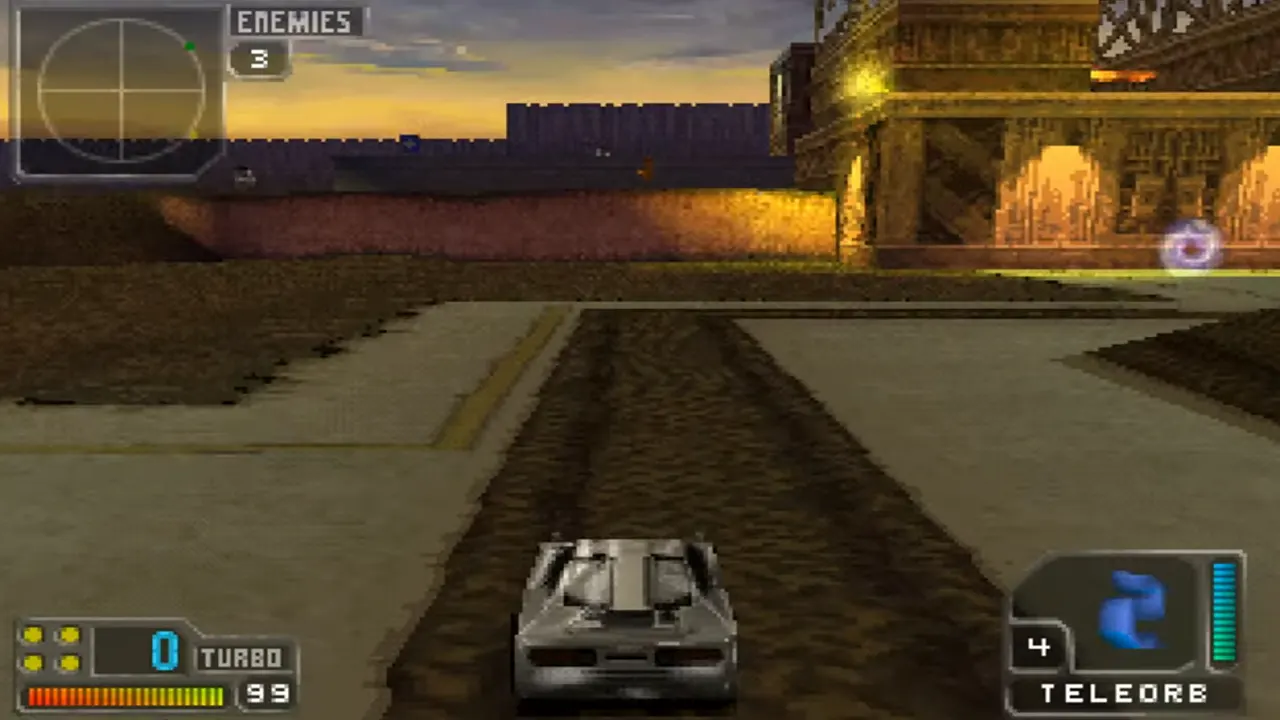
Apart from advanced attack cheats which should be entered while playing, rest all the console commands should be entered in the password screen in Twisted Metal 4. With that being said, here are all the types of cheats you can enter to avail a range of advantages while playing the game:
Advanced Attacks Cheats
- Freeze – Left, Right, Up & Up.
- Hyperspace – Up, Up, Down & Down.
- Invisibility – Down, Down, Up & Up.
- Jump – Up, Up & Left.
- Massive Attack – Up, Down, Up, Down & Up.
- Rear Attack – Right, Left, Down & Down.
- Rear freeze – Left, Right, Down & Down.
- Rear Massive Attack – Up, Down, Up, Down & Down.
- Shield – Up, Up & Right.
Powerup Cheats
- All weapons with 99 ammo – Down, Start, R1, Up & Start.
- Get 99 massive attacks – Start, Right, R1, L1, & R1.
- Get 99 Freeze Missiles – O Button, Left, Triangle Button, R1 & O Button.
- Homing weapons become better seekers – Down, R1, Start, Left & Triangle Button.
- Stronger Power Missiles – Right, L1, Right, Left & L1.
- No health in all modes – Down, R1, Down, Down & Start.
- No pick-ups – O Button, Start, Left, L1 & Start.
- CPU cars target players – Right, Triangle Button, Right, Triangle Button & L1.
- All power-ups are Homing Missiles – R1, Right, Left, R1 & Up.
- All power-ups are Napalms – Right, Left, R1, Right & O Button.
- All power-ups are Power Missiles – Down, Down, O Button, L1 & Left.
- All power-ups are Remote Bombs – Up, Right, Down, L1 & Triangle Button.
- Able to select 0 enemies in Deathmatch – O Button, Up, Down, Up & Up.
- CPU cars ignore health power-ups – L1, Left, Right, O Button & Right.
- Extra fast weapons – R1, L1, Down, Start & Down.
- God mode – Down, Left, L1, Left & Right.
- No health in Deathmatch mode – Triangle Button, Down, Triangle Button, O Button, & Triangle Button.
- No health in Tournament or Deathmatch mode – Down, R1, Down, Start & O Button.
- No health or weapon power-ups – O Button, Start, Left, L1 & Start.
- One CPU ally VS two human opponents – Down, Down, Right, Right & Down.
- Powerful special weapons – Up, Start, O Button, R1 & Left.
- Unlimited special weapons – Triangle Button, L1, Down, Triangle Button & Up.
- Very little traction – Down, Triangle Button, Down, L1 & R1.
- Demo attraction movie starts much quicker – Up, Right, L1, L1 & Down.
Unlock Levels, Vehicles & Hidden Characters in Twisted Metal 4
- Level 1 Construction Yard – Already Unlocked.
- Level 2 Neon City – Right, Triangle Button, Right, Right & Left.
- Level 3 Road Rage – Start, Start, Down, O Button & L1.
- Level 4 Bedroom – L1, Right, Left, Left & L1.
- Level 5 Amazonia 3000 B.C. – O Button, L1, Start, L1 & Start.
- Level 6 The Oil Rig – Start, Left, Up, Start & O Button.
- Level 7 Minion’s Maze – Start, R1, Left, R1 & R1.
- Level 8 The Carnival – O Button, Left, Down, R1 & L1.
- All characters & levels – Triangle Button, Right, Up, Left & L1.
- Crusher – Down, R1, Right, R1 & L1.
- Moon Buggy – Start, Triangle Button, Right, L1 & Start.
- Super Thumper – O button, Triangle Button, Start, O Button & Left.
- RC Car – Up, Down, Left, Start & Right.
- Super Axel – Up, Right, Down, Up & L1.
- Super Auger – Left, O Button, Triangle Button, Right & Down.
- Super Slamm – Right, L1, Start, O Button & Start.
- Minion – Triangle Button, L1, L1, Left & Up.
- Sweet Tooth – Start, R1, Right, Right & Left.
Once you enter the command correctly, you will hear a laughing sound confirming the cheats in Twisted Metal 4.
That’s everything covered on Twisted Metal 4 PlayStation Cheats. If you find this guide useful, you can look out for more interesting ones on our dedicated Cheat Guides section, right here on Gamer Tweak.