
Home > Palia > How To Use Photo Mode For Screenshots In Palia

How To Take Screenshots In Palia

Updated Date :

Who does not like taking beautiful screenshots of your virtual world in Palia? However, desktop screenshots ruin the fun as they include the whole screen with all the game icons and UI. But there is a solution to your problem, as this game has a dedicated Photo Mode to capture memorable moments of your village and share them with your friends. So, let us check out how to take photos using it.

How to Take Screenshots Using Photo Mode in Palia
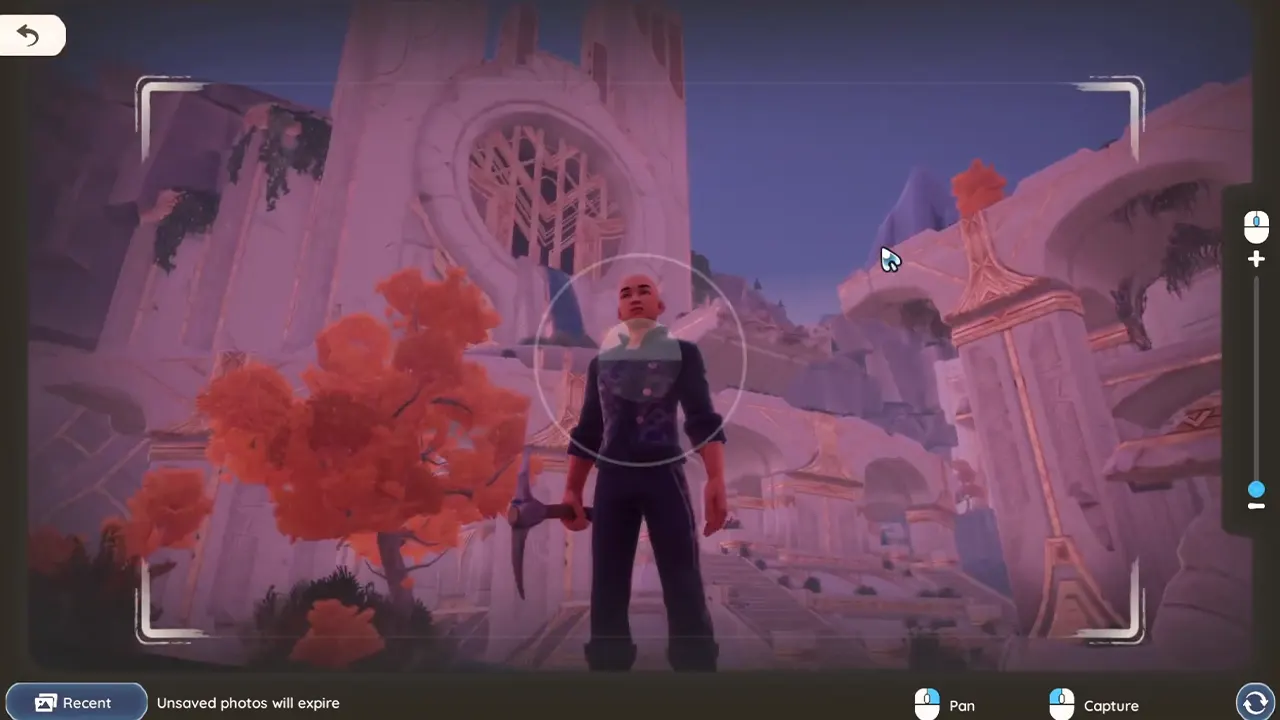
Photo Mode In Palia
Image Source: DaOpa

You can access the Photo Mode by pressing the K key on your keyboard to take a screenshot in Palia. Here are the steps to capture photos using it:

  1. Press the K key and open the Photo Mode.
  2. You can press the circle arrow button on the bottom right side of the screen to switch to Selfie Mode.
  3. Press RMB to pan your camera to get the best shot.
  4. Use the scroll wheel on your mouse to zoom in and out of your photo.
  5. Click the LMB to capture the screenshot.
  6. You can view the picture by pressing the recent button on the bottom left side of the screen.
  7. You can use the Save to Album button to store them. Unsaved photos will disappear after some time.

These get stored on your PC and can be accessed anytime. Let us see how you can find them.

How to Find Screenshots on Your Computer

You can find the pictures in the AppData folder of your computer. Follow the steps to find them:

  1. Open the File Explorer on your computer.
  2. Use the search bar to find AppData.
  3. Navigate to Local.
  4. Now find the Palia file and open it.
  5. Open the Saved folder.
  6. Double-click on the Screenshots folder.
  7. Once you open it, you will see all the saved photos.
  8. You can view and share these from here.

That’s everything on how to take screenshots in Palia. If you enjoy playing this game, check out our other guides on Palia here on Gamer Tweak.


  • Lurking Giants Codes (July 2026)

    Lurking Giants Codes (July 2026)

    Published Date :

    The name of this game says it all – lurking giants are hunting you down, and surviving isn’t going to be easy. As you continue playing, you’ll earn Coins that can be spent on unlocking new Giants, perks, emotes, and other shop items. Fortunately, you don’t have to rely entirely on gameplay to build up… Read More

  • Shinobi Way Codes (July 2026)

    Shinobi Way Codes (July 2026)

    Published Date :

    Every shinobi starts as a rookie, but mastering powerful jutsu and defeating dangerous enemies is what separates legendary ninjas from everyone else. In this adventure game, you’ll complete quests, battle opponents, strengthen your character, and unlock new abilities. Redeeming Shinobi Way codes is one of the best ways to level up your character because you… Read More

  • Digimon Up Codes (July 2026)

    Digimon Up Codes (July 2026)

    Published Date :

    Digimon Up codes provide various freebies, including DigiEmeralds, that you can redeem right away! Once you’ve picked the right partner, fed and trained them, as well as Digivolved them, you will be ready for battle and victory. The steps to redeem these goodies can be slightly confusing if it’s your first time, so we have… Read More

  • Build an Ore Crusher Codes (July 2026)

    Build an Ore Crusher Codes (July 2026)

    Published Date :

    Building an efficient mining empire takes effort and in Build an Ore Crusher, your goal is to create a processing line that goes from Crushing ores to earning cash for profit. As your operation grows, you’ll unlock better equipment, automate production, and earn enough money to expand your factory even further. To add to it,… Read More







