Home > Gaming Guides > How To Save Ending Podium Photos In Party Animals

How To Save Ending Podium Photos In Party Animals

Updated Date :

Conquered the arena, save ending podium photos in Party Animals to commemorate your victory. With its chibi and cute animals, pictures always come out hilarious or cool. Plus, don’t you want to show your Victory Crown to everyone? The game might seem easy at first glance, but it is not, as you are going against other unknown and known enemies. For several rounds, you have to stay till the end to ensure your team’s victory. The game is entertaining for all, taking you to different and fun battlegrounds from a ruined site to a half-submerged submarine.

How to Download Ending Podium Photos in Party Animals
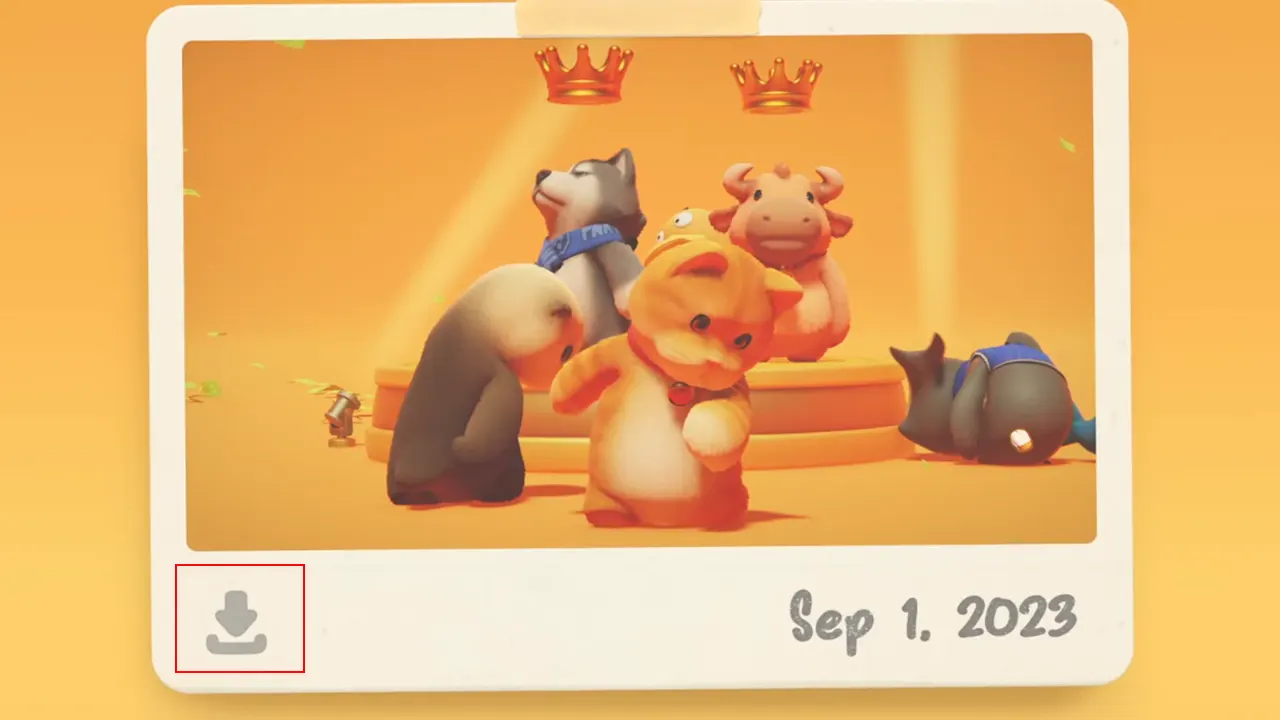
Download Ending Podium Photos in Party Animals

After completion of all rounds, victory or loss you will get to stand on a podium for the picture. In a few seconds, it will take your photo. You see that camera icon in the upper left corner, once the circle around it is full it will click the picture. Now save ending podium photos in Party Animals by tapping on the download button on the bottom left of the picture. It will save on the desktop.

You may see a picture plus icon on the bottom left, it is similar to. But you might have to check the album from your profile to get that image. Though there aren’t any in-game ways to take pictures whenever you want, players can still take the screenshot. There are a lot of moments at the time of battle where you will feel like taking pictures because of the character’s goofiness. Use the print screen for that.

Where to Find Photo Album in Party Animals
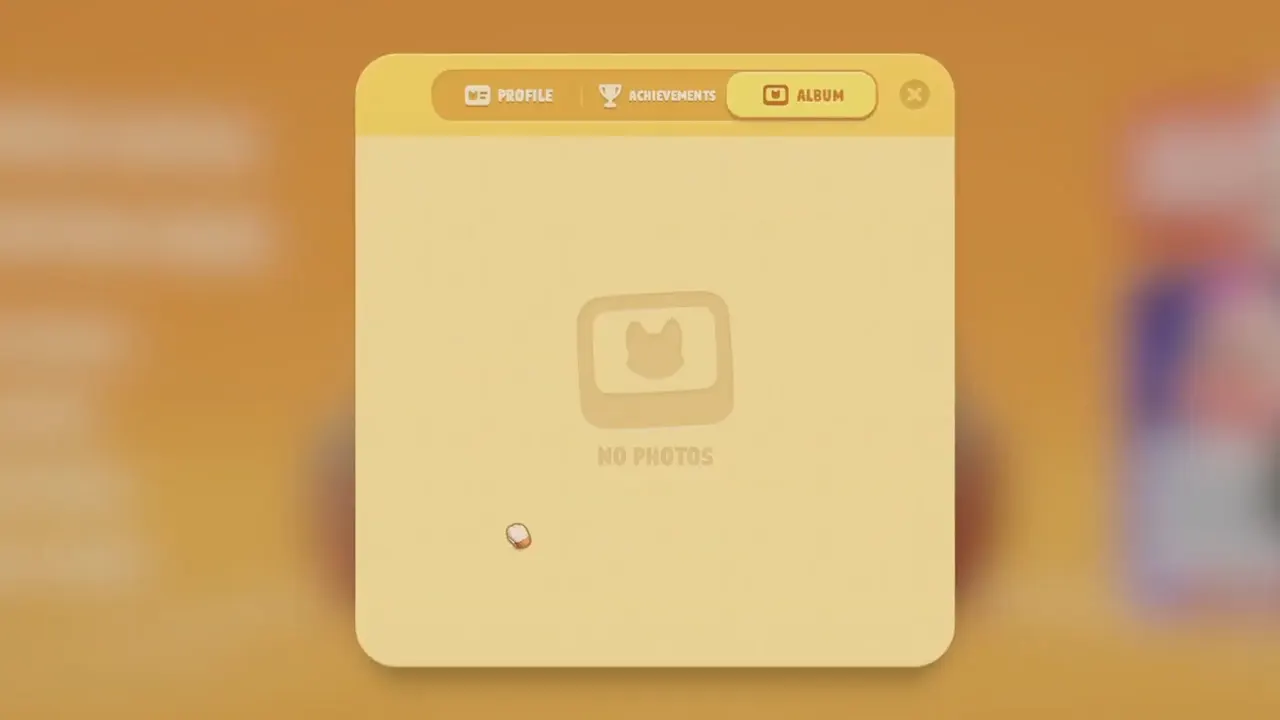
Where to Find Photo Album in Party Animals

  • Launch the game and tap on your profile icon from the bottom right.
  • Then go to the Album tab.
  • All your saved photos will be here.

Now you can save ending podium photos in Party Animals. The game requires a number of skills to stay on the ground till the end. So learn them through our Party Animals guides. Start with how to climb and then learn to swim.
  • +1 Speed Evolve Codes (July 2026)

    +1 Speed Evolve Codes (July 2026)

    Published Date :

    Speed-based games on Roblox will always stay popular, and this particular experience is quite addictive! Here, you play as an animal and your goal is to evolve into stronger animals, unlock new worlds, and be the fastest player on the server! +1 Speed Evolve codes offer free Speed and Win Boosts that can make your… Read More

  • Yeet a Brainrot Codes (July 2026)

    Yeet a Brainrot Codes (July 2026)

    Published Date :

    If you’re annoyed at the Brainrot trend, this is your opportunity to “yeet” them into the distance! To launch Brainrots farther, you need better pets, potions, and more rewards, and thankfully, these Yeet a Brainrot codes will come to the rescue. You can easily unlock various Divine Relic Chests, Primeval Relic Chests, Coin/Luck/Power potions, exclusive… Read More

  • Build A Soccer Squad Codes (July 2026)

    Build A Soccer Squad Codes (July 2026)

    Published Date :

    To build your dream team, you’ll need plenty of rerolls and shop refreshes, which is how you can get better cards and complete your collection. Build A Soccer Squad codes can help with exactly that, giving you various freebies so you get more chances to improve your lineup without waiting. Here’s the complete list of… Read More

  • Aura Monster Simulator Codes (July 2026)

    Aura Monster Simulator Codes (July 2026)

    Published Date :

    Climbing an endless staircase might sound simple at first, but the higher you go, the more Aura you’ll need to keep progressing and unlock stronger upgrades. Thankfully, Aura Monster Simulator codes provide free Gems and Aura Boosts, helping you strengthen your character and reach new heights. More specifically, you can use these Gems to unlock… Read More