
It’s not just you, many Ryujinx emulator users are facing the Firmware Parsing error that they are unable to fix. The issue appears with a code, RYU-0003, and also states the reason behind it, i.e. the outdated Prod keys. Just like you, many players are bothered by this error and are unable to download new firmware. But don’t worry, there are some solutions that have been working for many emulator users, that might work for you too. So with that said, let’s see how you can remove the parsing error and install the latest firmware.
Disclaimer: This guide is only for educational purposes and we DO NOT support piracy in any way.
How to Remove Firmware Parsing Error in Ryujinx (Possible Fix)
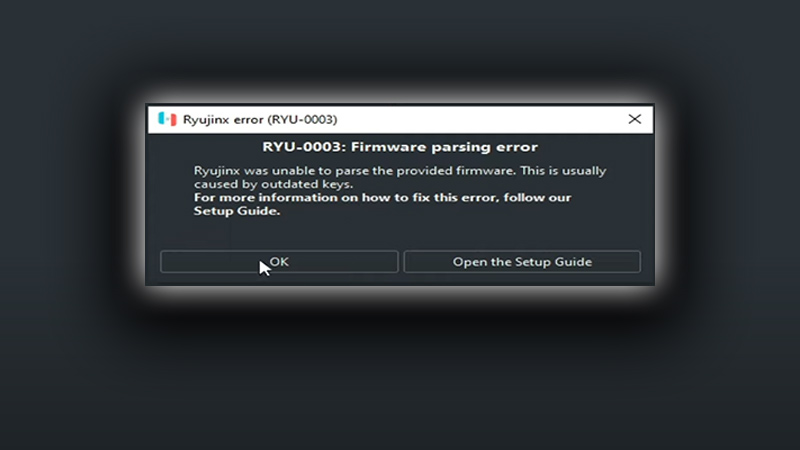
To fix the Firmware Parsing error you’ll need to add the latest Prod Keys for Ryujinx. As it’s clearly stated in the error message, the culprit behind this issue is the outdated Prod keys. However, many emulator users are still not able to bypass the issue and are unable to install the latest firmware. If you’re facing the same problem, then below are some possible solutions that might help you.
- Try disabling your Anti-Virus to get rid of the issue. That’s because such software usually restricts the Ryujinx or any other emulator from running for your PC’s safety.
- Ensure that you are adding the latest and compatible Prod Keys. Using the outdated ones will not resolve the problem.
- Turn Off Controlled folder access on your PC. Doing so will allow Ryujinx access to your files, folder, and memory areas to make unauthorized changes. That may get your data security and PC in trouble. If you’re okay with risks then follow the steps at your own discretion.
- First, open your PC’s Settings and go to Update & Security.
- Next, select the Windows Security tab and click on Virus & threat protection.
- After that, click on Manage Settings under Virus & threat protection settings section.
- Then, head to the Controlled folder access section and click on the Manage Controlled folder access option.
- After that, turn off the Controlled folder access option and launch the Ryujinx emulator and see if the error persists.
These were the possible solution to fix the Firmware Parsing error (RYU 0003) in Ryujinx. If the issue is still not resolved then go through the process to add new Prod Keys once again. And see if you’re missing out on something.
Steps to Replace & Add New Prod Keys
- First, click on the File option located in the top right corner of your screen.
- Next, click on Open Ryujinx Folder option and close the Ryujinx application once the file explorer window pops up.
- After that, click on the System folder in the file explorer window and delete the outdated Prod Keys.
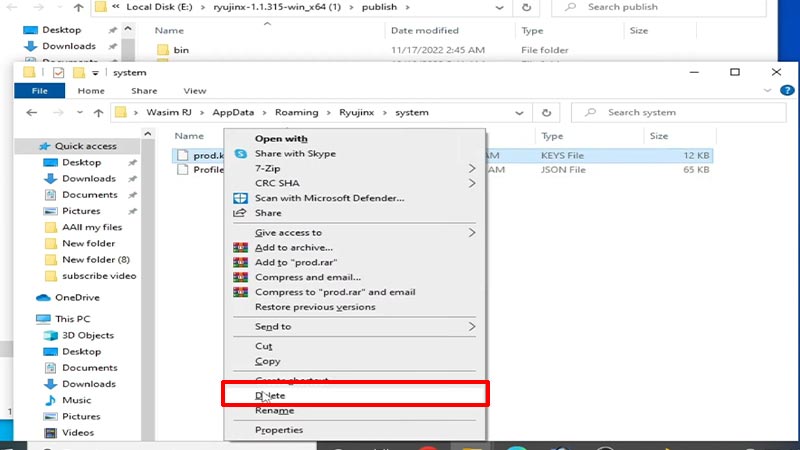
Source Image: Pro SuperMario Gamer - Once done, place the new and latest Prod Keys in the same folder.
- Now, you may be able to install the latest firmware in the Ryujinx emulator.
As mentioned earlier, we DON’T support piracy in any way and this guide is only for educational purposes. That covers everything about how you can fix the Firmware Parsing error in Ryujinx (RYU 0003). If you’re looking for more games to play then check out the best legal sites to download free PC games. Also, take a look at the 2023 upcoming game release date calendar.










