
Roblox Gift Card not working is an issue that is born out of a lack of clarity on what to do. Most players are usually unaware that they can only redeem their gift cards via a web browser and not the mobile or PC applications. If that’s what you have been trying, you won’t exactly find an option to get your card redeemed.
Since this information hasn’t exactly been mentioned anywhere, players are bound to be confused. Along with that, there could be a few other reasons why you are facing this error and how to solve them.
Roblox Gift Card Not Working Troubleshooting Tips
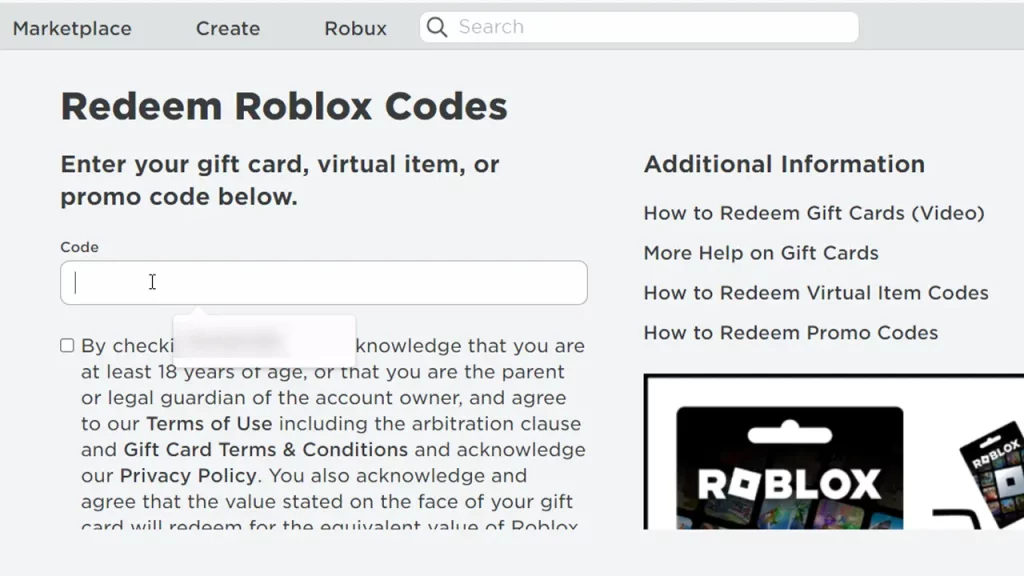
The Roblox Gift Card not working is not really an error or a bug but more likely an issue while redeeming. So there are a few things that you should remember.
Redeem Gift Card via Web Browser
As mentioned, this is the most common mistake that players make while redeeming. You won’t be able to use a redeem option via the application. Follow this link and you will be able to use your Gift Card then.
Ensure Successful Payment
Make sure that the Gift Card you have received is genuine and the payment was successful. It could be that you got a gift card but the payment didn’t go through which would make it null and void. Many players have later realised this issue and had to go through buying the card all over again.
Check the Letters and Number you Type
Sometimes letters can look like numbers and numbers can look like letters. For example, the zero (0) in your Gift Card may actually be an “O”. This has been a common issue and has been suggested by Roblox Support themselves.
Can I Redeem a Gift Card that was Purchased Outside of my home Country?
Another thing worth noting is that players who purchase Gift Cards outside the country of their account won’t be able to redeem them.
If none of these are related to the issue that you are facing then it’s best if you contact Roblox Support. These are common issues that they handle and you will get some professional help while you are at it.
That’s everything you need from this guide. If you found this guide, do check out our Roblox section for more such guides right here at Gamer Tweak.











