
Home > Roblox Guides > Roblox Error Code 769 & 772 Fix

Fix Roblox Error Codes 769 and 772 (Teleport Failed)

Updated Date :

Players who are getting the Roblox Error Code 769 & 772 are curious to know why this error code is coming up and how to fix them. They are indeed annoying because you won’t be able to join servers of your favorite Roblox games. But look no further because this article will explain everything you need to know about these problems.

What is Roblox Error Code 769?

Roblox Error Code 769 is displayed due to three major reasons:

  1. When a player receives a warning or a ban, and then they try to rejoin, this Error Code will appear.
  2. When teleporting to another location in the game. This could happen for a variety of reasons.
  3. When a player tries to rejoin a game when their internet is down, this might happen. Or when the player tries to rejoin the server when the client kicks them out.

The Error Code can be shown in the different text according to one of the above scenarios. They will be displayed as:

  • “Teleport Failed: Unknown exception. (Error Code: 769)”
  • “Reconnect was unsuccessful. Please try again. (Error Code: 769)”
  • “Teleport failed due to an unexpected error. (Error Code: 769)”

What is Roblox Error Code 772? (Teleport Failed)
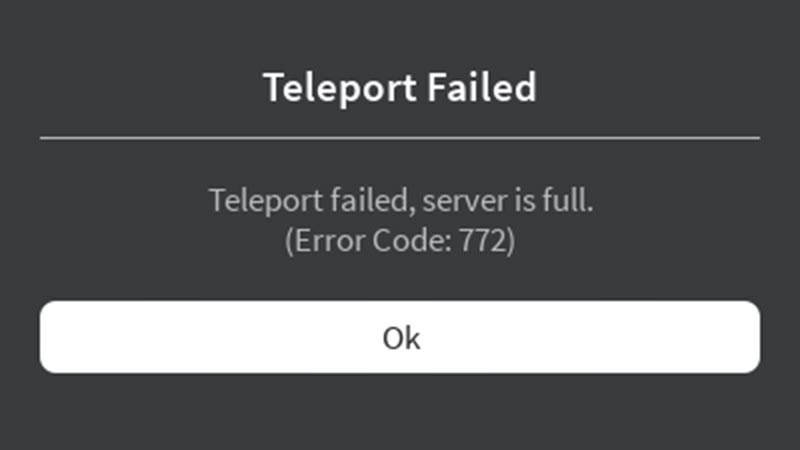
Roblox Error Code 769 & Error Code 772
Roblox Error Code 772 is displayed when a player is attempting to teleport to a game server, which is already full with other players. The Error Code is shown as “Teleport failed, a server is full. (Error Code: 772)”

How to Fix Error Code 769 and 772?

To fix Error Code 769 you need to make sure you not joining a full server. Also, make sure you are currently not under any ban or something similar. And for code 772 it is the same measures you need to keep in mind to avoid getting the error.

That’s all about how to fix Roblox Error Code 769 & 772. Now, in case you end up encountering more errors, we’ve got guides that have potential solutions that could work for you. Here’s how to avoid the errors like Error Code 279, 268, 610103, and 279.

  • A Guide to CS2 Trading Tools and Pro Trading Tips

    A Guide to CS2 Trading Tools and Pro Trading Tips

    Published Date :

    Successful CS2 trading is rarely based on guesswork. Experienced traders rely on data to compare prices, track market trends, and identify good opportunities before making a trade. With so much information available, keeping up with the market without the right tools can be difficult. That’s where CS2 trading tools come in. In this guide, we’ll… Read More

  • Dog Race Codes (July 2026)

    Dog Race Codes (July 2026)

    Published Date :

    For those who enjoy fast-paced clicker and racing simulators on Roblox, Dog Race gives you quite a fun experience! Training your strength, hatching cute pets to boost your stats, and collecting wins to climb into the top 50 leaderboard takes plenty of effort and to help you rack up trophies much faster, redeeming free potion… Read More

  • Knife Duels Codes (July 2026)

    Knife Duels Codes (July 2026)

    Published Date :

    Knife Duels provides a refreshing spin on the FPS genre by putting pure melee combat front and center. You can step onto duel pads to challenge other players in 1v1 through 4v4 matches, battling it out to see who can score six wins first. Outplaying opponents on the leaderboard requires sharp reactions, but if you… Read More

  • My Greenhouse Codes (July 2026)

    My Greenhouse Codes (July 2026)

    Published Date :

    If you’re looking for a cozy alternative to standard Roblox farming simulators, My Greenhouse is a relaxed take on the genre. Built by a solo student developer, this game combines classic plant-and-sell farming mechanics with tycoon building, foraging mini-games, character customization, and more. Exploring different regions, unlocking hidden NPCs, and decorating your greenhouse takes extra… Read More









