Nova Drift has recently been released on Steam and is battling a bug. Some players have reported that they have lost their save game progress. There is no reason why this happened, as Steam syncs everything on the cloud. Such issues are rare and unusual, just to be on the safer side you can manually backup and restore Nova Drift’s save file.
Backup & Restore Nova Drift Save File
Nova Drift save files are stored in the AppData folder. The full location is listed below, go to the following folder and back everything from here. Whenever there is an issue you can restore the saved game files.
- C:\Users\USER\AppData\Local\NovaDrift\
In case you are unable to see any files here then there is one fix to restore save files. You have to rename the User Folder to your system user name. For example, if your account name is Peter, then do the following with the USER folder.
- C:\Users\Peter\AppData\Local\NovaDrift\
The next step is to look for accountLevel file, right-click on it, and choose Open with Notepad. Edit the numbers inside it to some random number. For example, if you see 0.00000 then rename the same to 3.00000. If you are unable to see accountLevel file then once launch the game, play for some minutes and die. Return back to the AppData folder and check again.
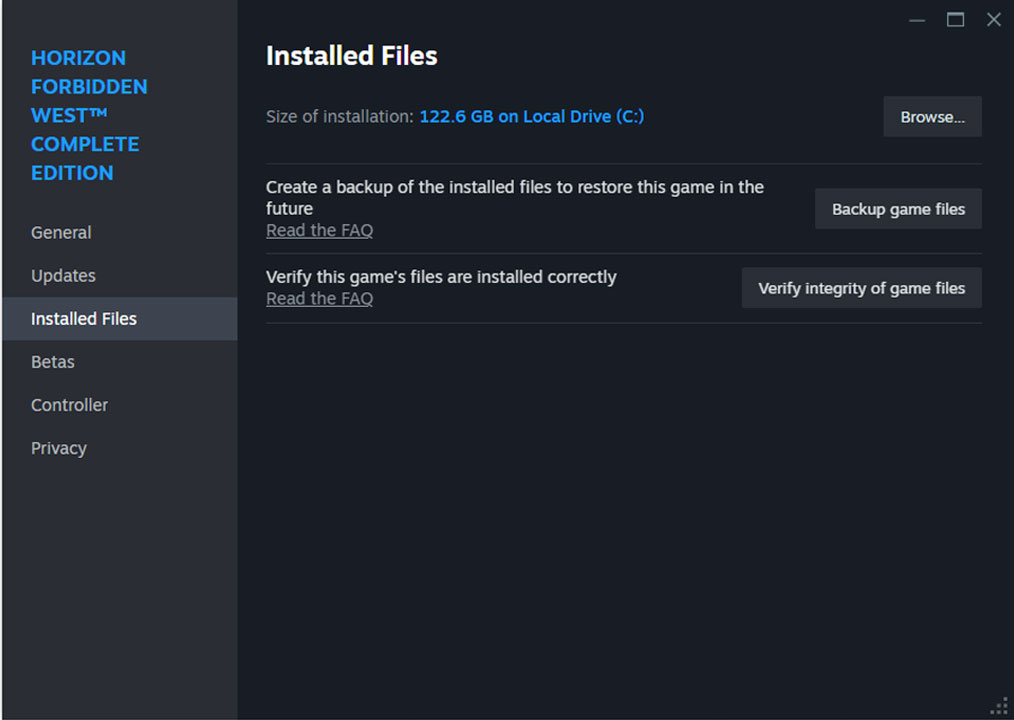
Just by renaming the file you will trigger save restore from Steam. Which mostly happens from the cloud. Restoring the save file will restore all your game progress. One more step can help you to fix your save game issue. That is verifying the integrity of game files. This process will fix any damaged system files. Here are steps on the same.
- Launch the Steam desktop application and go to Library.
- Right-click on the game and go to Properties.
- Click on installed files from the left and then click on Verify integrity of game files.
Wait back for some time, and let Steam scan all game-related files in your system. In case of any damage or issue, Steam will re-download the file and replace it with the damaged one. This is one of the fastest ways to fix various game-related bugs.