Home > Gaming Guides > Play With Friends In Dragon Ball: The Breakers

Dragon Ball The Breakers: How To Play With Friends

Published Date :

Dragon Ball The Breakers is a game that you can enjoy more when you play with friends. Since it is an online asymmetrical action game, coordinating with the people you know can add to the survival part of the game’s experience. And the best thing is the process to play together isn’t tough at all. So in this guide let us check how you can invite or join your friends and play with them in Dragon Ball: The Breakers.

How to Play with Friends in Dragon Ball: The Breakers
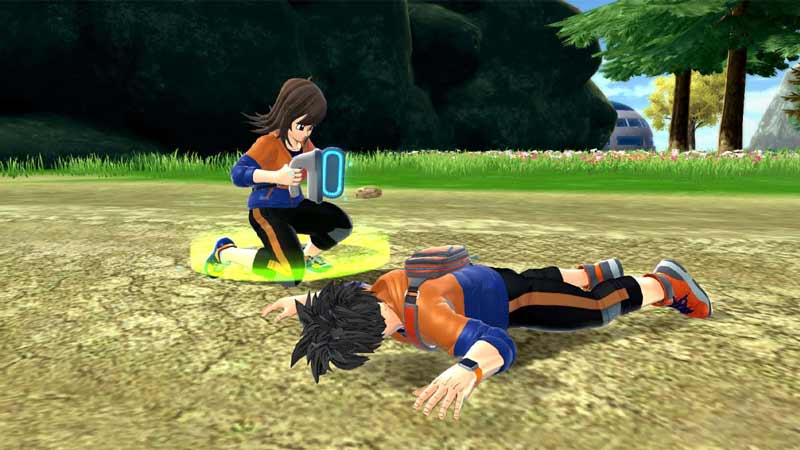
how to invite or join to play with friends in dragon ball the breakers

You can play with friends in this game by one of them creating a room while the other friends join. Here is how you can do both.

  • Create a room
    1. Open Dragon Ball: The Breakers.
    2. Click on the Online match from the menu.
    3. Next, when you are in the waiting room of the Online match, you will see a Room Key on the top right corner of the screen.
    4. Share this key with your friends whom you want to play with.
    5. Wait for them to join. Up to 7 friends can join so a total of 8 friends can play together.
    6. Once all of them have joined click on Begin Matchmaking.
  • Join a room
    1. Open Dragon Ball: The Breakers.
    2. On the mode selection screen, click on the Join Room option in the top right corner of the screen.
    3. Enter the room key shared by your friend that is hosting the match.
    4. After you join, you and your friends should be in the same room.
    5. Start matchmaking and you & your friends can start playing together.
  • In case you have some slots left empty, they will be filled by random players online.

Can you Cross-play with friends?

You cannot cross-play Dragon Ball: The Breakers with your friends. So the only way you and your friends can play together is if all of you play on the same platform.

That covers this guide on how to play with friends in Dragon Ball: The Breakers, and how you can invite or join them. Since you like playing this game be sure to check our other guides on how to shapeshift as Oolong, change raider, and dragon change.
  • +1 Speed Evolve Codes (July 2026)

    +1 Speed Evolve Codes (July 2026)

    Published Date :

    Speed-based games on Roblox will always stay popular, and this particular experience is quite addictive! Here, you play as an animal and your goal is to evolve into stronger animals, unlock new worlds, and be the fastest player on the server! +1 Speed Evolve codes offer free Speed and Win Boosts that can make your… Read More

  • Yeet a Brainrot Codes (July 2026)

    Yeet a Brainrot Codes (July 2026)

    Published Date :

    If you’re annoyed at the Brainrot trend, this is your opportunity to “yeet” them into the distance! To launch Brainrots farther, you need better pets, potions, and more rewards, and thankfully, these Yeet a Brainrot codes will come to the rescue. You can easily unlock various Divine Relic Chests, Primeval Relic Chests, Coin/Luck/Power potions, exclusive… Read More

  • Build A Soccer Squad Codes (July 2026)

    Build A Soccer Squad Codes (July 2026)

    Published Date :

    To build your dream team, you’ll need plenty of rerolls and shop refreshes, which is how you can get better cards and complete your collection. Build A Soccer Squad codes can help with exactly that, giving you various freebies so you get more chances to improve your lineup without waiting. Here’s the complete list of… Read More

  • Aura Monster Simulator Codes (July 2026)

    Aura Monster Simulator Codes (July 2026)

    Published Date :

    Climbing an endless staircase might sound simple at first, but the higher you go, the more Aura you’ll need to keep progressing and unlock stronger upgrades. Thankfully, Aura Monster Simulator codes provide free Gems and Aura Boosts, helping you strengthen your character and reach new heights. More specifically, you can use these Gems to unlock… Read More