
COD Mobile has been offering players an immersive gameplay experience since its release in 2019. To help enhance this, players have been wondering if they can connect their Controllers to mobile and play CODM with it. Doing that will allow them to exclude the use of any on-screen controls. And that no doubt makes gaming smooth and easier. Especially for those who are used to Xbox and PS controller.
Not only can you connect your game to the controller, but the process to do so is pretty simple. To learn more about how to connect the controller with Android and iOS, follow all the steps in this guide.
How to Play COD Mobile With a Controller
The best part about this feature is that it is available for both iOS and Android users. The game works great on both devices providing a thrilling experience.
Here are all the steps you need to follow to start this process:
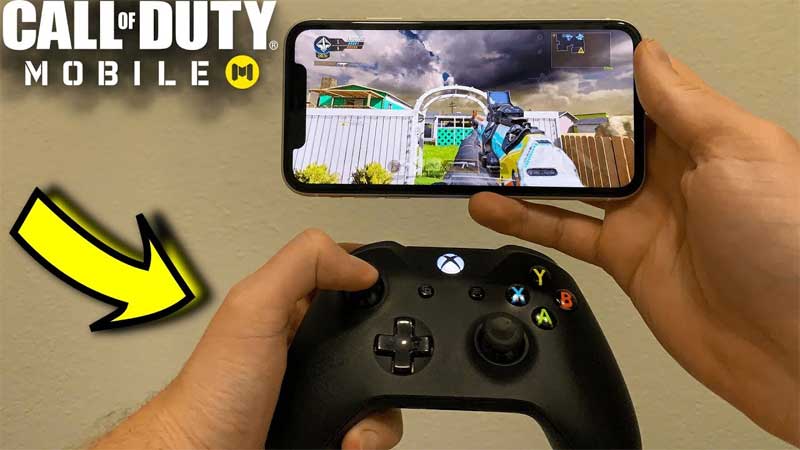
How to Play Call of Duty Mobile With Controller on Android
- First, enable the pairing in your PS and Xbox controller.
- To do that, press the PS and Share button on the PlayStation controller. If you’re using your Xbox controller, then hold the Connect option.
- Next, open up your phone’s Bluetooth settings.
- Use the Pair New Device option and wait for the controller to show.
- Select the controller and let it pair.
- Now open your CODM game and it should automatically detect the controller.
- If the game is not detecting the controller, then go into the in-game Settings and enable Controller Support.
How to Connect CODM to Controller in iPhone & iPad
- Enable the pairing in your PS and Xbox controller by holding Connect in the Xbox Controller. Press the Share and PS buttons on the PlayStation Controller.
- Next, go to your phone’s Bluetooth settings and use Other devices.
- Select the controller from there.
- Now start the game and the controller should connect automatically. If it doesn’t, then navigate to the in-game settings and enable Controller Support.
Most mobile use Bluetooth-based controllers, but some may support direct wired ones too. So check those, if you don’t have PS or Xbox controllers.
This is all there is to know about how to play COD Mobile with a Controller. If you like this game, make sure to check out our Call of Duty Mobile section and find helpful guides, right here on Gamer Tweak. From getting Shards to logging out of your device, we cover everything.











