The sequel to 2019’s Call of Duty: Modern Warfare is finally here. As Sony commented on Microsoft’s suggested purchasing of the Call of Duty brand, COD games to an extent can “influence users’ choice of console”. So with the new Modern Warfare 2 coming out, many users may pick up a PS5 now to get the best experience. So for both new & current PS5 users, we will help you to understand how to enable, get & play Modern Warfare 2 at 120FPS on PS5 consoles.
How to Enable & Play Modern Warfare 2 at 120fps on PS5
If you have just picked up the new COD game, then here’s how to enable, get & play Modern Warfare 2 at 120FPS on PS5:
- Make sure your TV supports 120 FPS or 120 Hz
- Check if your TV has HDMI 2.1 (Optional)
- Enable 120Hz output on PS5
- Change Modern Warfare 2 graphics mode to 120 FPS
Understandably if you are a new owner of PS5, then we will like to elaborate more on these steps to get you started as soon as possible. So let’s look at them in a bit more detail.
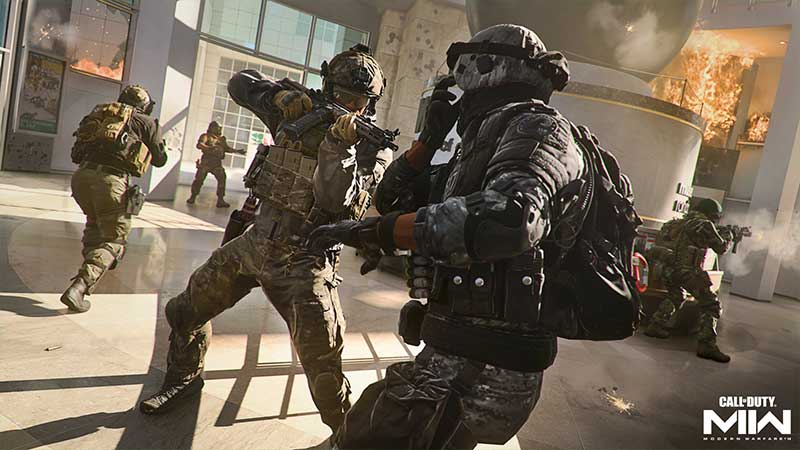
Make Sure Your TV Supports 120 FPS or 120 Hz
The number of frames per second (FPS) your TV can show depends on its refresh rate. Less input latency and better motion are made possible with a greater refresh rate. Greater refresh rates are preferred by many gamers above higher resolutions. Up to 120 frames per second, or 120 Hz, may be supported by PS5. For a TV to display 120 frames per second, it must have a refresh rate of 120 hertz (Hz). To find out if your TV can handle this output, check the specifications, manual, or manufacturer’s website.
Check if Your TV Has HDMI 2.1 (Optional)
Note: As per my understanding, Modern Warfare 2 at 120fps on PS5 only supports up to 1080p resolution. So in theory, you should be fine with an HDMI 2.0 TV. But for many other games that run at 4K 120fps, HDMI 2.1 will be helpful.
You must utilize an HDMI 2.1 cable to transmit the bandwidth required for 4K graphics at 120 frames per second. Please confirm whether HDMI 2.1 is supported by your TV in place of HDMI 2.0. Though HDMI is supported by the majority of contemporary TVs, HDMI 2.1 is not. A few more recent TVs use the newer HDMI 2.1 type. Future TVs will include more of this technology as it becomes the new industry standard. While HDMI 2.1 is not required to play games on your TV, it is required to experience 4K quality at frame rates higher than 60. Additionally, your PlayStation 5 comes with an HDMI 2.1 cable.
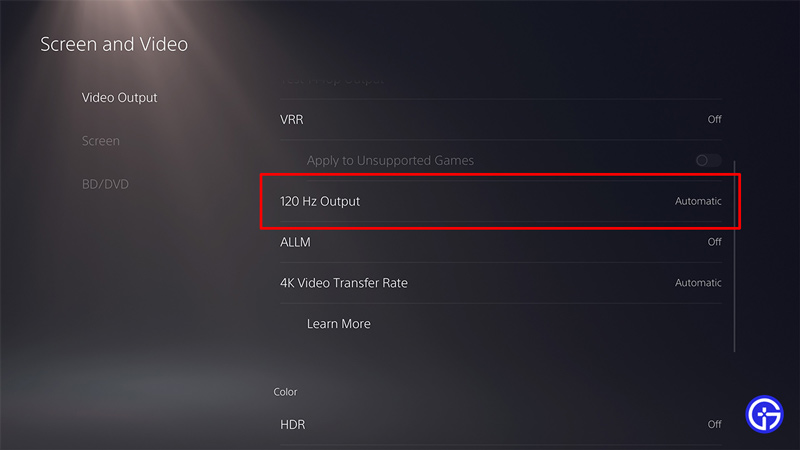
Enable 120 FPS or 120 Hz Output on PS5
Here’s how to enable 120fps output on your PS5:
- Select the Gear icon in the upper-right corner
- Go to “Settings”
- Scroll down and select “Screen and Video”
- Then select “Video Output”
- Scroll down & click on “Enable 120Hz Output”
- Select “Automatic”
Change Modern Warfare 2 Graphics Mode to 120 FPS
Now all you how to do is make sure your Modern Warfare 2 graphics mode is set to 120 FPS. Here’s how to check this:
- Boot up Modern Warfare 2
- Go to “Settings”
- Open the “Graphics” option
- Now check under the “View” tab
- Enable “120 HZ REFRESH RATE”
Now you will be able to play Modern Warfare 2 at 120fps on PS5. Some users are unable to run the game at 120fps even after following all the above steps and even after enabling “performance mode” within PS5 system settings. But u/coopersdude found a solution. They did this by shutting down Modern Warfare 2 and wiping their console’s save data for the game.
I FIXED IT! Close the game. Go to save data on your console and delete it for MW2! – u/coopersdude
So that was all about how to enable, get & play Modern Warfare 2 at 120FPS on PS5 consoles. While you are here, make sure to check out more COD tips & tricks in our Modern Warfare 2 Guides.