Plague is a Roblox survival game built around chaos, infection, and fast decision-making. Depending on the round type, players may need to survive a spreading plague or escape infected players. Each match gives you rewards based on performance, survival time, and objectives completed but if you want to increase your success rate, you need to redeem these Plague codes.
In a nutshell, the codes give players free coins and bonus rewards such as Lucky Zombie spins and Lucky Survivor spins that help speed up progression, especially for newer players who are still learning game mechanics. Even experienced players benefit from codes since they allow faster access to upgrades without relying only on wins.
Active Plague Codes (May 2026)
- SURVIVOR10 – Redeem this code for 10 lucky survivor spins
- ZOMBIE10 – Redeem this code for 10 lucky zombie spins
Codes are case sensitive so make sure to always enter them exactly as shown to avoid errors.
Expired Codes
These codes were available during earlier versions of the game and are no longer redeemable.
- THANKYOUGUYS – Redeem this code for rewards
- 1500LIKES – Redeem this code for rewards
How to Redeem Codes in Plague
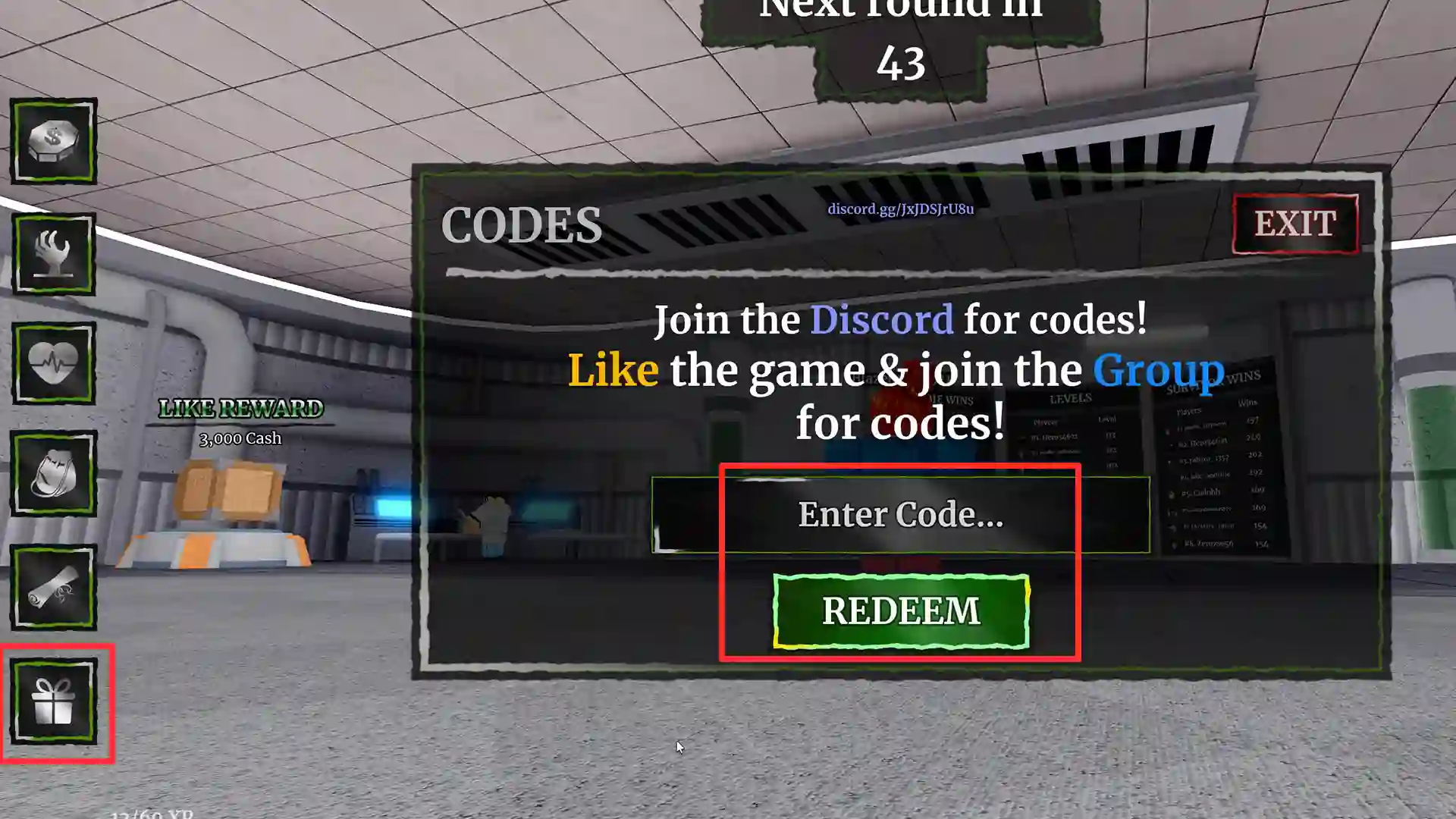
- Launch Plague on Roblox.
- From the main menu, look for the Codes button on the left side of the screen indicated by a gift box. This will appear when you’re in the lobby during intermission and won’t be visible when you’re in a match.
- Click it to open the code input window.
- Type a working code into the text box.
- Press Redeem and your rewards will be added instantly.
How to Get More New Codes
New codes are usually released during updates, reworks, or seasonal events. The best way to stay updated is by joining the game’s official Discord server, where developers post announcements and code drops directly to the community. Codes may also be shared when the game reaches player milestones or during limited-time events.
Checking the Roblox game description regularly is also highly recommended, as surprise codes are sometimes added there.
Lastly, you can bookmark this page because we will keep adding new codes regularly.
Why is a Code Not Working?
If a code is not working, it may have expired or already been redeemed on your account. Typing mistakes are another common issue, especially missing capital letters or adding extra spaces. Some codes are only active for a short time, so redeeming them quickly is important. If everything looks correct and the code still fails, it is likely no longer valid.