Home > Gaming Guides > Once Human: How to Play With Friends (Co-op Guide)

Once Human: How to Play With Friends (Co-op Guide)

Updated Date :

Playing with friends is a core part of the Once Human experience, adding an extra layer of excitement and planning to your gameplay. Today, we will look at all the steps for how to join and play multiplayer with friends in Once Human and share some tips on improving your multiplayer experience.

How to Join and Play Co-op Multiplayer With Friends in Once Human
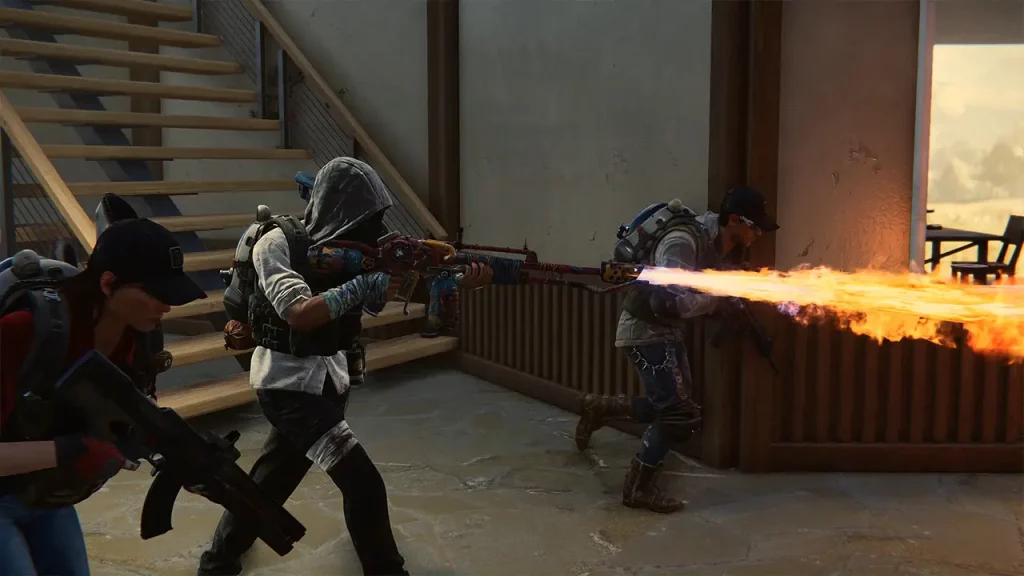
How to Join & Play Co-op Multiplayer With Friends in Once Human

To join and play co-op multiplayer with friends in Once Human, ensure you and your friends are on the same server. Also, both you and your friends need to complete the tutorial to access the social features. Once ready, follow these simple steps to join your friends in Once Human:

  1. Add Friends:
    1. Open the social menu (usually by pressing F1 or G).
    2. Look up your friend’s name or use their UID.
    3. Send a friend request and wait for acceptance.
  2. Join the Same World:
    1. Teleportation Towers: These structures are scattered across the map. Use them to switch between different worlds within the server.
    2. Coordinate with your friends to ensure you’re in the same world.
  3. Form a Party:
    1. Once you’re in the same world, right-click on your friend’s name in the social menu.
    2. Select the “Invite to Party” option.
    3. Your friend accepts the invitation.

You’ll be transported to your friend’s world upon completing these steps. Always team up before taking on difficult bosses and dungeons, as you can collect the rewards together. During co-op, you can help each other by sharing resources, crafting materials, and loot to keep your team well-equipped and ready for any challenge. Make sure to choose skills that complement your friends’ choices, creating a well-rounded team capable of handling different situations. Use the chat function to coordinate and plan your strategies for all challenges while navigating the game world.

That’s all for this co-op guide on how to join and play multiplayer with friends in Once Human. If this guide helped you, check out our dedicated Once Human Guides page for more tips and tricks.

  • +1 Speed Evolve Codes (July 2026)

    +1 Speed Evolve Codes (July 2026)

    Published Date :

    Speed-based games on Roblox will always stay popular, and this particular experience is quite addictive! Here, you play as an animal and your goal is to evolve into stronger animals, unlock new worlds, and be the fastest player on the server! +1 Speed Evolve codes offer free Speed and Win Boosts that can make your… Read More

  • Yeet a Brainrot Codes (July 2026)

    Yeet a Brainrot Codes (July 2026)

    Published Date :

    If you’re annoyed at the Brainrot trend, this is your opportunity to “yeet” them into the distance! To launch Brainrots farther, you need better pets, potions, and more rewards, and thankfully, these Yeet a Brainrot codes will come to the rescue. You can easily unlock various Divine Relic Chests, Primeval Relic Chests, Coin/Luck/Power potions, exclusive… Read More

  • Build A Soccer Squad Codes (July 2026)

    Build A Soccer Squad Codes (July 2026)

    Published Date :

    To build your dream team, you’ll need plenty of rerolls and shop refreshes, which is how you can get better cards and complete your collection. Build A Soccer Squad codes can help with exactly that, giving you various freebies so you get more chances to improve your lineup without waiting. Here’s the complete list of… Read More

  • Aura Monster Simulator Codes (July 2026)

    Aura Monster Simulator Codes (July 2026)

    Published Date :

    Climbing an endless staircase might sound simple at first, but the higher you go, the more Aura you’ll need to keep progressing and unlock stronger upgrades. Thankfully, Aura Monster Simulator codes provide free Gems and Aura Boosts, helping you strengthen your character and reach new heights. More specifically, you can use these Gems to unlock… Read More