Coordinating with fellow team members is crucial in Texas Chainsaw Massacre Game for both, the victims and the killers/family. Thankfully, there is a feature of voice chat and text chat that will allow you to communicate with others, but if someone is creating a nuisance, is toxic or simply trolling, here’s how to mute players in Texas Chainsaw Massacre Game.
How to Mute Players in Texas Chainsaw Massacre Game
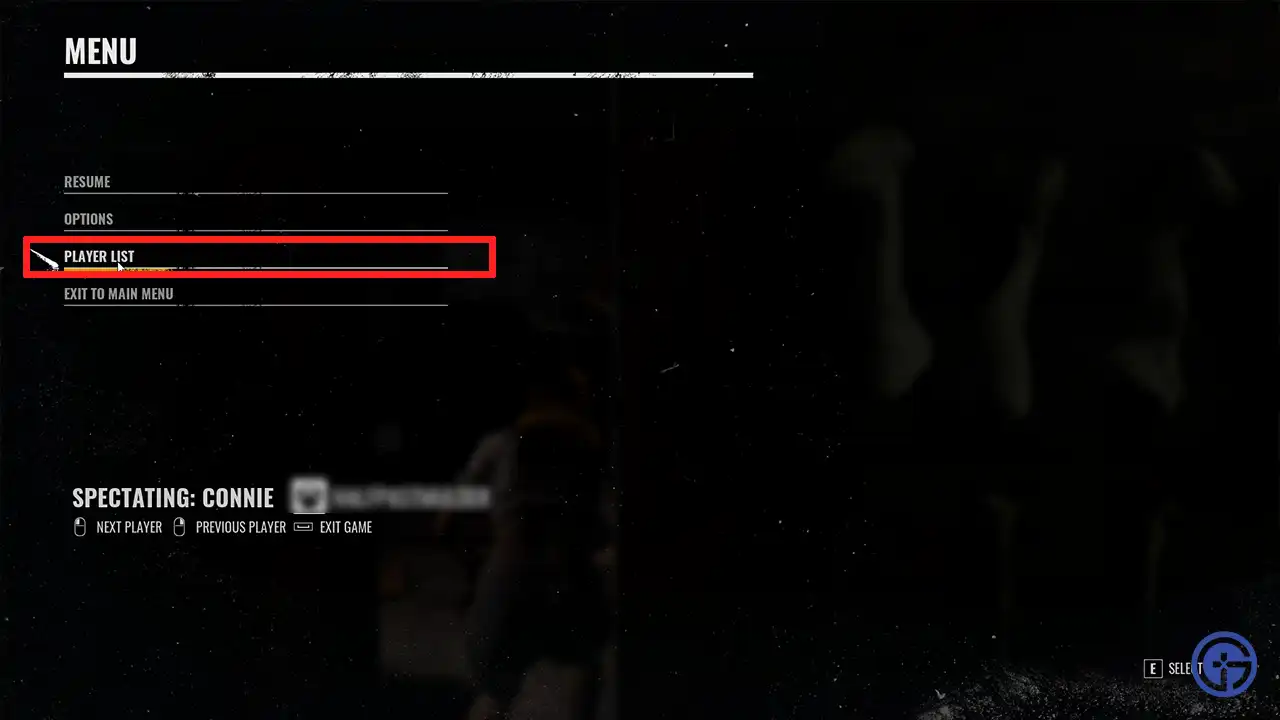
To mute players and stop hearing their voice chat in-game, go to the pause menu by pressing ESC on the keyboard / Menu button on the Xbox controller and go to PLAYER LIST. Now hover over the player you want to mute and click on the speaker icon next to them and turn it off.
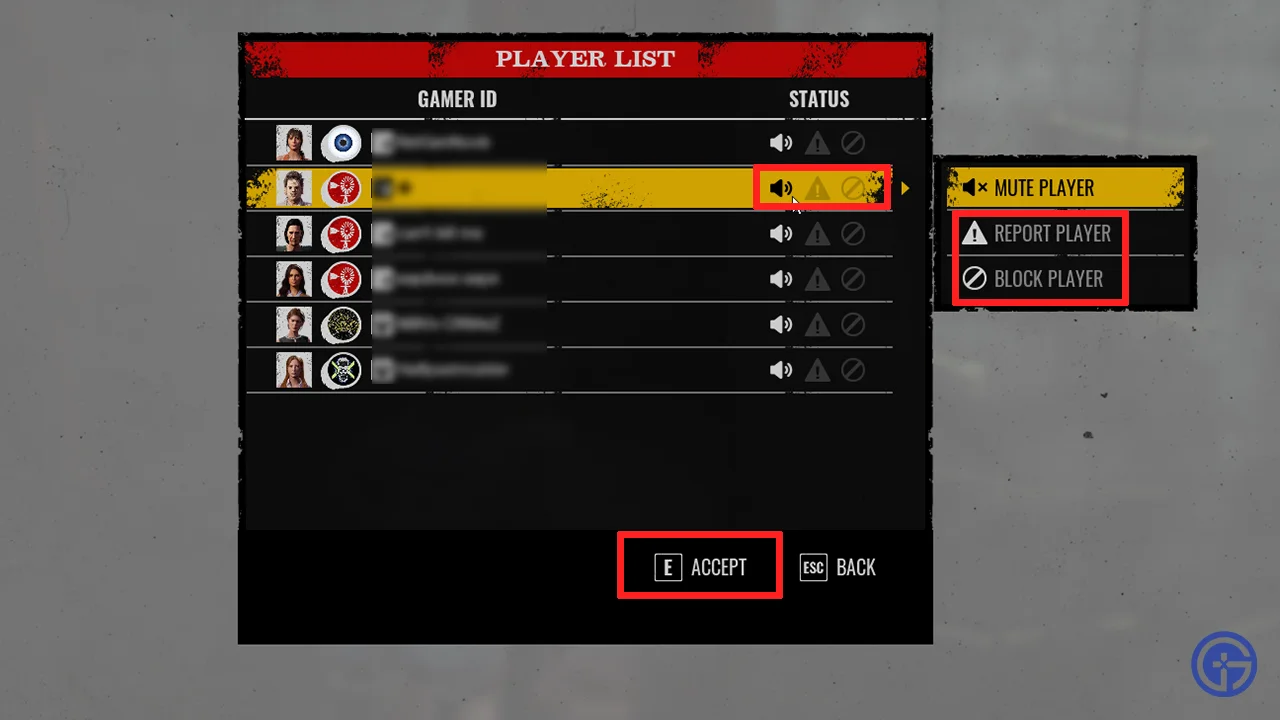
In case you wish to change your decision, follow the same steps and click on the speaker icon to unmute the player in The Texas Chainsaw Massacre Game.
Lastly, if you wish to block or report a player, press ESC > go to Player List > Select the player name and click on the report or block buttons from there.
How to Voice Chat in Texas Chainsaw Massacre Game
Since communication is of great importance in this game if you wish to work together to escape the family or eliminate the victims, here’s how to enable and use voice chat.
- From the main menu, go to Options.
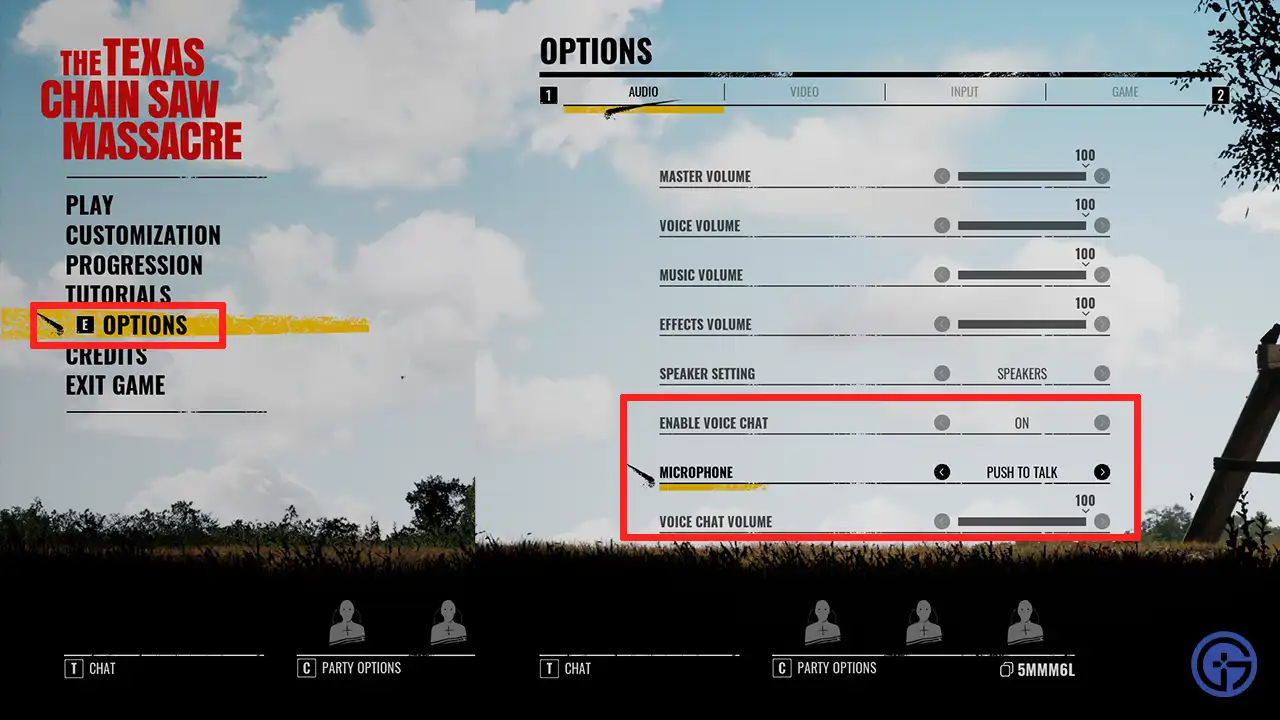
- Click on the Audio tab at the top left section of the screen.
- Scroll to Enable Voice Chat and turn it on.
- Go to Microphone and change Push to Talk (the button will be V by default) to ON if you’d like. We recommend you keep it on (open mic) at all times during the game.
- Adjust the Voice chat volume, ‘Apply’ the settings and you are good to go.
Note that whatever you say will be audible to your team members only. It’s best to use VC (if possible) instead of text chat because every second matters in this game. Unless you are in a safe area where you’re sure the killers won’t find you, you won’t have time to type out your comms. You can talk to other players before the match starts to plan your strategy, as well as during the match whenever you need to inform others about important details.
And that’s how to mute players in The Texas Chainsaw Massacre Game. If you are trying to play with your party but the code is too long, here’s our guide that will help you fix the error.