
There might be some cases where you have a game in ISO format or you have converted some of your games on DVD or CD for PC to this ISO file so you can play them from Steam Deck. In this article, we are going to explain how to install this type of game file on Steam Deck in a simple way, since it is very similar to installing a store other than Steam. Read the complete tutorial below to find out how to mount an ISO file on Steam Deck.
How to Mount an ISO File on Steam Deck
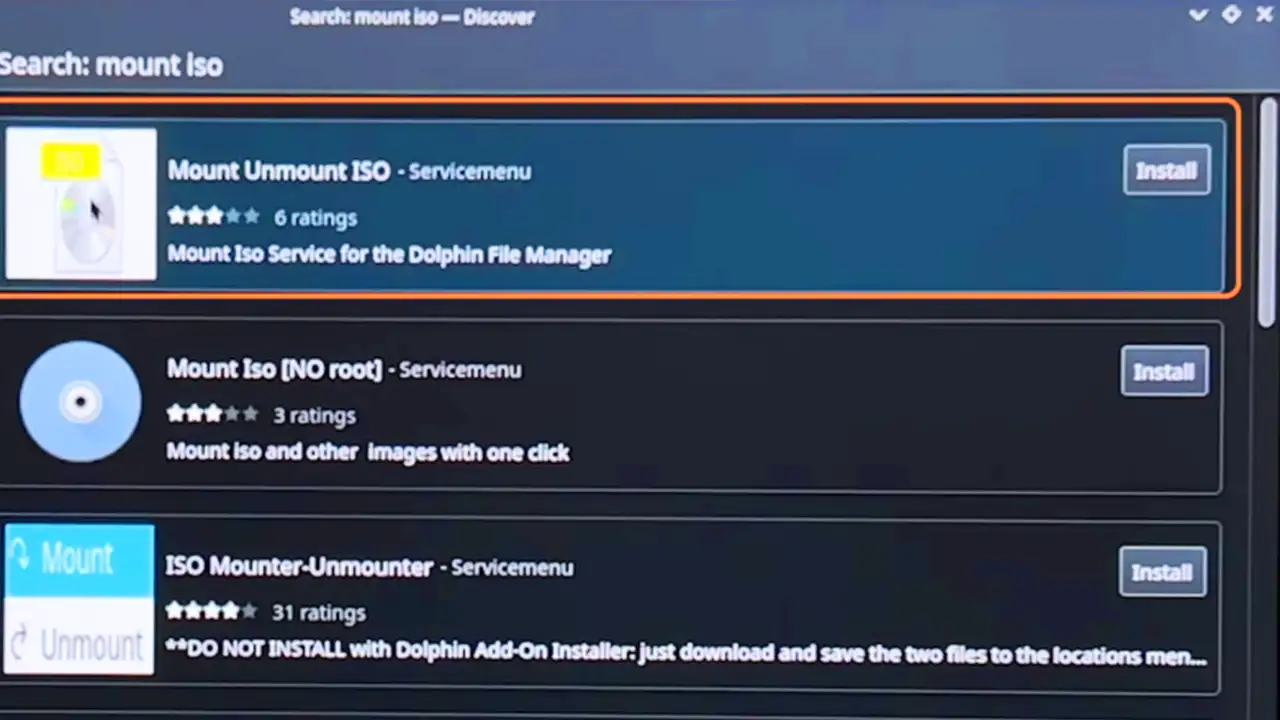
The first thing you need to do is make the Steam Deck identify the ISO that you have on it as if it were a new unit. This will allow you to access what is inside the ISO files to install it without the need to extract all the files inside the iso.
- To do this, download the “Mount Unmount ISO” application from the Discover application that is pre-installed on the Steam Deck handheld.
- Once this is done, go to the iso image that you wanted to install and you will have to right-click and click on the “Mount/unmount iso image” option and then on “Mount”.
- Once here, the ISO image will have already been mounted on the Steam Deck, and you will have to access it so that the following steps can then work.
Install mounted ISO file on Steam Deck
Now you have to access the ISO file that you have mounted on Steam Deck, since if you do not do so this will not be recognized in the following steps.
- In the “Devices” section of the Dolphin file explorer on Steam Deck, you will find the same name as the image you mounted.
So you will only have to click on it in this part and we will see all the ISO files. - Once this is done, follow the normal installation steps of any type of common program on Steam Deck.
- In the end, it will be an .EXE file that you will find inside the ISO file, so you will have to follow the basic steps by double-clicking the executable file to install it on your Steam Deck.
That’s everything there is to know about how to mount an ISO file on Steam Deck. For more similar types of Steam Deck Tutorials, do not forget to take a look at our other articles here: 2 methods to factory reset Steam handheld, and is Assassin’s Creed Mirage releasing on Steam Handheld?










