Home > Gaming Guides > MLB The Show 22 Edit Uniforms Guide

MLB The Show 22: How To Edit Uniforms

Updated Date :

MLB The Show 22 is out and just like last year allows you to edit your uniforms. So whether you are a new player to the series or have played the past games the method to edit is pretty easy. That is not all the game also gives you the option to edit your logo. But for this topic let us quickly check how to edit your uniform in MLB The Show 22.

How to Edit Uniforms in MLB The Show 22
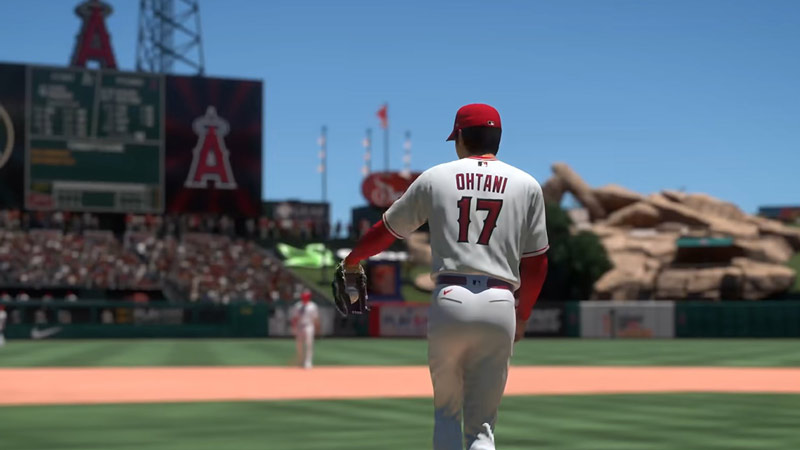
how to edit your uniform in mlb the show

You can edit your uniform in MLB the Show 22 by customizing them from the Diamond Dynasty. These are the exact steps for it.

  1. Go to Diamond Dynasty from the menu.
  2. Next, click on the customize tab.
  3. Here, choose Edit Uniforms.
  4. This will bring up two options.
    • Custom Road: Use this option to customize your uniforms completely.
    • MLB/MLB Road: This option is useful when you want to edit the uniforms from an existing jersey.

You get several options to edit, below are the options you get when editing your cap.

  • Base Style
  • Main Color
  • Style Color
  • Bill Color
  • Under-bill Color
  • Bill Edge Color
  • Top Button Color
  • Hole Stitch Color
  • Stripes
  • Stripes Color

These options change based on the apparel you edit. You can press L1/LB or R1/RB on your PlayStation and Xbox controllers to switch the apparel that you wish to edit. The game allows you to edit both your Home and Away uniforms. It lets you edit Cap, Jersey, Jersey Sleeves, Socks and Cleats, Batting Helmet, Pants, and more.

A piece of advice for editing uniforms, when making custom uniforms try to keep the Home Uniforms in a light shade or a bright color. As for Away uniforms give them a heavy shade or a dark color. This helps in distinguishing the teams.

That is everything you should know about how to edit uniforms in MLB The Show 22. Since you are interested in this game you should also check our guides on how to fix the network error and how to check server status if you are getting connection issues. Also, check our guide on what all you can and cannot transfer in MLB The Show 22.

  • A Guide to CS2 Trading Tools and Pro Trading Tips

    A Guide to CS2 Trading Tools and Pro Trading Tips

    Published Date :

    Successful CS2 trading is rarely based on guesswork. Experienced traders rely on data to compare prices, track market trends, and identify good opportunities before making a trade. With so much information available, keeping up with the market without the right tools can be difficult. That’s where CS2 trading tools come in. In this guide, we’ll… Read More

  • Dog Race Codes (July 2026)

    Dog Race Codes (July 2026)

    Published Date :

    For those who enjoy fast-paced clicker and racing simulators on Roblox, Dog Race gives you quite a fun experience! Training your strength, hatching cute pets to boost your stats, and collecting wins to climb into the top 50 leaderboard takes plenty of effort and to help you rack up trophies much faster, redeeming free potion… Read More

  • Knife Duels Codes (July 2026)

    Knife Duels Codes (July 2026)

    Published Date :

    Knife Duels provides a refreshing spin on the FPS genre by putting pure melee combat front and center. You can step onto duel pads to challenge other players in 1v1 through 4v4 matches, battling it out to see who can score six wins first. Outplaying opponents on the leaderboard requires sharp reactions, but if you… Read More

  • My Greenhouse Codes (July 2026)

    My Greenhouse Codes (July 2026)

    Published Date :

    If you’re looking for a cozy alternative to standard Roblox farming simulators, My Greenhouse is a relaxed take on the genre. Built by a solo student developer, this game combines classic plant-and-sell farming mechanics with tycoon building, foraging mini-games, character customization, and more. Exploring different regions, unlocking hidden NPCs, and decorating your greenhouse takes extra… Read More