Marvel Rivals is a 6v6 team-based multiplayer game where your chances of winning are significantly improved if you play with friends you already have synergy with. Plus, good comms will help you get more wins and rank up faster. Here’s how to add friends in Marvel Rivals by inviting them or joining their parties.
How to Send Invites and Play Marvel Rivals with Friends
- Launch Marvel Rivals on your chosen platform (PC, Xbox, or PlayStation).
- Access the Friends Menu by navigating to the Friends section from the game’s main menu. It will be in the top right corner and indicated by a two-player icon.
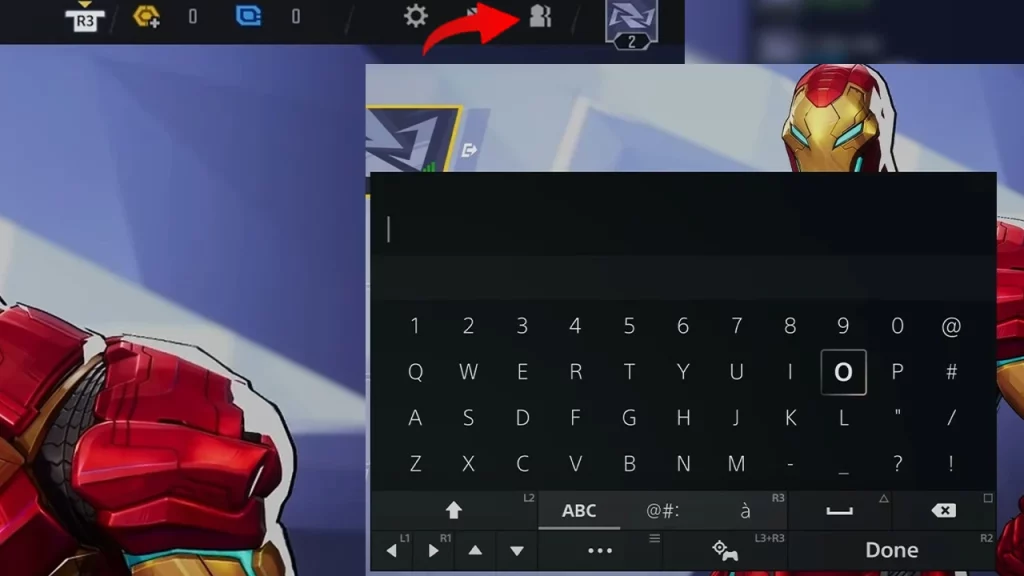
- Search for Your Friend:
- By Username: Type your friend’s Marvel Rivals username into the search bar and press Enter to search for them.
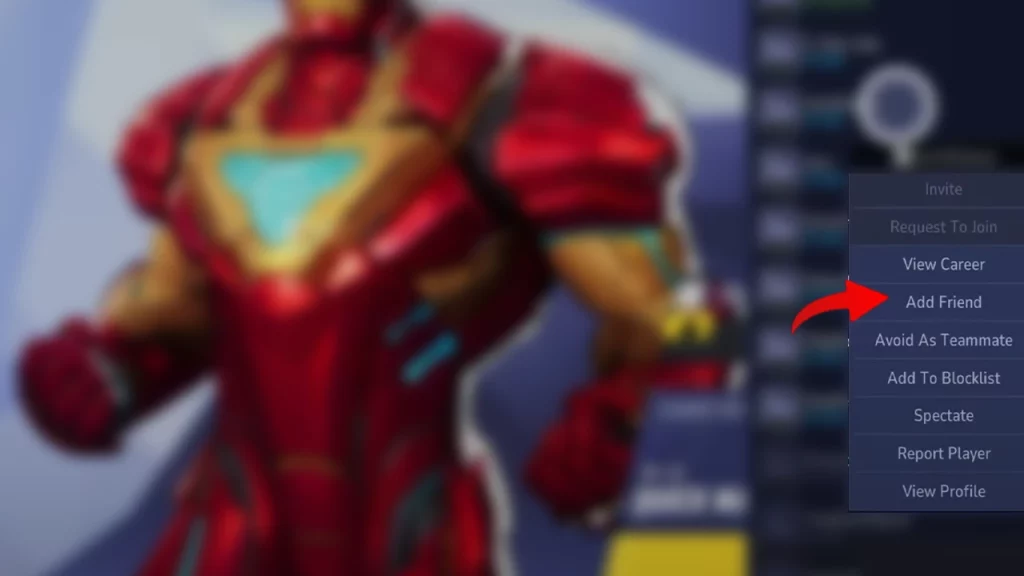
- By Recent Players: View the list of recent players you’ve encountered in matches and bring up the pop up by clicking on their name.
- Once you’ve found your friend, click on the “Add Friend” button to send them a request.
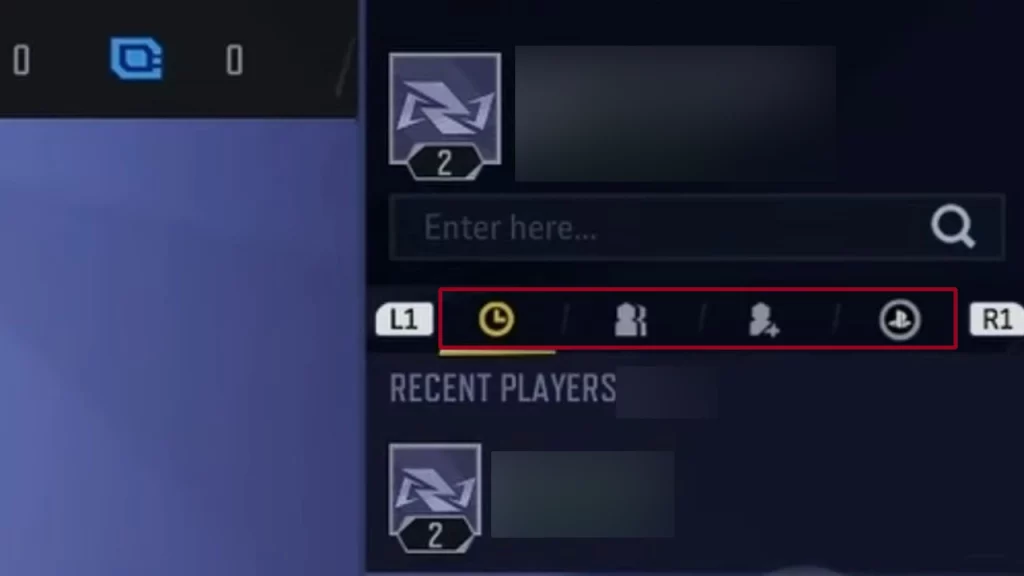
- You can also add them via the Contacts tab or use the Friends on Console tab.
How to Join Friends in Marvel Rivals
If your friends send you friend requests, you can accept them from the “Friends” menu > Requests tab. That’s it! You’ve successfully added friends in Marvel Rivals.
Also Read | How to Earn Units in Marvel Rivals
Marvel Rivals Crossplay between PC and Consoles
Players on PC, Xbox Series X|S, and PlayStation 5 can play together in casual matches in these game modes:
- Quick Match
- Conquest
- Custom Game (non-competitive)
- Practice vs. AI
As expected, Crossplay is not supported in competitive modes. PC players are matched with other PC players, and console players are matched with other console players. Crossplay is supported between PlayStation and Xbox consoles in both casual and competitive modes.
Marvel Rivals does not currently support cross-progression. Your progress and in-game items are tied to your specific platform and cannot be carried over. However, the developers have mentioned that they are working on it at the time of writing this article.
That was everything on adding friends in Marvel Rivals and about crossplay and cross-progression. If you’d like to get some freebies by watching Twitch streams, here’s how to link your Marvel Rivals account with your Twitch and Discord.