Creating an Engine in Infinite Craft will unlock many opportunities to obtain new kinds of vehicles, transportation systems, machines, and even some famous automobile companies without much hassle. As we know it is a machine that converts specific forms of energy into mechanical allowing stationary vehicles to move, there are plenty of things you can craft by combining it with other elements.
Rocket, Train, Time Machine, Tesla, Toyota, Truck, Printing Press, and Hogwarts Express are just a few of the many things you can get by mixing it with other units. Curious about the mentioned items? You will find their combos right below the recipes. So, without taking any more of your time, let us get to the topic and create this multipurpose element.
How to Get Engine in Infinite Craft
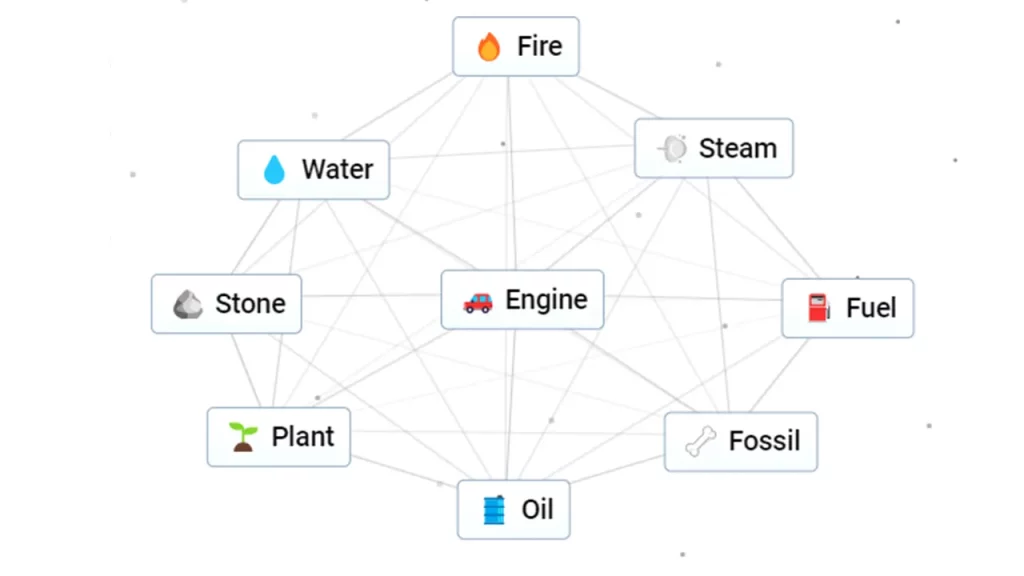
The Engine has one of the simplest recipes of the game, with its shortest version using just two base elements, Fire and Water. While you can go for it when you are only aiming for this unit, some lengthier sequences will give you several elements that can further be combined with this and others for advanced ones.
How to Make Engine (Recipe 1)
If you don’t want to spend much time on crafting, this will take just a few seconds:
- Take one unit of Water and combine it with Fire to obtain Steam.
- Now, mix Steam with Fire and get the Engine.
How to Make Engine (Recipe 2)
Try this if you haven’t yet unlocked the elements used for this version of the recipe. Those elements are some of the most initial and widely used ones that will come in handy in the future:
- Earth + Fire = Lava
- Lava + Water = Stone
- Earth + Water = Plant
- Plant + Stone = Fossil
- Fossil + Water = Oil
- Oil + Earth = Fuel
- Fuel + Fire = Engine
Recipe Combos With Engine in Infinite Craft
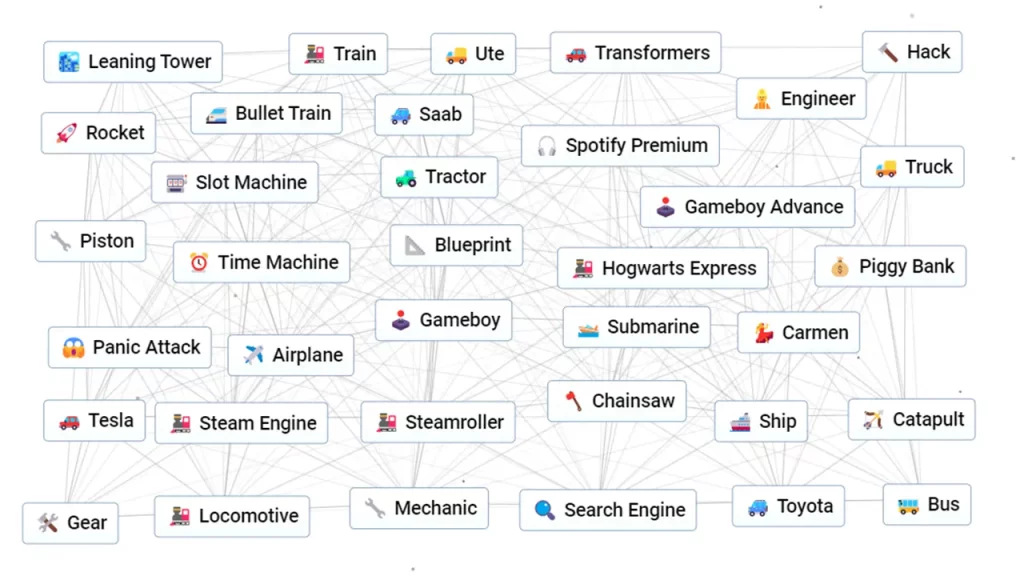
Once you have the Engine, you can combine them with others for things like these:
- Engine + Engine = Rocket
- Engine + Car = Racecar
- Engine + Steam = Train
- Engine + Train = Locomotive
- Engine + Mud = Tractor
- Engine + Stone = Steamroller
- Engine + Paper = Blueprint
- Engine + Fish = Submarine
- Engine + Prison = Steam Engine
- Engine + School = Bus
- Engine + Cat = Catapult
- Engine + Panic = Panic Attack
- Engine + Einstein = Time Machine
- Engine + Dice = Slot Machine
- Engine + Pig = Piggy Bank
- Engine + Pie = Piston
- Engine + Dance = Engineer
- Engine + Lightning = Tesla
- Engine + House = Garage
- Engine + Kite = Airplane
- Engine + Monster = Truck
- Engine + Tarzan = Chainsaw
- Engine + Hacker = Hack
- Engine + Finland = Saab
- Engine + Pisa = Leaning Tower
- Engine + Tokyo = Bullet Train
- Engine + Japan = Toyota
- Engine + Nintendo = Gameboy
- Engine + Gameboy = Gameboy Advance
- Engine + Newspaper = Printing Press
- Engine + Hogwarts = Hogwarts Express
- Engine + Naruto = Kawasaki
- Engine + Sailor = Ship
- Engine + Luffy = Gear
- Engine + Phoenix = Jet
- Engine + Studio = Game
- Engine + Wand = Magic
- Engine + Haunted House = Ghost Train
- Engine + Movie = Transformers
- Engine + Job = Mechanic
- Engine + Internet = Search Engine
- Engine + Spotify = Spotify Premium
- Engine + Australia = Ute
- Engine + Opera = Carmen
While wrapping up a recipe for an Engine in Infinite Craft, we would suggest you check out our Car guide, as combining it with this gives you a Racecar. Additionally, we have covered a plethora of topics from the game. If you are interested in those, see how to make Metal, Internet, Race, and Stray Kids.