Loop Hero is another game that like Stardew Valley uses some low-end pixelated graphics that should relegate it to the time when PCs were basically boxes. Despite that, the game is pretty damn interesting. This is partially down to its lo-fi graphics and innovative loop-based gameplay. While Stardew Valley is colorful, Loop Hero takes a darker approach to the game with its interesting storyline. So, in order to help you out follow these Tips and Tricks that we have compiled for Loop Hero.
What Tips and Tricks should you follow for Loop Hero
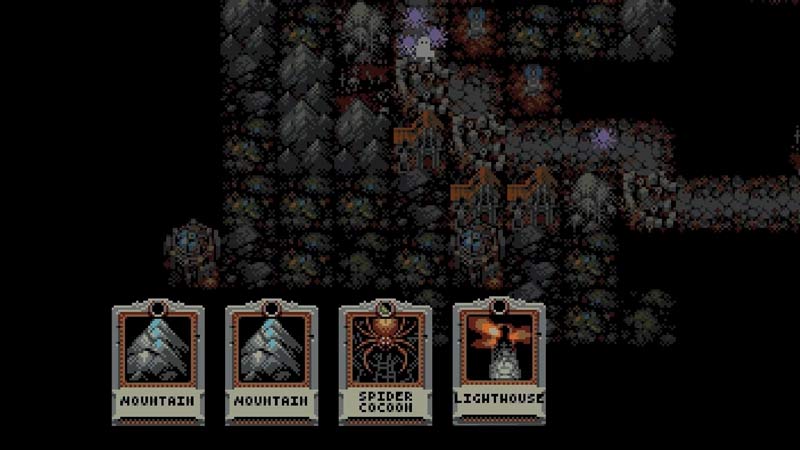
We have compiled below a list of some Tips and Tricks to help you improve your gameplay experience.
- In battle you can pause by opening your inventory, hovering over your character, or clicking the left button on the mouse.
- Meadows heal some character HP.
- If you place meadows next to each other it will make a blooming meadow. Blooming meadows provide more healing and give bonus resources.
- If you retreat from a map to save your resources the game will allow you to save only 60% of those. However, if you go back to the camp you started from and then retreat you can keep 100% of resources.
- Long press the retreat button so that it pops up the next time automatically when you are at a camp.
- If you encircle a treasury you will get a lot of resources. However, this will also end up turning it into a place that spawns gargoyles which act as a decoration.
- One top tip is to not empty the treasury completely but to keep one spot open so that as you complete more loops you will get better rewards.
- If you overlap a battlefield path with another it will create a bloodpath spawning bloodclot enemies. These are harder to kill than normal enemies.
- Another thing you can do is try to use your gear early on itself as new levels will drop new and improved stuff.
- If you do place battlefields opposite heavily populated monster pathways you should beware because defeated enemies can become spooky ghosts.
- Don’t place ruin tiles next to each other as they produce scorn worms which are an additional headache to kill.
- If you level up your field kitchen you will get a canteen which when upgraded further turns it into a diner. These help you to further regenerate your health.
- When you place a vampire mansion next to a village it spawns a ransacked village. If you do survive three loops of this ransacked village it will turn into a Counts Land.
- Placing 3 rocks next to each other makes a mountain.
- If you place 2 blood groves together it will spawn a hungry grove.
- Placing a vampire summoning mansion next to a swamp tile will reverse damage on your attackers.
- To defeat the boss Lich keep all the oblivion cards with you.
- Placing 10 rocks together will summon a goblin camp.
- If you put a river tile next to the desert will turn it into an oasis which reduces the attack speed of your character as well as that of the enemy.
- Placing storm temples will turn a forest into a burned forest if areas of the forest come in the lightning strike area of the temple.
- It is considered best to keep thickets alive for the high-speed boost they provide.
- Placing outposts allows for additional soldiers that help you out in battles but they take your loot at times which can be pretty annoying. However, in Necromancer class these Soldiers turn against you.
- The Necromancer class actually spawns Minions when your attack speed meter increases and gets completed every time.
These are some handy Tips and Tricks for Loop Hero. While you are here do not miss out on some of our other Loop Hero guides.