Wondering how to link GOG Galaxy to Steam without any hassle? If yes, then don’t worry we have got you covered. The GOG Galaxy launcher lets you connect with other platform accounts like Steam and add to your library, achievements list, etc. Players will be able to install and launch games from your Steam library directly from GOG itself. Not to mention, it offers a wide range of features including adding the friend list from Steam. So if you are looking forward to adding your games on the platform and pairing GOG to Steam, then here is how you can do it without any hassle with a few easy steps.
How to Connect GOG Galaxy to Steam
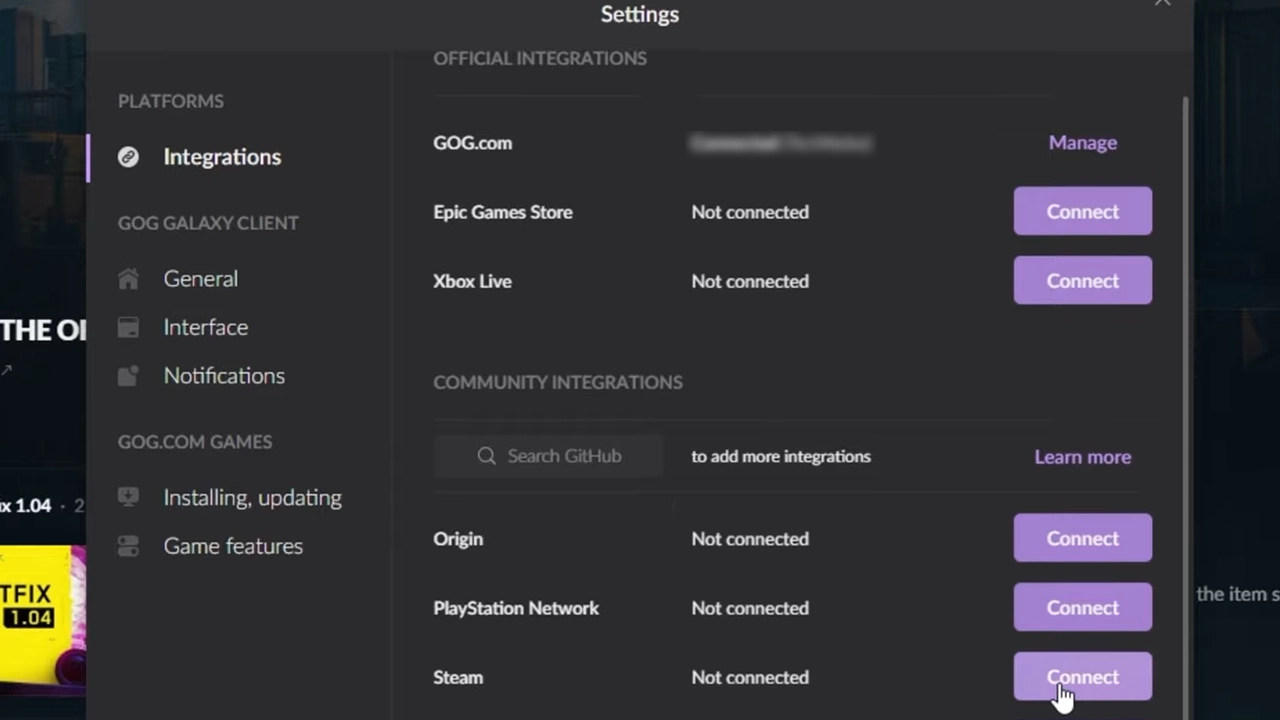
To link GOG Galaxy to Steam, players will have to first go to the settings of the launcher. Here are the steps you can follow to connect to the platform account:
- Head over to the GOG Galaxy settings by clicking on the Cog Wheel Icon on the upper left side.
- Select settings and click on Integration.
- Once done, you will find all the platforms you can link to including Steam.
- After coming across Steam, select the Connect option.
- Here a dialogue box will appear consisting of all the features.
- Click on the Connect option once again to confirm.
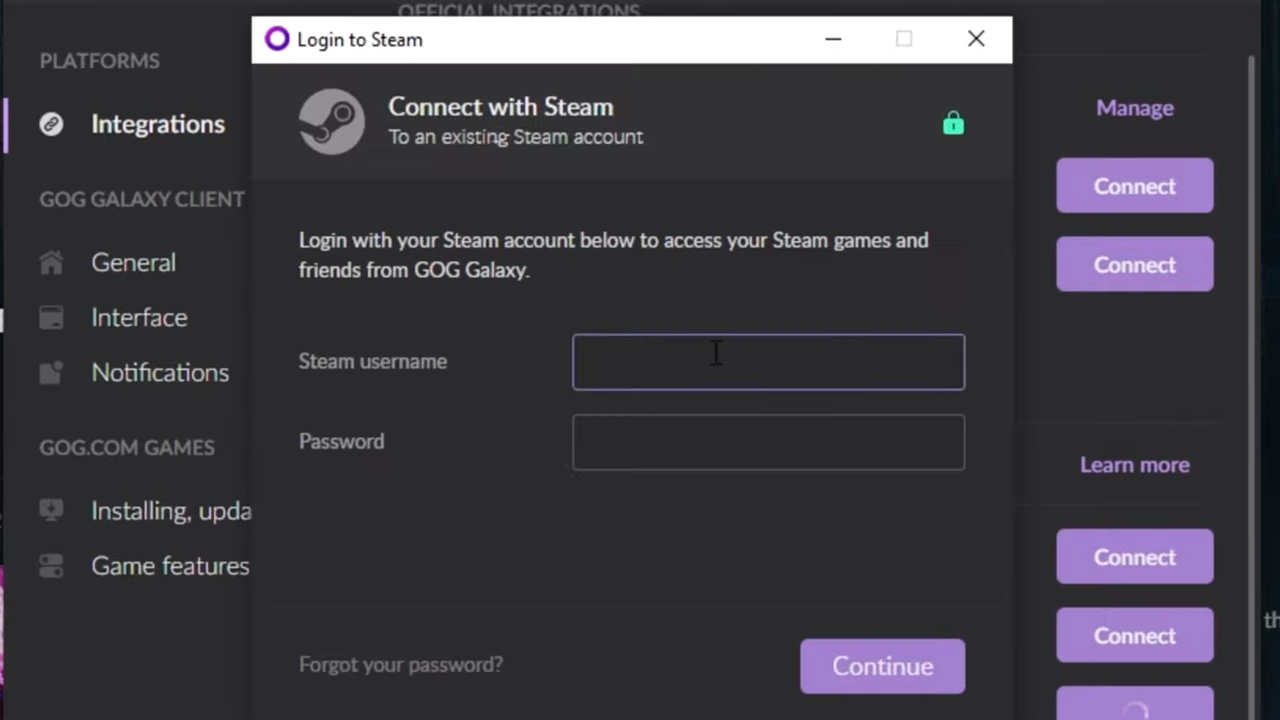
- Once done, you will have to enter your Steam username and password.
- For users who have Two Factor Authentication enabled, you will have to enter the Steam Guard Code.
- After doing so, hit continue and your Steam account will be successfully connected.
To add the full Steam library you will have to import the data by selecting the Import Metadata option under features. Once done, you will be able to install and launch your games from the GOG Galaxy launcher itself.
That’s everything covered on how to link GOG Galaxy to Steam. If you find this guide helpful, check out our dedicated Video Game Guides section for more guides like this. We would recommend you go through our guides on how to link Battlenet to Twitch Account and Youtube To Battlenet Account without any hassle.