
If you wish to play this souls-like shooter with friends across PC, PS5, and Xbox, then here’s how to invite friends in Remnant 2 and make the most of the co-op multiplayer feature. This is especially useful in a game like Remnant II where you will constantly encounter some of the toughest bosses. The multiplayer feature can make this journey a whole lot easier. Our guide below will show you how you can invite friends to the game. Since many PS5 users have complained that there is no invite option available, we have a fix for that error as well.
How to Invite Friends in Remnant 2 (Co-op Multiplayer Guide)
Playing multiplayer in Remnant 2 is simple, here are the steps on how to invite friends on PC & Xbox:
- Pause Remnant 2 by pressing the relevant keys on your PC or Xbox device.
- Now, ensure that the “Game Session” is set to “Public.”
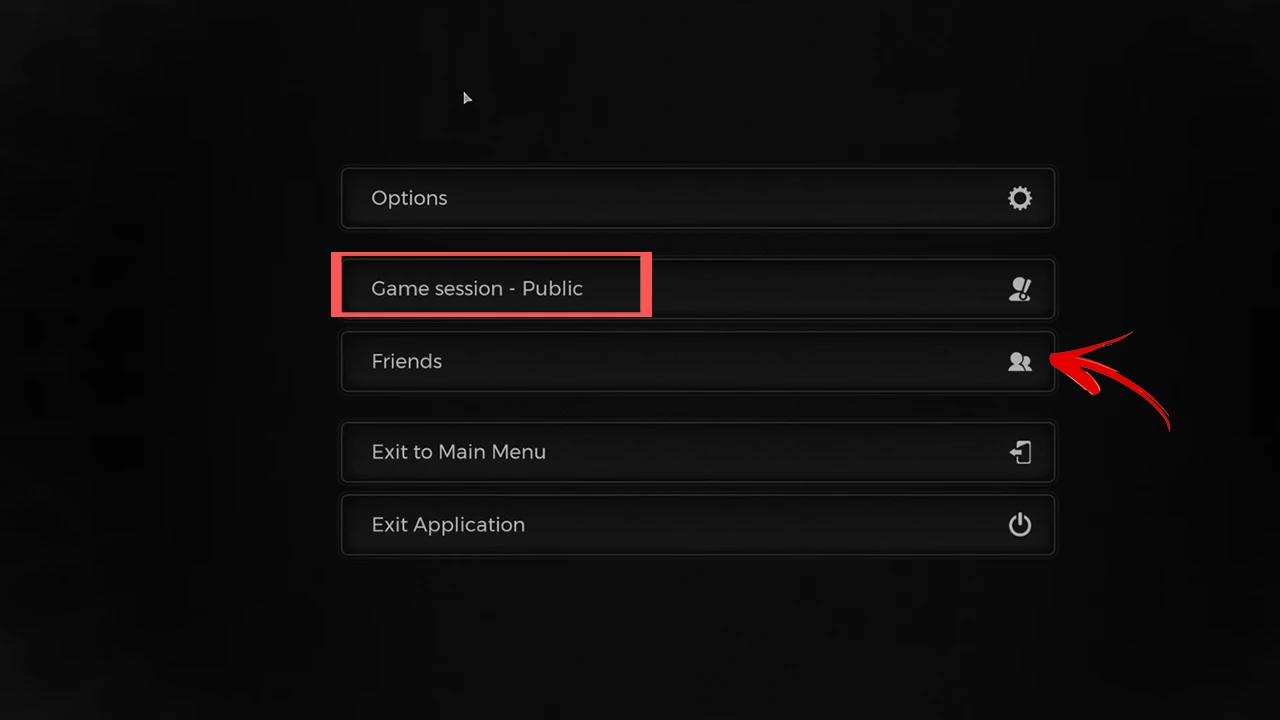
- Next, select the “Friends” option.
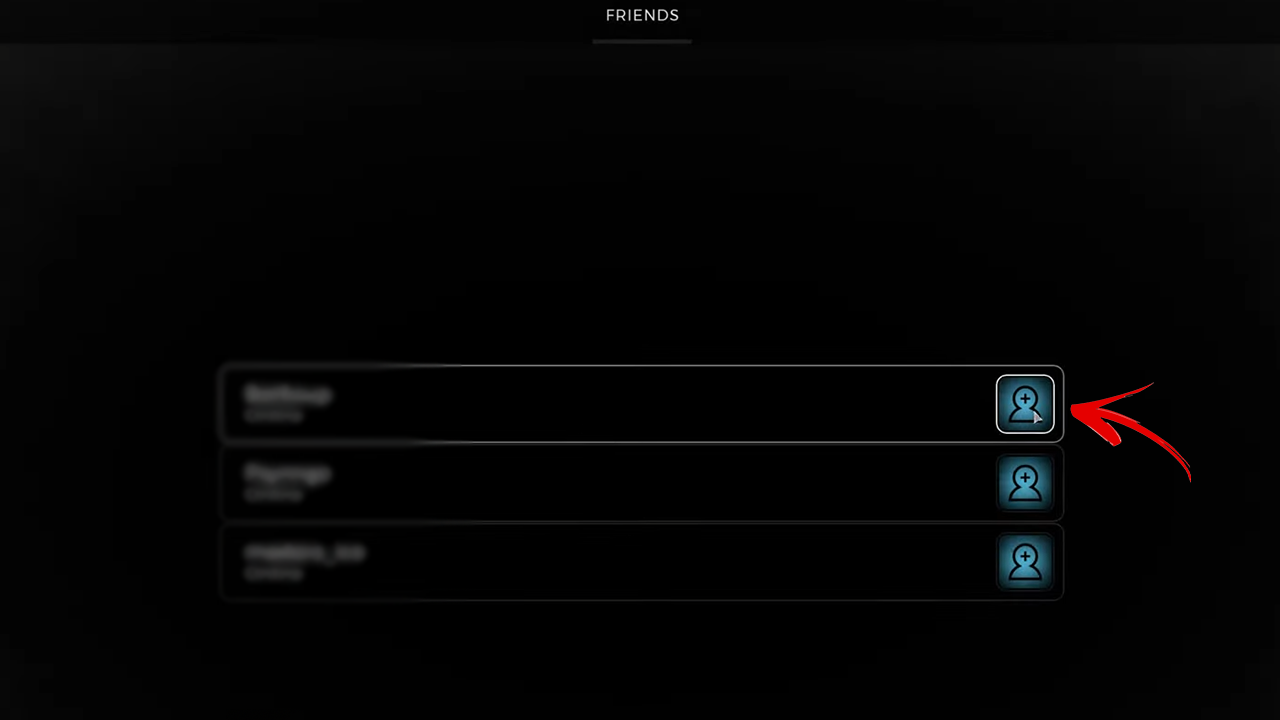
- You will now see a list of your friends who are online.
- To invite them, press the blue icon beside their username.
Doing this will instantly add your friends to your party in Remnant 2. However, if you are on a PlayStation 5, then this option will most likely be unavailable. Here is what you can do.
How to Fix Remnant 2 PS5 Invite Error
Though PC and Xbox users can invite friends on Remnant 2 without a hassle, the same option is unavailable for those on PS5. This is an ongoing glitch that the developers aim to fix in the coming days. However, they have suggested a temporary workaround for the invite issue:
- Go to the World Crystal in Ward 13.
- Select the “Join Game” option.
- If any of your friends are active, a small dot will appear below their username.
- Click on your friend’s username to join them.
- If this doesn’t seem to work then exit and relaunch Remnant 2 and follow the steps again.
That’s all we had for you on how to invite friends in Remnant 2 and how to fix the PS5 invite error. We hope that this guide was able to help you out. For more informative guides on the game, visit our Remnant 2 section on Gamer Tweak.











