Smite is a kind of enchantment in Minecraft. You can apply Smite to Swords and Axes to maximize the damage. It is peaceful to leave in Minecraft, you will be raided by undead mobs in the game. This where an enchantment will act as a boost to protect your settlement from others. For this, you will have to learn to use smite in Minecraft.
What does Smite Do in Minecraft?
You can apply to smite to sword and axes and amplify the damage caused. Smite has 5 Levels of upgrades, and it only works for melee weapons. After unlocking the 1st stage of Smite Enchantment you can unlock a boosted damage of 2.5 plus after each level. Remember smite only works against undead mobs like Skeletons, Wither Skeletons, Zombies, Zombified Piglins, Drowned, and Wither Bosses.
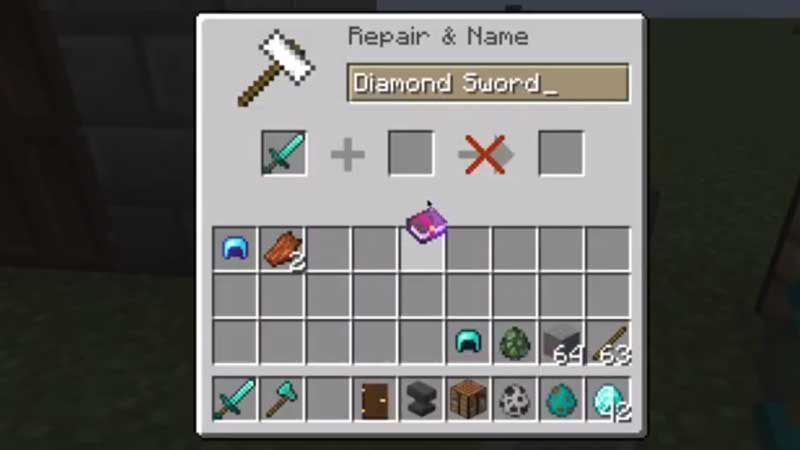
To add Smite Enchantment to any weapon like Sword you will have to use an Enchanting Table, Anvil, or via Minecraft Game Command. You can enchant the melee weapon to Smite V which is the most powerful enchantment in the game.
How to use the Smite Enchantment?
Just hold the melee weapon in your hand, and when you see an undead mob you can attack the enemy. Smite will only work if you hold the weapon in your hand while attacking the undead. The amplified damage will help you to kill them faster with less effort.
To use enchantment you will have to use the Enchantment table. For this, you will need the following items.
- 2 Diamonds
- 4 Obsidian Blocks
- 1 Book
Just grab all these items and you can then build an enchanting table in Minecraft to impose smite on melee weapons. The challenge is to find the items, use our guide – Minecraft Diamond Locations. Also, the other items are easy to find. Enchantment table can be upgraded to full Level-30 Enchant. This will help you to unlock more powerful enchantment in the future.
To apply Smite enchantment on a sword or axe select the weapon first. Power the enchantment table with lapis lazuli. After placing this you will see three random options, just hover over the present enchantment which indicates it is applied.