Like most games with beautiful environments, there will be moments when you’d like to take some photos using your in-game camera in Once Human but the process can be slightly confusing. You won’t just need it for aesthetic reasons — certain mission also require you to take pictures of creatures or objects. For example, in your journey, there will be an objective to take a picture of a deer, wolf or crocodile. Here’s how to use the camera tool.
How to Use the Camera in Once Human
How to Activate Photo Mode:
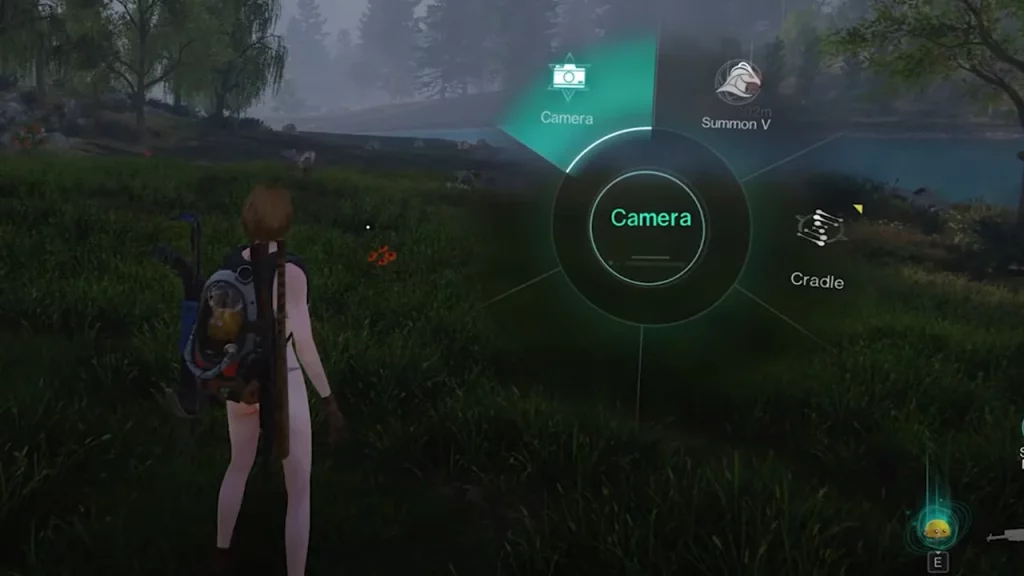
- Press the Tab key on the keyboard: This will open the circular menu on the screen.
- Select the Camera Icon: Look for the camera icon within the menu options.
How to Take Pictures:
- Once you select the camera icon, you’ll enter the camera mode, allowing you to freely control the camera view. Under Basic, you’ll find the options of First Person/Encircle Character, FOV, weather and time to customize the experience even more.
- Use your right mouse button to drag and move the camera around, framing the shot in your preferred way.
- When you’re happy with your composition, press the Enter key to take the picture.
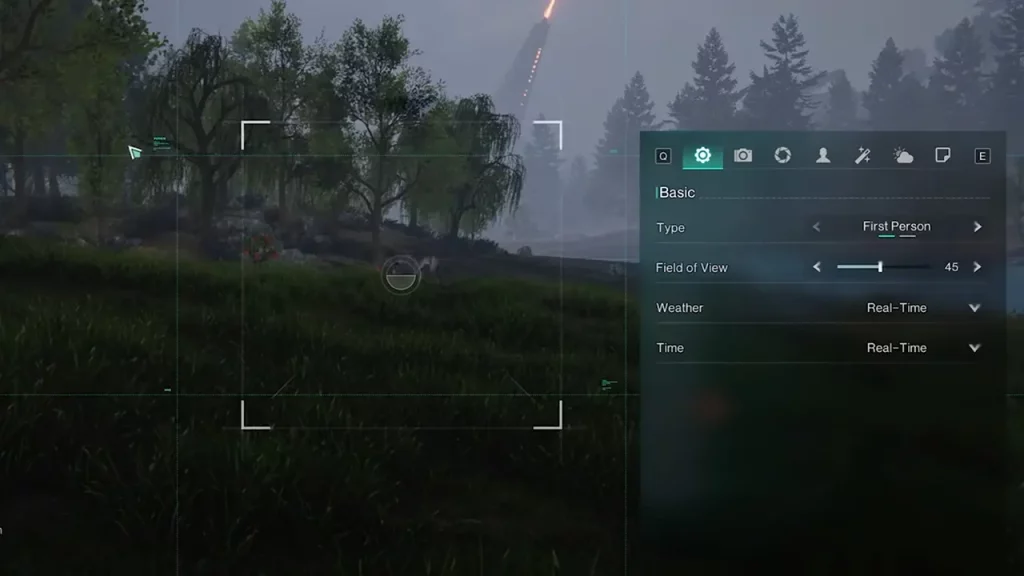
The Once Human camera offers more than just basic snapshots. Here are some more things you can do:
- You can adjust the camera angle to create dynamic and cinematic shots. Plus, rotating your character can also come in handy.
- The camera allows you to manipulate the in-game weather, adding a touch of dramatic flair to your pictures. You can also change the time to compose your photo differently.
- You can also apply various visual effects to your pictures, like adjusting the exposure, contrast, texture etc.
With your creative ideas and the interesting backgrounds from Once Human, you will be able to create some special memories that you can share with friends in the form of screenshots.
That was everything on how to use the camera in Once Human, but if you’d like to know some more tips and tricks like how to use the Wish Machine, find Copper Ore and Ingots, Tin Ore, farm Acid and repair your motorcycle, we’ve got you covered.