
In Resident Evil 3 Remake as Jill, you will be exploring a lot in the destroyed Racoon City. Also collecting items, solving puzzles, lock picking, etc are some of the primary objectives. There are zombies, Nemesis boss, spiders, sewer monsters, etc. In simple words every moving thing in Racoon City wants to kill you, so here saving your game is very important. Thankfully there is a feature in Resident Evil 3 Remake that allows you to save the game. If you die you can pick the last save point and start your game. In this guide, you will find instructions on how to manually save the game in RE3 Remake.
How to save progress in RE3 Remake?
Find a typewriter and interact with it to save progress in RE3 Remake. The first one is in the subway, after talking to Carlos you will head to the streets. On your way, you will find some crates and a typewriter. This typewriter is the place where you can save your progress and continue your campaign.
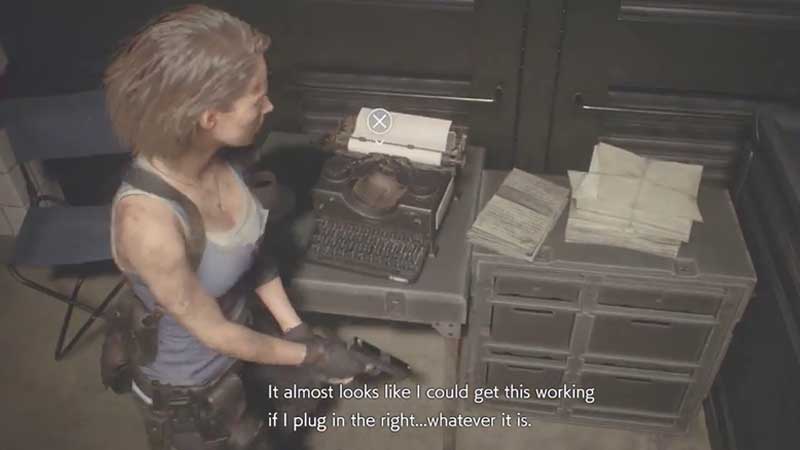
So whenever you want to save your game then interact with the typewriter. You can also load your previous save. It is a commonly found item in the game. Saving game will be good before a boss fight or if you had unlocked something important. You might not like to lose it. Also, it is pretty easy to find ammo and other items like herbs. Always combine two herbs to amplify their effect to restore health. A single one will partially restore and restrict Jill’s movement.
Few Combat tips you must remember:
- Do not walk near zombies, thinking they will do nothing. When you are near to any monster they grab you, hold X to release yourself.
- Use explosives, shoot generators and fuel barrels to easily kill multiple enemies.
- Fire is the best weapon against big monsters.
- Keep ammo in full capacity for whatever weapon you are carrying. Store other items in the storage crate.
You have to manage your inventory to keep space until you unlock more inventory slots by finding Hip Pouches. We have a guide that can help you to locate hip pouches that unlock two inventory spaces. Stay tuned we will be updating it soon.











