
Fortnite features a plethora of in-game purchases for skins, cosmetics, weapons, and emotes. With several giant tie-ups, it is one of the best things that pushed the game to its success. While earlier it was possible to refund your skins and cosmetics, accidental purchases were a part of the problem. Due to the recent FTC Ruling, it is now possible to get your V-bucks refunded. But several players are a bit confused about these changes. Not to worry, check out our guide on Fortnite refund and how to get your V-Bucks or money back.
What are FTC Ruling Refund Criteria
Before we start with how to refund Fortnite skins and cosmetics, it’s important to know all about the recent FTC Ruling. Due to this ruling, Epic Games have agreed to pay back $ 245 million in refunds to the players. But you can get your money back only if you fit into the three criteria. These are as follows:
- Parents whose children made an unauthorized credit card purchase in the Epic Games Store between January 2017 and November 2018
- Fortnite players who were charged in-game currency (V-Bucks) for unwanted in-game items (such as cosmetics, llamas, or Battle Passes) between January 2017 and September 2022
- Fortnite players whose accounts were locked between January 2017 and September 2022 after disputing unauthorized charges with their credit card companies.
If you fit into any of the mentioned criteria above, you are eligible to get a refund. But having said that, there’s no system set up yet as Epic Games and FTC are currently working together. So, check ftc.gov/fortnite daily to keep track of every update. We suggest signing up to get all the email updates or bookmarking the page.
How to Refund Fortnite Skins & Cosmetics
Aside from the Fortnite and FTC settlement, there’s a way to get refunds on any in-game item purchases. You can return any of the Item Shop purchases within 30 days of purchase. For that, you can use the Return tickets to get refunds on the purchases made by V-Bucks. Initially, all the Fortnite accounts get a maximum number of three Return tickets. You get a single return ticket every 365 days if you have lesser than three return tickets.
Follow the below steps:
- Launch Fortnite and hit the Main menu (three horizontal lines) from the Lobby.
- Hit the Settings button (gear icon) from the Main menu.
- Then, select the Supports & Rewards option tile.
- Hit the Return or Cancel Purchase option.
- As you do so, you will find the list of all the in-game purchases you have made within the past 30 days.
- Navigate to the skin, cosmetic, or other items that you want to return.
- You will find an option to “Use the Return ticket”. Hit that option which will prompt you to a confirmation screen.
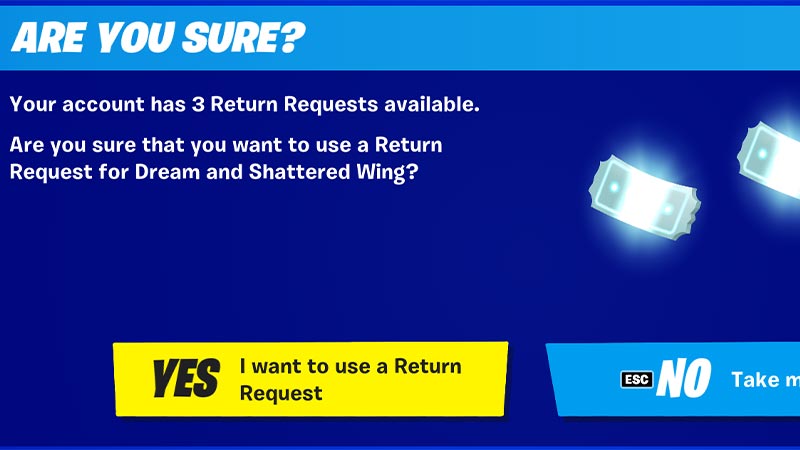
- Lastly, select the “Yes, I want to use a Return Ticket” option. But make sure to check it as this action cannot be undone once you click Yes.
Now, you will be prompted to the returned item and the number of V-bucks that are credited to your account.
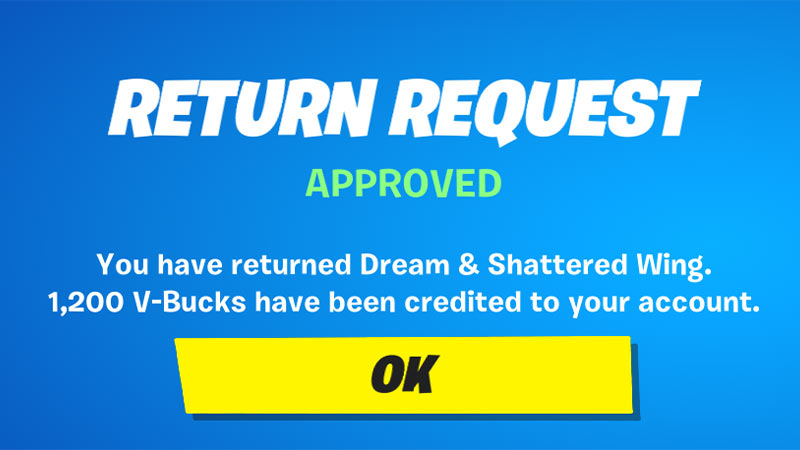
Although you can return all item shop purchases, some purchases are non-refundable and cannot be returned. Scroll till the end to find out.
What are the Items that you cannot return?
Here are all the Fornite purchases that cannot be refunded or returned:
- Level Up Quest Packs
- Gifts
- Real-money Purchases
- Battle Pass
- Battle Pass Tiers
- Loot Llamas (Save the World)
- Event and Weekly Items (Save the World)
- Fortnite Crew Subscriptions
That’s everything covered about the Fortnite refund and how to get your money or V-bucks back. If you liked this guide, check out our guides on how to make and hide in a giant snowball, how to get Guardian Shield, how to get the Snowball Launcher, and more Fortnite Guides on our dedicated section right here on Gamer Tweak.










