
There are multiple items that you need to carry in order to gather evidence about ghosts. This is why it is important to know how to pick up items and how to drop them too. This will help you place certain tools at various locations and pick them up when you need them. If you are not sure how to do that, don’t worry. This guide will explain how to pick up items in Phasmophobia.
Keyboard Controls to Pick Up Items in Phasmophobia
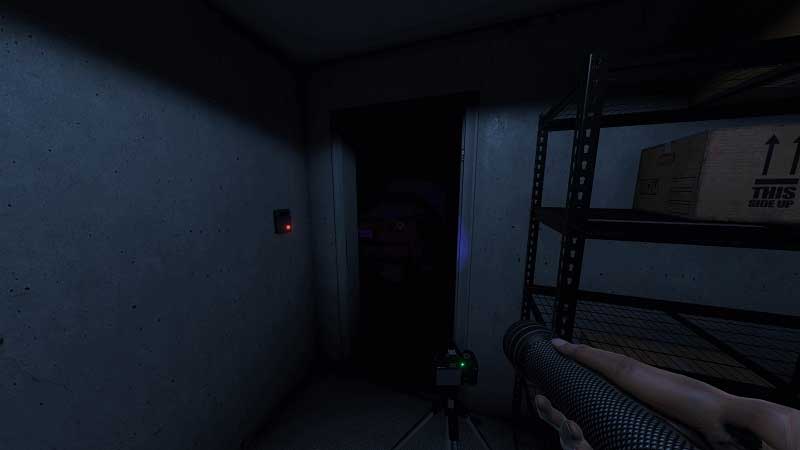
During your ghost investigations, you will have to explore various rooms, observe ghost activity and even hide during the entity’s hunting phase. Once you get into the game, it gets more and more terrifying as you progress. As you may already know, players can experience it in VR or Non-VR format.
Now, when you are inside the haunted location, you will be already carrying some equipment beforehand. There’s the crucifix, smudge sticks, cameras and more tools that will assist your search. Sometimes you may have to place glowsticks on the ground next to salt to detect the ghost’s footsteps. You might also need to place the crucifix and sensors around the location. If you want to pick those items back, you need to look at the item first. Next, press E (Keyboard) or X (Xbox controller). That is pretty much it.
You will be able to pick up the item if you have space for it. You can hold three items at once as a non-VR player. VR players can hold 4 items. If you want to use the item you picked up, you can use the scroll wheel of the mouse or press the Y button on your controller.
In case you don’t have space, you need to press G on your keyboard and B on the controller. This will help you drop items you don’t need and you can manage your inventory in this way.
If you are a VR player, make sure to see the controls menu beforehand to know which button is applicable for picking up items. It depends on the type of controller you have.
That is everything on how to pick up items in Phasmophobia. We have a dedicated Phasmophobia Wiki guide that will answer all your questions regarding this game. Don’t forget to check it out!
Do not forget to check our Phasmophobia Wiki guide for more ghost hunting tips.











