Beds are one of the most important items in Minecraft. You will need one at the very early stages of the game in order to sleep at night. In this article, we will show you how to make one.
How to Craft a Bed in Minecraft?
To learn how to make a bed in Minecraft, keep reading the steps given below:
Materials Required
- 3 Wooden Planks
- 3 Wool
- Crafting Table
You can get wooden planks from wooden logs in Minecraft. You will need to place a minimum of 2-3 logs in the crafting table to get wooden planks.
To get wool, you can shear sheep or even kill them. Sheep give out anywhere from 1-3 pieces of wool each time you shear them.
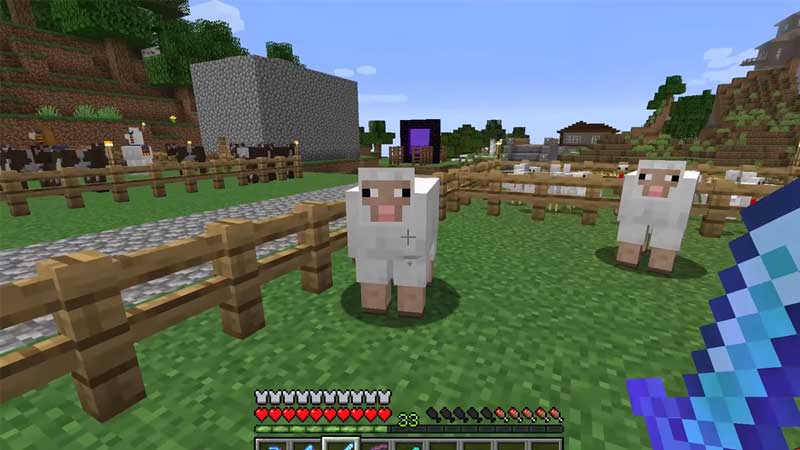
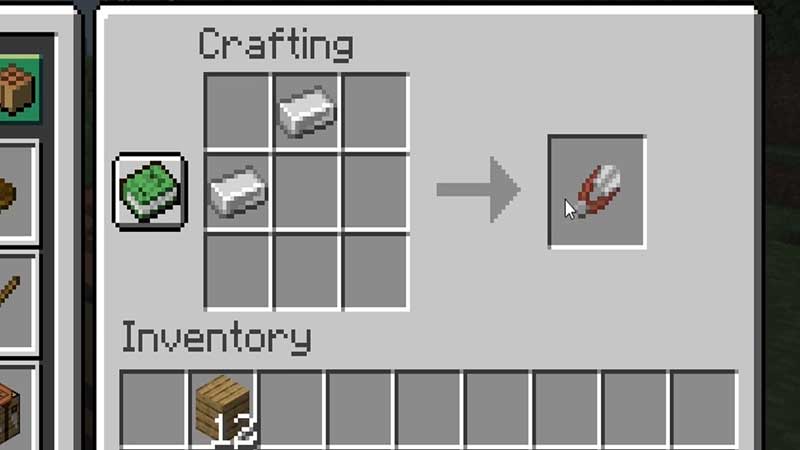
You can craft a shear by placing two iron ingots diagonal to each other in the crafting table. Once you have the shears, all you need to do is right-click on a sheep. Doing so will shear the sheep without harming it.
Making a Bed in Minecraft
Now that we have all our required materials, we can proceed with making a bed in Minecraft.
- To begin, open your crafting table.
- Once you do so, place a wooden block in each of the vacant slots in the middle row.
- In the upper row, place a piece of wool in each of the three vacant slots.
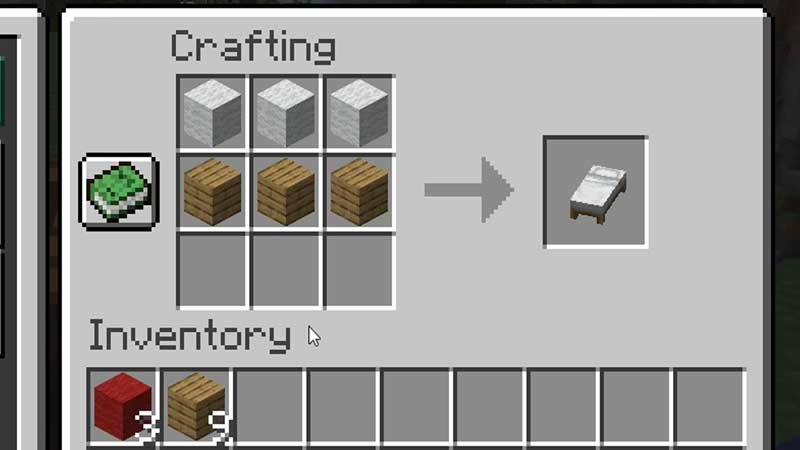
- Following this process will give you a basic white bed.
- If you want to make a colored bed, check out the steps below.
How to Make a Colored Bed?
- If you want to make a bed with a color of your choice, you can follow the exact same steps as above.
- The only difference here is that you will need to add a dye of your color choice to the wool during the bed-making process.
- Doing so will give you a colored bed.
Using a Bed
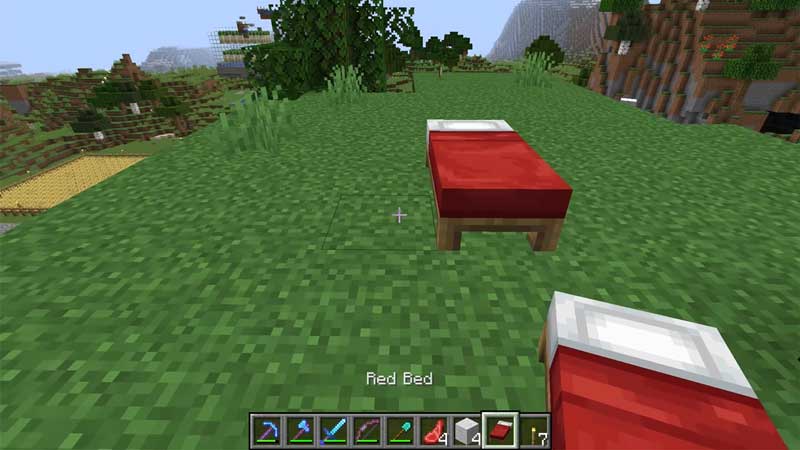
- To use a bed in Minecraft, all you need to do is place it down.
- When its night time, you can enter the bed by right-clicking on the mouse.
With this, we come to the end of this article on how to make a bed in Minecraft. Since this is a very important item in Minecraft, you need to ensure you make it in the early stages of the game.
If you liked this article, check out how to make a bookshelf in Minecraft.