A Banner in Minecraft is an item that you can use either as a flag or decoration for a shield. In this article, we will show you how to make one.
How to Craft a Banner in Minecraft?
Check out how you can make a banner in Minecraft with the steps below:
Materials Required
- 6 Wool
- 1 Wood Stick
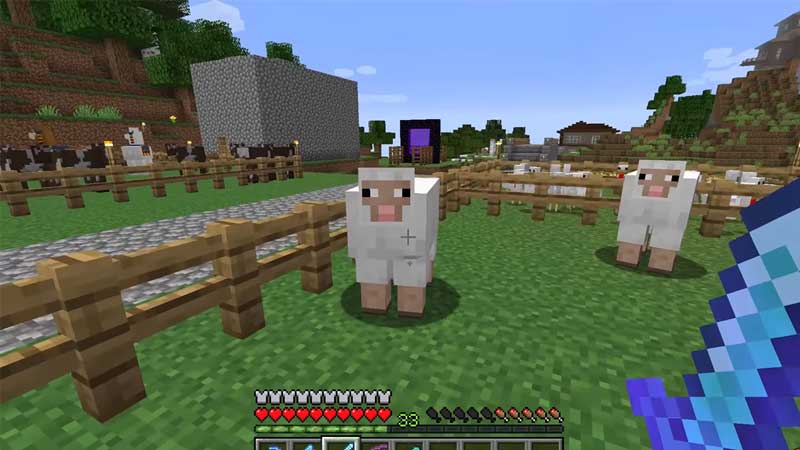
You can get wool by shearing sheep. To do so, you will need a shear. Each time you shear a sheep, you will get 1-3 wool.
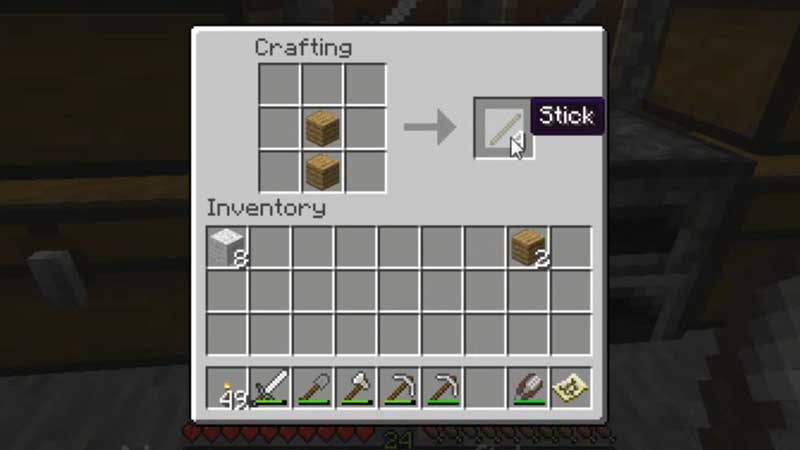
To make a wooden stick, all you need is 2 wooden planks. These can be of any type. For example, oak, crimson, jungle etc. Place the 2 planks in the crafting table, with the first plank in the center of the uppermost row, and the second plank in the center of the middle row.
Making a Banner in Minecraft
- Now that we have all of the required materials, we can begin to make a banner in Minecraft.
- To begin, you first need to open the crafting table.
- Here, you will need to place your materials in the exact sequence as displayed in the image below.
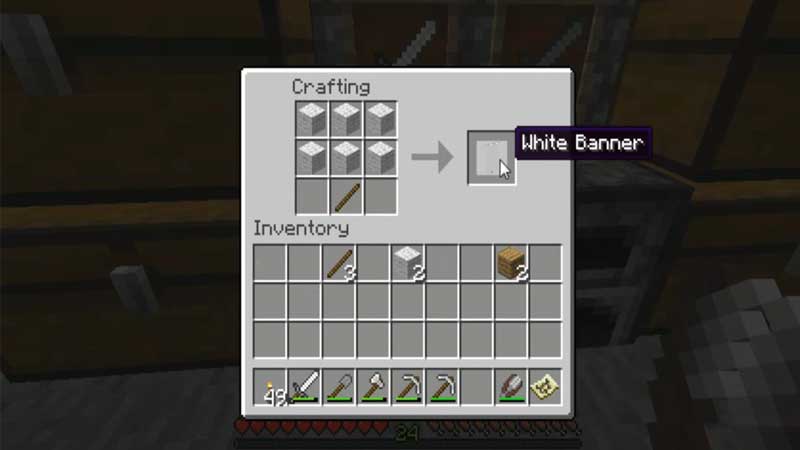
- As you can see in the image, you need to place your 6 wool in each of the vacant slots in the upper and middle rows of the crafting table.
- Now, you need to place the 1 wooden stick in the vacant center slot in the lowermost row.
How to Use a Banner?
- To use a banner in Minecraft, you will first need to open your crafting table.
- Once you do so, place the banner right next to the shield on the crafting table.
- While doing so, make sure that the shield is placed in the center slot and the banner is placed to its left.
How to Make a Colored Banner?
- To make a colored banner, all you need to do is add a dye to the wool before you begin the process to make a banner.
- You can choose the color you want your banner to be, and accordingly, add its dye to the wool.
This brings us to the end of this article on how to make a banner in Minecraft. Crafting it is a pretty simple process, and if you follow the right steps you too will be able to make one.
If you liked this article, check out how to make a bed in Minecraft.