
Home > Valorant > How To Drop Spike In Valorant - Tips & Tricks

How To Drop Spike In Valorant

Published Date :

You could be a total newbie in the game or might always only be playing with your friends who don’t let you carry the Spike. Either way knowing how to drop Spike in Valorant is more important than you might give it credit for. Here’s how to do it easily.

How do you Drop the Spike in Valorant?

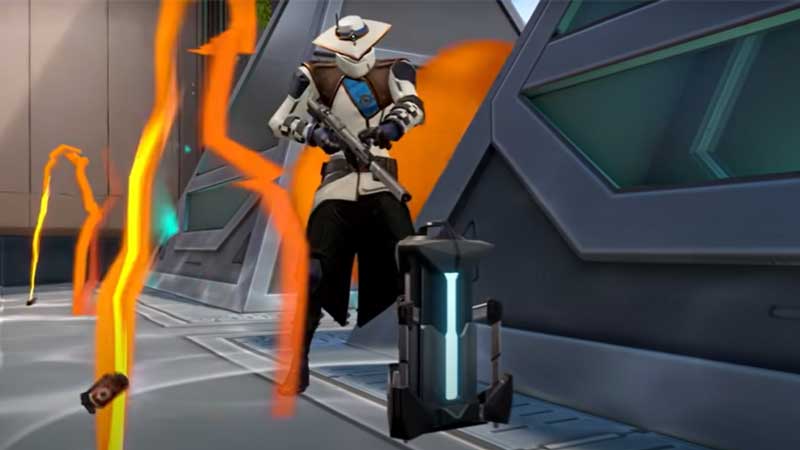
To drop the Spike you simply press the button “4” and press the button “G”. That’s how simple it is. Similar to dropping Spike you could also drop your primary or secondary weapon by pressing “1” or “2” and then pressing “G”. “G” is the default key to drop the currently equipped item and “F” is the default key to pick up/use items. If your “G” button doesn’t work or if you would like to use some other key to drop items you could choose to map it to another key on your keyboard from the settings.
valorant spike

How to Map Keys?

  • Tap on the Settings icon on the top right-hand corner of the screen.
  • Here click on Controls and under it select Equipment.
  • Select the action you want to map the keys, for example in this case tap on the button for Drop Equipped Item.
  • Press the key you now wish to use to perform that certain action.

Once you follow these steps, you can map the keys according to your preference to perform the different actions.

Tips to consider while Dropping Spike

Don’t confuse dropping Spike with planting Spike. There are two things you could do whenever your teammates are telling you to drop the Spike. One is you could either simply drop it in the ground in front of you. And, the other is to face your teammate who might be asking you to drop the Spike and drop it to pass it to them instead of dropping it on the ground. Remember to be alert of your surroundings when dropping the Spike. When you drop the Spike it makes some noise and if the enemy is close by, then chances are they can hear the sound and might get some vague information of your location.

Now that you know how to drop the Spike, you should also check out how you can unlock the agents in Valorant.


  • GTA 6’s Extended Look Will Debut on Netflix Before YouTube

    GTA 6’s Extended Look Will Debut on Netflix Before YouTube

    Published Date :

    Rockstar Games has revealed an unexpected way for fans to watch the next major Grand Theft Auto 6 showcase. Instead of heading straight to YouTube, the studio’s upcoming Extended Look presentation will premiere first on Netflix, which means subscribers get an early preview before it becomes available to everyone else. It is set to air… Read More

  • Stream a Mukbang Codes (August 2026)

    Stream a Mukbang Codes (August 2026)

    Published Date :

    Mukbang games are gaining more popularity on Roblox these days, and Stream a Mukbang is where you eat food live, gain views, likes, followers, and earn cash for upgrades. As your live videos become more popular, you’ll need more resources to keep attracting new viewers, and that’s where free rewards can make a difference. Redeeming… Read More

  • Become an Anime Billionaire Codes (August 2026)

    Become an Anime Billionaire Codes (August 2026)

    Published Date :

    In Become an Anime Billionaire, you roll for anime characters, earn money, rebirth, climb the leaderboard and this journey becomes much easier when you have plenty of rewards. Thankfully, the developers release new Become an Anime Billionaire codes pretty regularly, such as free Units, Lucky Blocks, Cash, and more. Here’s the complete list of all… Read More

  • BikeLife Society Codes (August 2026)

    BikeLife Society Codes (August 2026)

    Published Date :

    Pulling off wheelies, upgrading your ride, and traveling across the city is what BikeLife Society is all about. As you unlock better bikes and customize them to match your style, you’ll need plenty of in-game resources to keep progressing. Free rewards can make that journey much easier, so it’s always worth redeeming the latest BikeLife… Read More







