PS5 new UI focuses on offering gamers a way to smoothly navigate through games along with providing major features instantly over joystick control. One important thing users look upon is customizing the home screen by applying new wallpapers and themes on PlayStation. PS4 has this feature, users can download themes from PS Store and apply them instantly. They can also apply their custom theme or set a custom wallpaper. But what about the new console, how to change the theme on PS5? In this article, we are going to discuss in detail this feature.
How to change the PS5 Theme?
PS5 features a dynamic home screen. The screen background changes when you select a game. For example, if you select Spider-Man Miles Morale’s you will see a unique background screen. The same changes when you pick Last of Us Part 2. By default, PS5 has a dynamic theme, that is one of the primary reason the console does not provide you any settings to customize it.
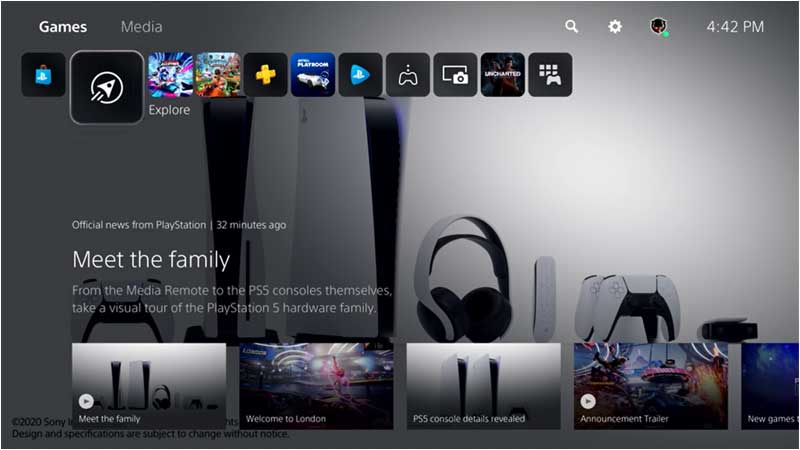
Till yet all the UI’s we had seen does not have a direct option to download or install the theme. There are changes in the future we might see such an option added via an update. On the PlayStation store, if you scan all items under the PS5 category no themes are provided. Under PS4 we can see exclusive themes referring to popular games.
The console has a thin menu at the extreme bottom of the screen. Entire different from PS4 UI which has big thumbnails of Game icons in the center top. More content is displayed and less button is what this new UI is all about. However, to an extent, this can be a little confusing for some users.
PS5 focuses on offering users a more immersive experience through the new UI. Dynamic background, instant tips, smooth navigation, etc is to keep users glued to the console. We will be updating a lot of info about PS5 in the coming time. Till then you can have a look at our different PS5 guides. Like how to get 120hz video on PS5.