
Apex Legends is a cross-platform game with millions of daily active players. The in-game character can be customized from its Appearance to its Name. Many of us get bored with the same username for a long time. To appear cool and stand out in the lobby, it is possible to change the Name in the game. If you want to know how then this article is for you. Here’s our guide that features steps to change your Name in Apex Legends.
How to Change Name in Apex Legends

Apex Legends is available to play on multiple devices and the procedure to change the name is both easy and tricky on different devices. Here’s how you change your username in Apex Legends:
How to Change Name on PC
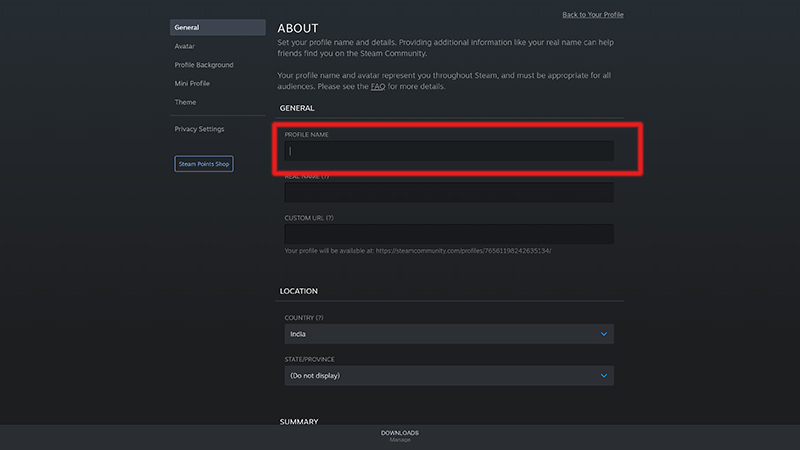
Origin and Steam are the two clients that let you download Apex Legends. Here’s how to change the name on your PC:
On Origin
-
- Launch Origin and click on your username on the left bottom of the site.
- Further, click on EA Account and Billing which will redirect you to an official EA website.
- Click on the Edit option next to the Basic Information.
- Verify your identity by entering the code sent to your registered E-mail address.
- Update your ID by entering the desired name.
- Later, click on save for the changes to apply.
- This will update your name in the game too.
On Steam
-
- Launch Steam and click on your username on the top right of the screen.
- Click on View my Profile.
- Further, click on Edit Profile and update your Profile Name.
- This will update the name in the game automatically.
How to Change Name on PS4, PS5
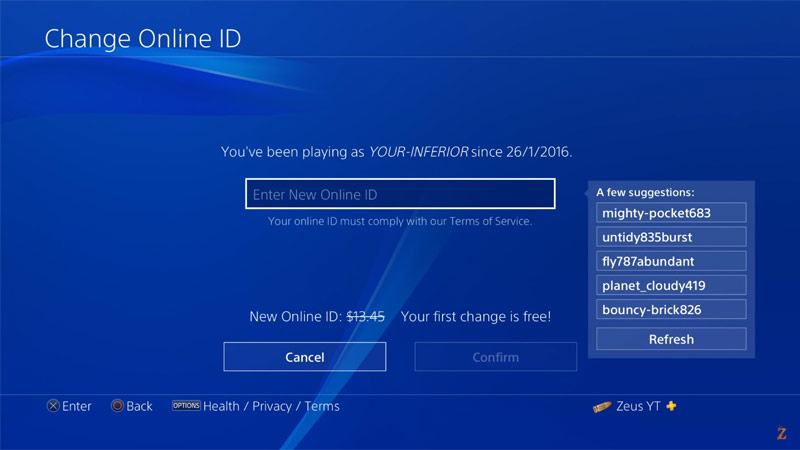
Here’s how to change the name in Apex Legends on PS4 and PS5:
- Head over to the Settings and enter the Account Management tab.
- Now, tap on Account Information and enter the Profile section.
- Select Online ID and update your username. Further, confirm this change.
- This will change your username in the game too.
- The above process is also applicable to PS5 users.
- The only change is that the Profile section is directly added to the Users and Accounts tab in PS5.
- The username can be changed for free only once.
How to Change Name on Xbox One, Xbox Series X|S
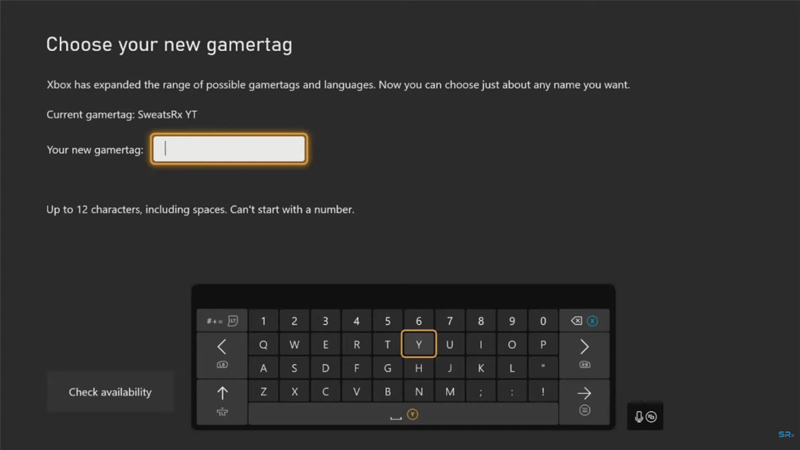
Here’s how to change your name on Xbox:
- On your controller, press the Xbox button to open the guide.
- Select your Gamertag under the Profile and Systems tab.
- Enter My Profile and choose the Customize Profile Option.
- Click on your current Gamertag to update it.
- Confirm this action by selecting the Change Gamertag option.
- This will update your name in the game after the completion.
How to Change Name on Nintendo Switch

Here’s how to change your name on Switch:
- Enter the Main Menu on your console.
- Select your username on the top of the screen.
- This will take you to the Profile Settings.
- Under the Profile section, select your current username.
- Click on the Pencil icon to update the name.
- Further, click on OK to confirm the changes.
- This will update the name in the game automatically.
How to Change Name in Apex Legends Mobile
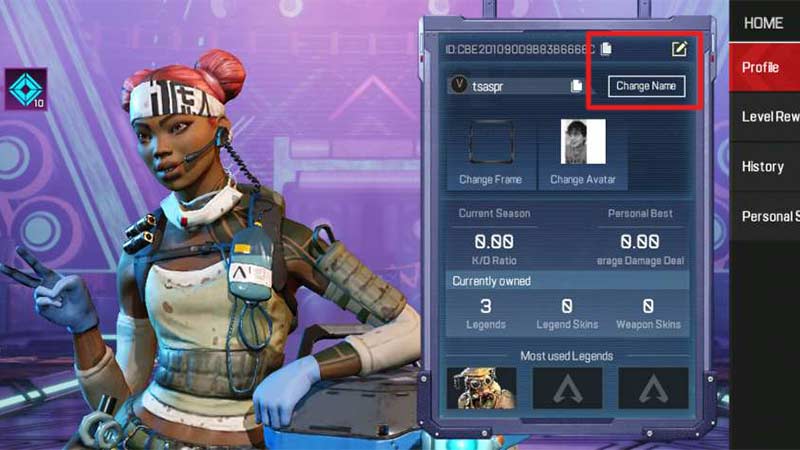
Changing the name in Apex Legends on a mobile phone requires a Rename Card. It can be either purchased or earned by completing event quests. However, if you are changing your name for the first time, then you may already have a rename card in your inventory. Although, here’s how to change your name:
- Open the game and tap on your profile in the top left corner.
- In the Profile tab, click on the Pencil icon next to the ID number.
- After that, update your name and click on OK for the change to take effect.
- Your name is now changed.
That’s how you change your username in Apex Legends. If you found this article helpful, then make sure to check out our Apex Legends guides for the best characters and best game settings.











