Minecraft is one the most popular games out there. But it is also known to have one of the most annoying bugs and glitches. These can be frustrating, especially when some of them are more complicated than the others. Minecraft exit code 1 error is one of them. However, if you are facing this error, you need not worry. Here is how to fix it easily.
How to Solve Exit Code 1 Error in Minecraft [Fix]
If the other general fixes like restarting your PC, relaunching the game and updating your graphics drivers haven’t worked for you, then you should try the below methods:
Download the Latest Version of Java
Since the root cause of this error is related to a configuration issue in Java, you should fix it immediately. This can be done by deleting and downloading the latest version of Java to fix the Minecraft exit code 1 error. Here’s how to do this:
- First, go to the official website of Java.
- Click on the download link according to your platform – Windows, Linux or MacOs.
- Once downloaded, run the Java Setup to finish the installation.
You can now open the Minecraft launcher with the newly installed Java kit. If the error persists, check out our next fix.
Disable Mods
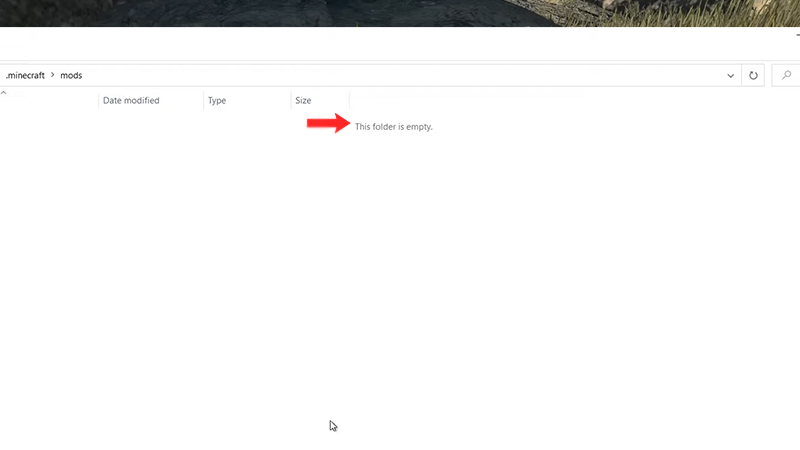
Minecraft is one of the most heavily modded games of all time. Though some mods are known to improve a player’s experience, others can downright cause problems more than anything.
Your best bet is to use only the mods that you absolutely require. Try keeping as few mods as possible. Also, you can delete all the mods and slowly install them one by one. In this way, you will probably be able to figure out which mod is the faulty one.
If this still doesn’t help, then check out our last fix.
Delete Minecraft Files
Reinstalling Minecraft is the best way to fix the Exit Code 1 Error in Minecraft. But before doing this, remember to backup your “saves” folder. Move it to another location on your disk before uninstalling so that you don’t lose any of your Minecraft progress. Here’s how to delete the files:
- Press “Windows+R” to open the “Run” tab.
- Type “%appdata%” and then hit “OK”.
- Now, look for “.minecraft” file and select “Delete”
- Finally, open your Minecraft launcher to reinstall your Minecraft version again.
These are the steps you can take to fix the Minecraft exit code 1 error. For more fixes like these, head over to our Minecraft section on Gamer Tweak.