Home > Overwatch 2 > Fix Hero Challenges Not Appearing In Overwatch 2

Overwatch 2 Hero Challenges Not Appearing Issue: How To Fix?

Published Date :

The release of Overmatch 2, marks an end to all the working servers of its predecessor. There’s a wide range of heroes that you can play and unlock as you progress. While players that have logged in to their OW 1 account unlock all the characters right away, newbies need to complete different challenges to unlock them. However, players are facing an issue when they head to the Hero challenges section. The page goes blank making it unable for players to track their character’s unlock progress. Not to worry, check out our guide to find out everything about the Hero challenges not appearing in Overwatch 2.

How to Fix Hero Challenges not Appearing in Overwatch 2

Unfortunately, there’s no guaranteed workaround or fix to make the page of hero challenges appear. That’s because it is a technical issue from the developer’s end as it is a server issue. Along with this issue, Blizzard has acknowledged and confirmed this issue in a blog post (link). Furthermore, they also stated that players have not lost any items or progress despite missing elements or sections. So, don’t need to worry about losing your unlock progress.

You can check out our guide to find out if the OW 2 servers are down. Once the servers are back on track, you would see the Hero challenges page appear. While there is no conventional way to fix this issue, some players have suggested restarting and logging back. It can work out as it would refresh your server connection. It did work out for some players in the community but it is not a guaranteed workaround.
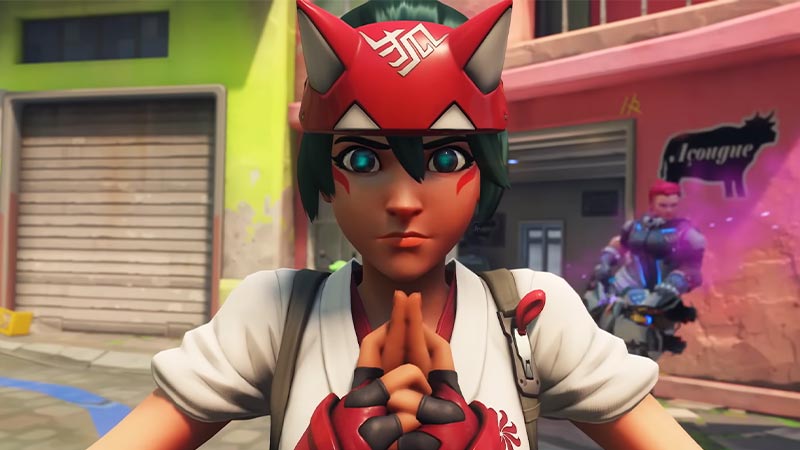
overwatch 2 hero challenges not working

In such cases, there’s nothing you can do except wait until the devs resolve the issue. We hope Blizzard resolves this issue with the upcoming patch or updates.

That’s everything covered about the Hero Challenges not appearing in Overwatch 2. If this guide helped you, check out our guides on how to fix can’t invite friends, fix the stats not appearing issue, and fix the crashing at startup or launch issue in Overwatch 2 right here on Gamer Tweak.
  • +1 Speed Evolve Codes (July 2026)

    +1 Speed Evolve Codes (July 2026)

    Published Date :

    Speed-based games on Roblox will always stay popular, and this particular experience is quite addictive! Here, you play as an animal and your goal is to evolve into stronger animals, unlock new worlds, and be the fastest player on the server! +1 Speed Evolve codes offer free Speed and Win Boosts that can make your… Read More

  • Yeet a Brainrot Codes (July 2026)

    Yeet a Brainrot Codes (July 2026)

    Published Date :

    If you’re annoyed at the Brainrot trend, this is your opportunity to “yeet” them into the distance! To launch Brainrots farther, you need better pets, potions, and more rewards, and thankfully, these Yeet a Brainrot codes will come to the rescue. You can easily unlock various Divine Relic Chests, Primeval Relic Chests, Coin/Luck/Power potions, exclusive… Read More

  • Build A Soccer Squad Codes (July 2026)

    Build A Soccer Squad Codes (July 2026)

    Published Date :

    To build your dream team, you’ll need plenty of rerolls and shop refreshes, which is how you can get better cards and complete your collection. Build A Soccer Squad codes can help with exactly that, giving you various freebies so you get more chances to improve your lineup without waiting. Here’s the complete list of… Read More

  • Aura Monster Simulator Codes (July 2026)

    Aura Monster Simulator Codes (July 2026)

    Published Date :

    Climbing an endless staircase might sound simple at first, but the higher you go, the more Aura you’ll need to keep progressing and unlock stronger upgrades. Thankfully, Aura Monster Simulator codes provide free Gems and Aura Boosts, helping you strengthen your character and reach new heights. More specifically, you can use these Gems to unlock… Read More