
GPU Lag Fix for Vampire Survivors is a Launch setting that you are given on Steam. This setting comes with two other options: a Normal setting (Play Vampire Survivors) and a ‘Play with Steam Overlay enabled’ setting. These settings are specially introduced for players with mid or low-spec hardware. Wherein, the GPU Lag Fix option gives a thought of an optimized gameplay experience. But is that really it? Know if this launch setting is worth trying below.
Should you Choose Vampire Survivors GPU Lag Fix Setting?
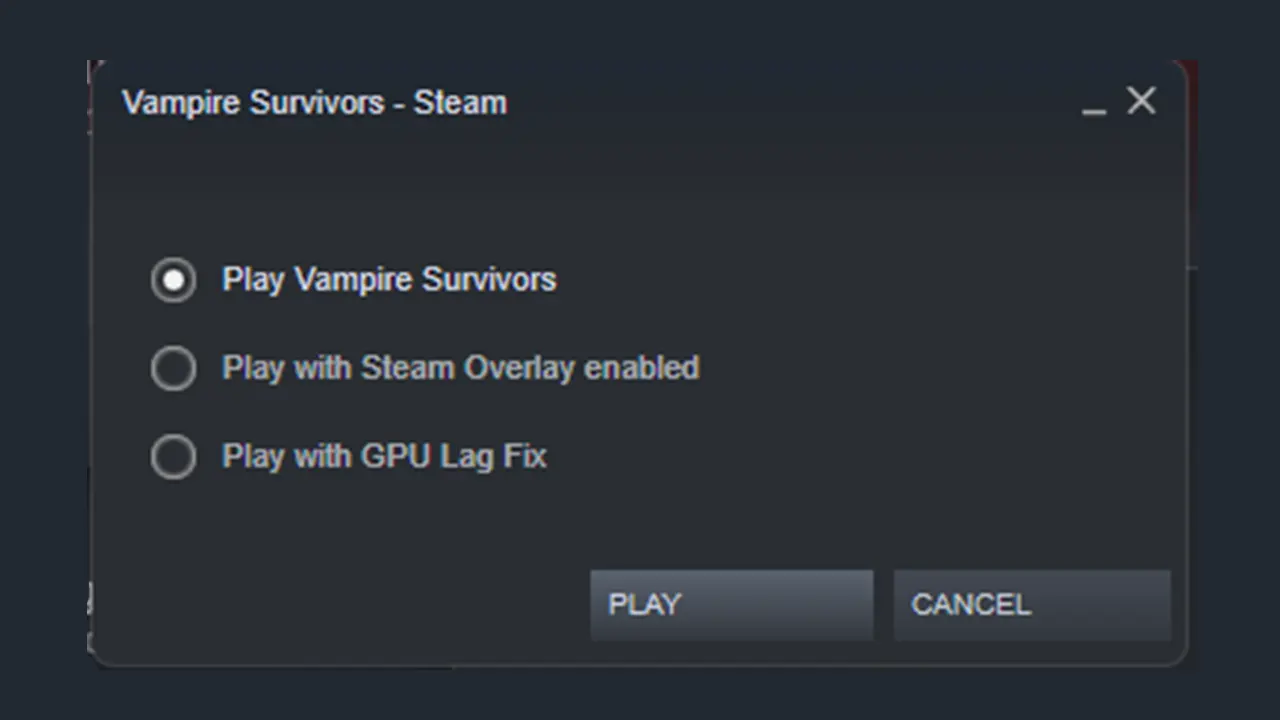
Players with low-spec PC should use the GPU Lag Fix Launch option. This will help to avoid minute lags and choppiness while playing. Although this game uses pixelated graphics, there are chances that your system may have a tough time rendering the ever-increasing monsters. So, using the GPU Lag Fix setting to launch Vampire Survivors is beneficial for old PCs.
Besides this, here’s what the other two Launch settings offer:
- Play Vampire Survivors (Normal Settings) – The game will run using standard settings.
- Play Vampire Survivors with Steam Overlay Enabled – This will allow you to use the in-game interface to access Steam Community features.
How to Change Vampire Survivors Launch Setting on Steam
In case this game lags on the normal launch setting, here’s how you can run it on GPU Lag Fix setting on Steam.
- Open your Steam client and go to the Library.
- After that, right-click on Vampire Survivors and select Properties.
- Now, select the General tab and navigate to Launch Options.
- Next, click and confirm the ‘Play with GPU Lag Fix’ setting.
You can select any option from the Launch Options on Steam depending on your hardware.
That’s all you need to know about the GPU Lag Fix option for Vampire Survivors. Apart from this, you can make your gameplay much easier by using Vampire Survivors Cheats. Make sure to check out our guide for all the Cheat Codes.











