In Sons of the Forest, you’ll be required to use plenty of Firewood to make sure the fire lasts for a long period of time. That’s because despite of putting tons Cash and Leaves the fire tends to go out pretty quickly. And in this game, it is not only used to stay warm but to also cook food. So you don’t get sick and die of hunger. If you are also struggling to make the fire last long, then we will guide you through the steps to get & use the Firewood easily. So without any further ado let’s dive right into it.
How Can I Get & Use Firewood in Sons of the Forest?
In order to get & use Firewood in Sons of the Forest, take a look at the walkthrough mentioned below.
- First, go ahead and chop down some trees by using your Axe to get some logs.
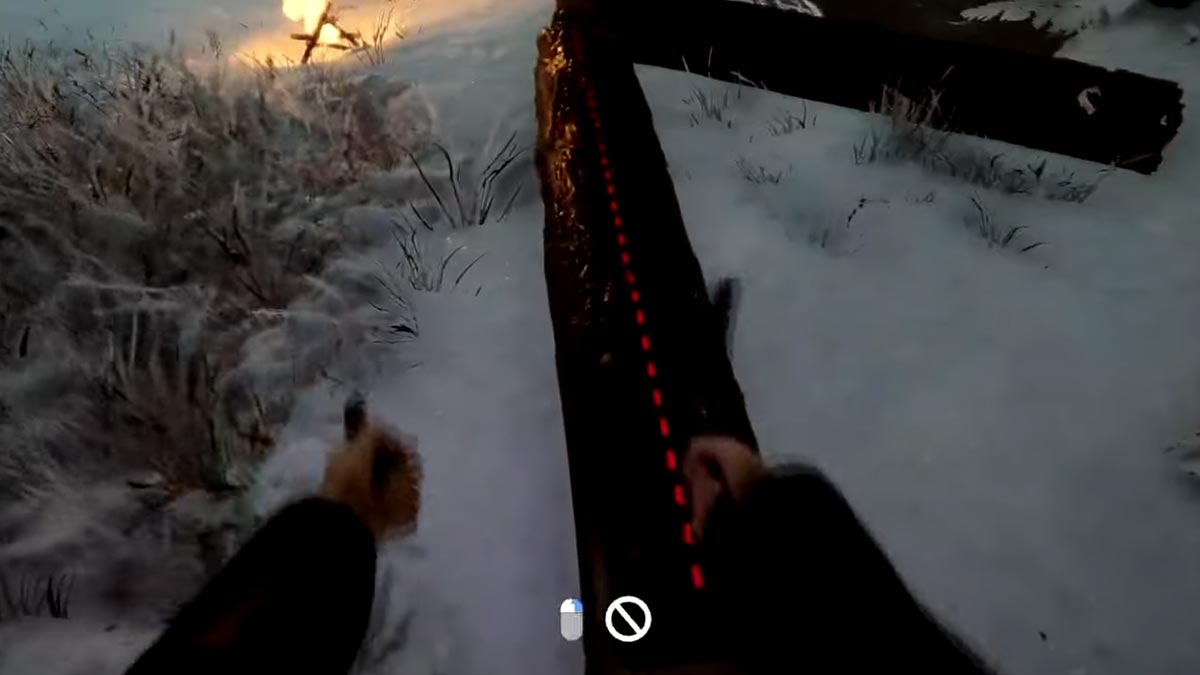
Picture Credits: Quick Tips - Next, go near the lumber and chop it in two halves vertically. To do so, simply aim at it and you’ll see a prompt red dotted line.
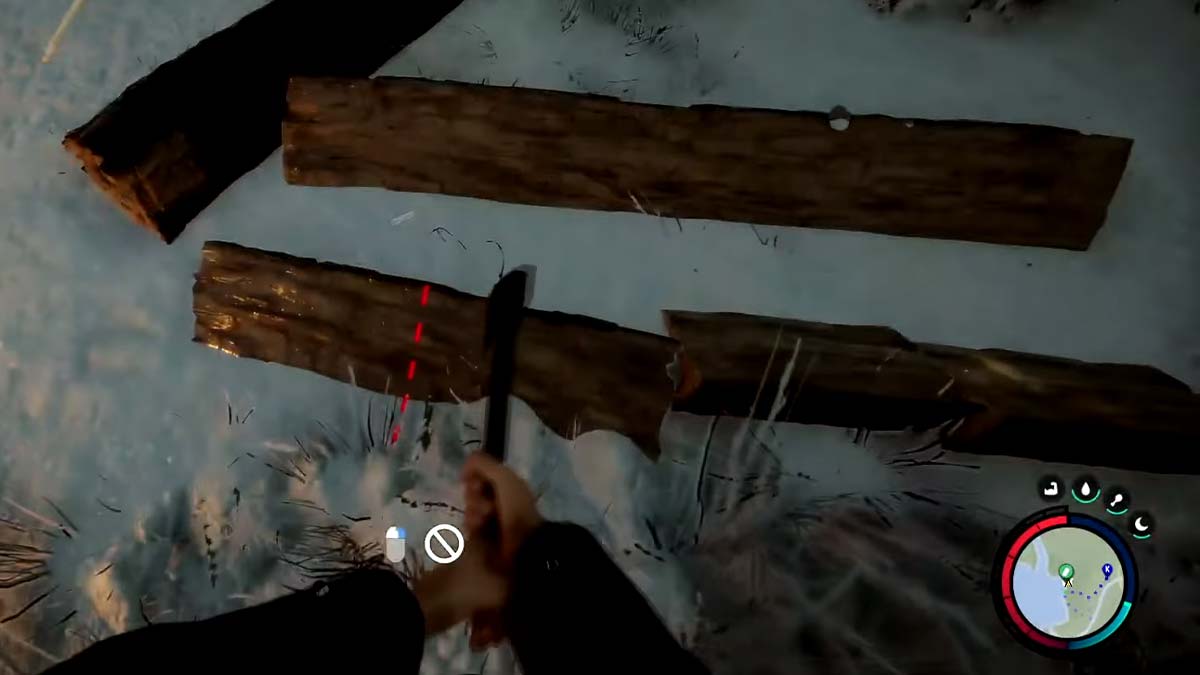
Picture Credits: Quick Tips - After that, cut down one-half of the lumber into 4 pieces horizontally. That can also be done, by aiming at the halve to prompt the red dotted line.
- Also note, that you make sure to chop the lumbers in the correct sizes, or else you might end up with a plank or some other item.
And that’s how you can get Firewood in the game. If you need some more, then repeat the steps and you’ll be good to go. And if you are unaware of the process to use the Firewood, then scroll down for more details.
How to Use Firewood to Make the Fire Last Long?
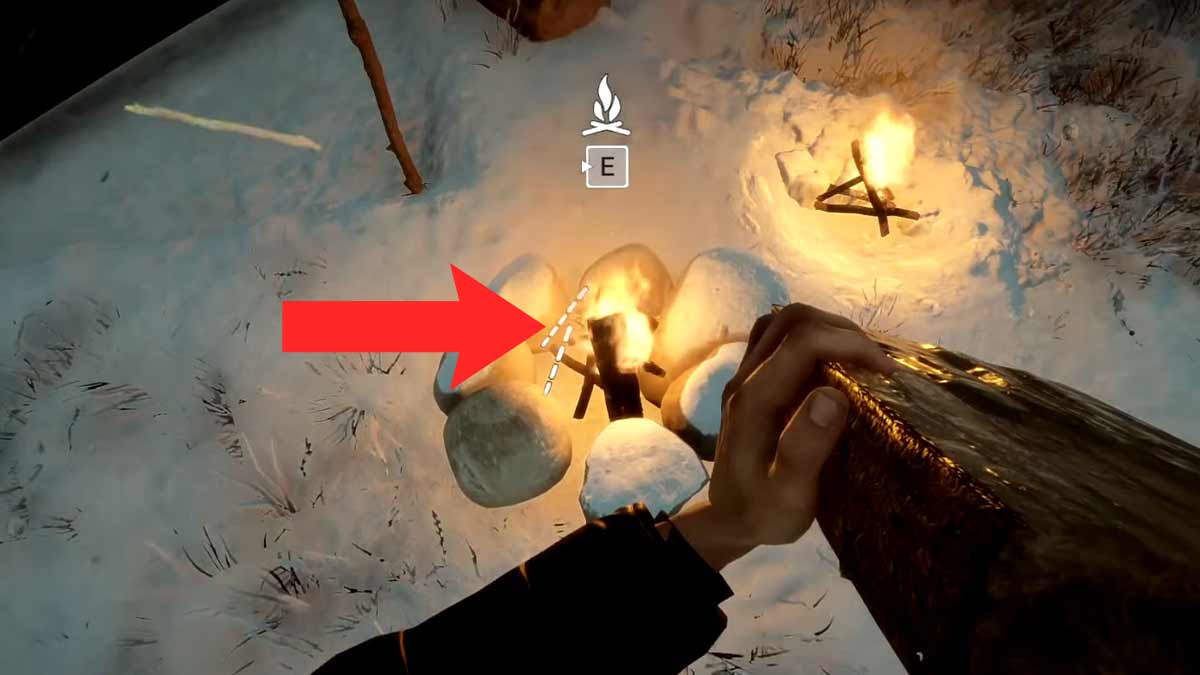
Once you have enough Firewood, go ahead and make a Reinforced Fire. That can be done by first making the Basic Fire and then putting 7 stones around it in a circular position. After that, simply grab some Firewood and aim at the Reinforced Fire to initiate the white dotted lines. As soon as you do, press Left click on your mouse. Doing so will bring an animation where the character will crack the Firewood in two halves and place it in the fire. Now you can easily, stay warm a little longer without worrying about the fire going out quickly.
With that said, this is everything you need to know about how you can get & use Firewood in Sons of the Forest easily. If the fire is still not enough to keep you warm, then check out how to get the Winter Jacket in the game. Also, take a look at the steps to make Standing Fire & Skull Lamp easily.