Minecraft is a sandbox survival game where players can build bases and homes to survive. You can build your base or home virtually anywhere in the Overworld. Desert, Jungle, Taiga, Swamp, etc. you can build it in any Biomes, including waterbodies like Lakes, Rivers, and Oceans. But how do you clear all of the Water Blocks? How do you get rid of the water from these water bodies in Minecraft? Well, I have written this guide just to answer these questions.
How to Get Rid of Water in Minecraft
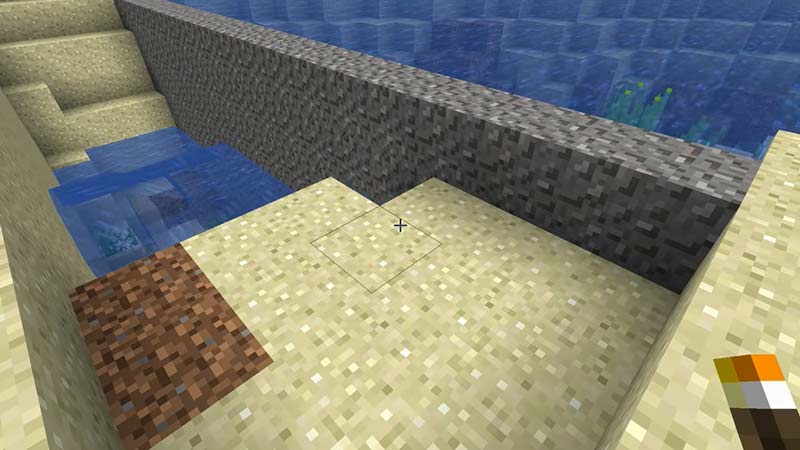
Before we can get to removing the water in a lake or the ocean in Minecraft, we will first need to gather certain materials. The materials we will require are Gravity-affected Blocks and Sponges. Gravity-affected blocks are blocks that follow the rules of gravity. I highly recommend getting a Stack of Sand or Gravel. Sand would be better as you may have to get more Gravel due to their chance of becoming Flint.
The first thing you should do is section of the area of water you to get rid of in Minecraft. You can achieve this by first making a wall of gravity blocks around the area. After that start sectioning it out by making these sections 4 blocks wide. Now can take your Sponges and start placing them in each section. On the inner walls of the sections, place a Sponge on one side, then on the other, and then back to the other side. Continue this till all of the water is drained out. This is how you can get rid of the water in Minecraft.
Once you have removed all of the water from that section in Minecraft, you will need to dry those Sponges as you may have a limited amount. You can dry them in a Furnace but that is time-consuming. The quickest way to dry Sponges is by going into the Nether. Once you are in the Nether, place the Wet Sponge on the ground and it will instantly dry up.
Continue this process and you will get rid of the Water blocks in Minecraft. A word of advice is that use a torch to remove the gravity blocks as this will speed up the process. Hopefully, this guide has helped you. You can also check our other guides like Getting Sponges & Water Breathing Potion Guide in Minecraft.