If you’re playing Garden Horizons daily, you already know the struggle. You log in hoping for that rare seed or gear that you absolutely want…and it’s not in stock. Frustrating. But don’t worry, this Garden Horizons Stock Notifier will come to the rescue. Instead of starting Roblox and refreshing the shop every 5 minutes, you can let automated alerts do the work for you.
In this guide, we’ll explain what the stock notifier is, how to join it, and how to customize notifications so you never miss a restock again.
What is the Garden Horizons Stock Notifier?
The Garden Horizons Stock Notifier is a dedicated Discord server that sends alerts whenever specific items restock in the game.
This includes:
- Rare and limited Seeds
- Important Gear
- Weather updates
Rather than checking manually in-game, you’ll receive notifications directly on Discord the moment something becomes available. For players who want high-value crops or limited-time gear, this is a game-changer.
How to Join the Garden Horizons Seed Stock Tracker
- Joining is simple: Head to the Discord here.
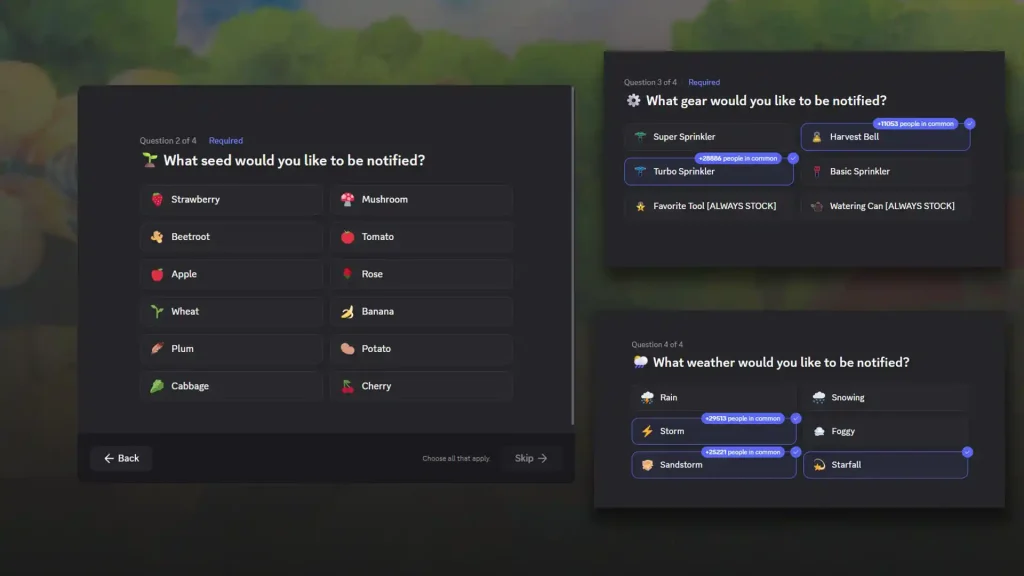
- Before getting into the server, you will be asked some questions about the seeds and gear you want to be notified about. Go ahead and choose the ones you’re tracking.
- Opt into weather alerts if you’d like.
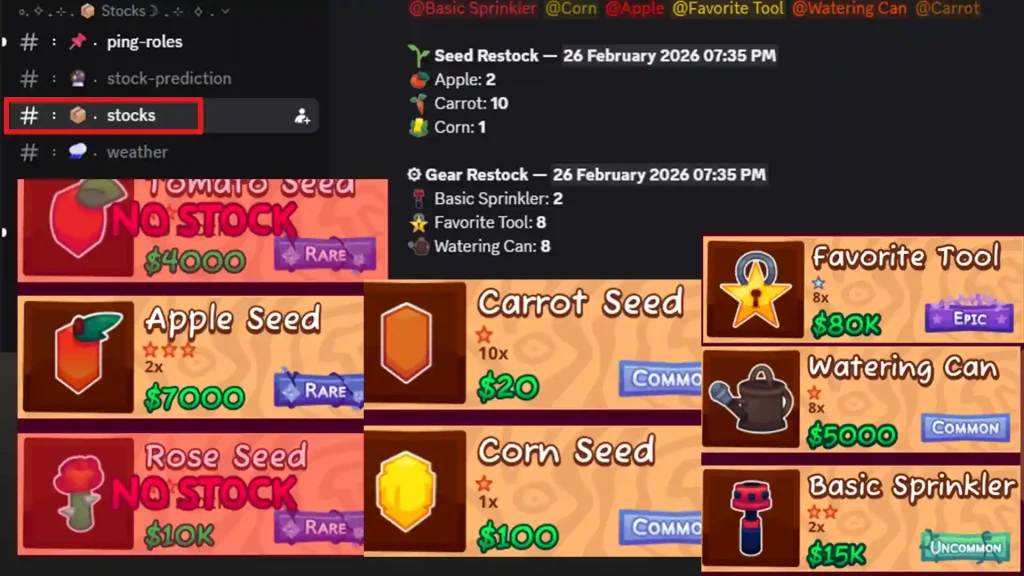
Follow the announcements posted in the #stock channel. Set the alerts for the items that actually matter to you so that you don’t get unnecessary pings.
Is it Safe to Use?
Yes – it’s completely safe and free to use. The stock notifier is simply a Discord server providing alerts. It doesn’t require account access or login details. You’re just receiving notifications – nothing else. Still, always make sure you’re joining the correct invite link and never share personal information with other users.
Note that if you’re short of Shillings or want some seed packs for free, redeem these Garden Horizons codes right away!
FAQs
It’s a Discord server that sends alerts whenever your preferred seeds, gear, or weather updates appear in-game.
No. You only join the Discord server. No in-game login is required.
Stock announcements are shared in the #stock channel inside the Discord server.