
Looking for ways to fix Playback Error on YouTube TV? There is no doubt that the YouTube TV streaming service is easy to use and gives plenty of options to its users. But with so much to offer, errors and bugs are expected to occur sometimes. You’ll face a screen blackout, the video won’t load, the screen will get stuck, you’ll get an error message saying Playback Error, and so on. These are a few common occurrences when facing errors in your Smart TV, computer, and mobile devices.
Most of the time, they easily get fixed with solutions we have provided in this guide. So read along and try these fixes to resume your YouTube TV and watch your favorite shows from hundreds of channels. The solutions we have given here can be used for fixing other similar errors in the platform. So it is best to bookmark it with Ctrl+D and keep it for future use.
How to Troubleshoot Playback Error on YouTube TV
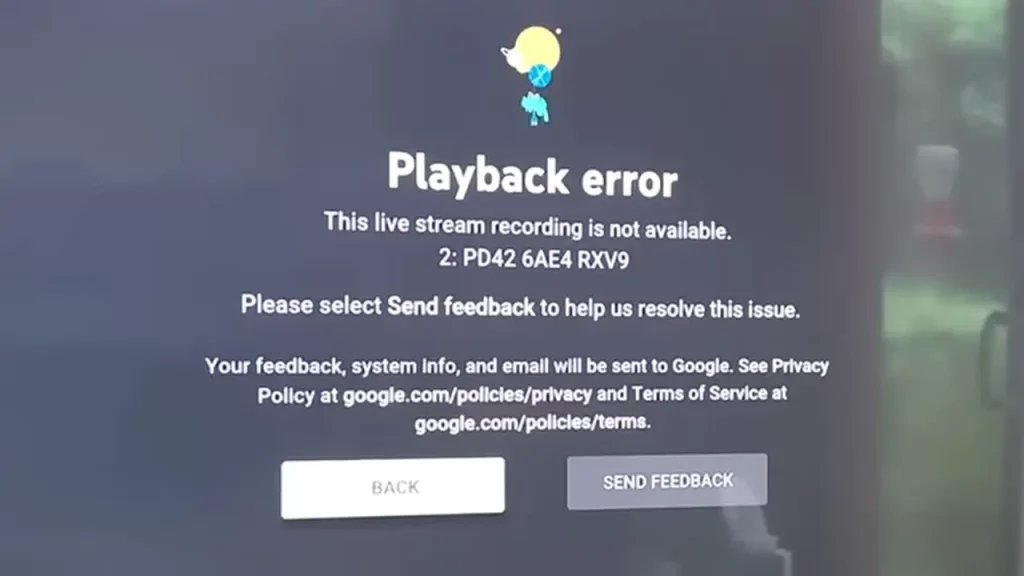
Whenever an error occurs and you get an error message, you’ll see a feedback option too. It is best to send feedback when you see the option. This will help the technical team of the platform to find the issue and troubleshoot it faster. After you have done that, try these solutions to fix the Playback Error on YouTube TV.
Clear Cache
Often this is the prime culprit for such errors. Thankfully, it is easy to get rid of this problem though.
- Mobile users should first clear the app from the background.
- Now, Smart TV and mobile device users need to go into their Settings and find Application or Apps options.
- Scroll and find the YouTube TV app and look for the Clear Cache option in the app info or inside the Storage option.
- Clear the cache.
If you are using the browser of the computer, you’ll have to go into the Settings of your browser and clear the cache from there. The location of the option will vary with the browser. But once you are done with it, restart YouTube TV and try to load your favorite channel. If you are still getting the error, then try other other solutions.
Restart Your Device
Restarting a device is one of the simplest, but the most effective methods to deal with these errors. So just turn off your device for at least 30 seconds and then try again to see if it is working now.
Check for the Update
Computer users can check for the browser update, and mobile and Smart TV for the YouTube TV app update. To look for the update, just go to the app store and check. If there are any new updates, download it, clear the app from the background, and re-launch it.
Disable Some Extensions
Some extensions hinder with YouTube TV, so first disable a few you find suspicious and re-launch it. If it is working smoothly, enable the extensions after some time. If you again start getting errors after enabling them, then the issue might be with the extension. And you’ll have to keep them disabled to use the service.
That’s all for the Playback Error on YouTube TV fixes. YouTube TV is a popular streaming platform with millions of users, so facing such errors once in a while is a given. Thus, we suggest you check our tech guides, where we have covered guides like how to fix YouTube TV Not Working Error.











