If you are facing the failed to detect location 12 error in Pokemon Go, you cannot join the game. When you encounter the error code 12 while playing this mobile game, it will prevent you from starting the game. This issue usually occurs when players try to spoof their location with a Fake GPS, Fake joystick, or other means. While players run a risk of getting banned from Pokemon Go by using such tools, they are also restricted from playing the game. But many players are facing this error code without using these tools. So, is there a workaround or fix to resolve this error? Yes, there is. So, check out our guide on how to fix the failed-to-detect location (12) error for this mobile game.
How to Fix the Pokemon Go Failed to Detect Location (12) Error
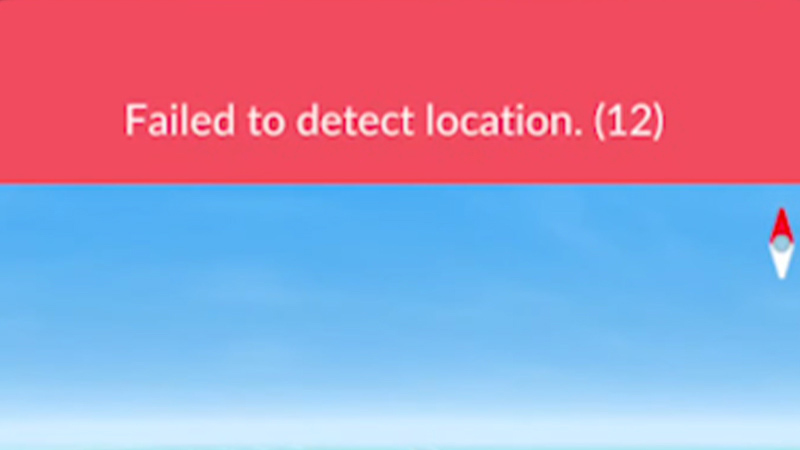
Before we start, ensure that Pokemon Go is updated to its latest version on your mobile devices. Also, check that your Mobile’s signal or Wi-Fi has a consistent and stable connection. If the error code 12 still persists, there can be other reasons for encountering this error.
Here are some workarounds to fix the Failed to detect location (12) error in Pokemon Go:
Restart Your Mobile Device
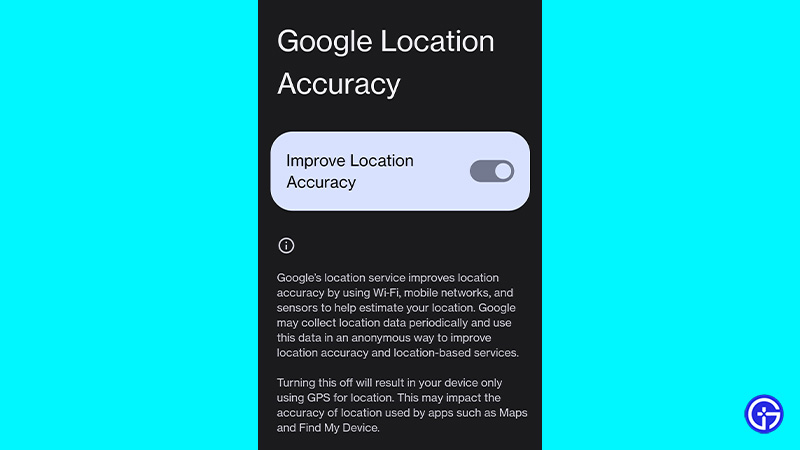
Rebooting your mobile is a classic workaround that can be quite helpful in resolving such errors. Once your device is restarted or booted up, make sure that your GPS is switched On and set to High accuracy mode. Then, launch Pokemon Go to check if the error persists.
Turn on Your Location
As it is a location-related error, make sure that your location is turned on. While it can be an obvious workaround, oftentimes your location can be disabled due to Power consumption mode. Alternatively, some players might also disable location as it consumes too much battery. So, you can head over to Settings and search for Location or Location services. Also, make sure that your Location is set on High accuracy mode.
Re-Login to Your Account
Logging out and logging back in might solve the Failed to detect location (12) error. This method has been suggested by several players as it worked out for them. So, follow the below steps:
- Launch Pokemon Go on your device.
- Then, hit the Pokemon ball and head over to Settings.
- Scroll down to find the Sign-out option and select it to log out.
- Lastly, enter your credentials and log in to your account.
This should hopefully resolve your issue. But if didn’t work out, try out our next method.
Clear Pokemon Go Data & Cache
If none of the above methods worked out for you, this might be your last chance. You can clear the app data and cache for Pokemon Go to resolve this issue. Follow the below steps:
- Head over to Settings and search for the Apps settings.
- Over there, you will see all of your installed apps in one place.
- Scroll down and select the Pokemon Go app. Then, you need to select the Storage usage option.
- Select the Clear Data and Clear Cache options.
- Lastly, launch Pokemon GO and log in to your account.
That’s all about how to fix failed to detect location 12 error in Pokemon Go. If you liked this guide, check out more guides on how to get Gimmighoul, how to get and use Kings Rocks, and more Pokemon Go Guides on our dedicated section right here on Gamer Tweak.