
In Sea of Thieves, many players are reporting an issue, where they’re unable to receive an invite in any mode. This bug is not only stopping the players from receiving an invite but sometimes also restricting them from sending one. The pirates are very annoyed by this bug which is surely ruining their gameplay experience. Not many players like to explore the sea without their crew. If you’re facing the same issue, then we are here to help. In this guide, we have mentioned all the possible solutions to fix the Can’t Invite Friends issue in Sea of Thieves.
How to Fix Can’t Send Invite to Friends Issue in Sea of Thieves
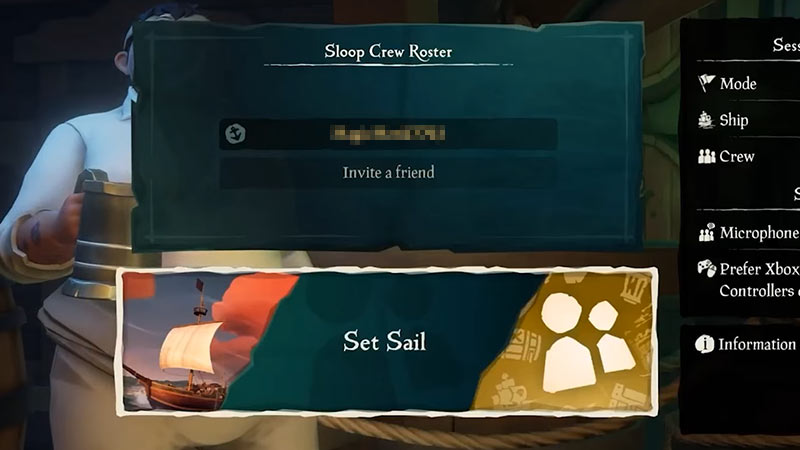
Unfortunately, currently, there are no official solutions available to fix the Can’t Invite Friends issue in Sea of Thieves. If you’re new to the game then recheck the steps to Invite Friends and see if you’re missing out on something. But if you’re a veteran player and facing a bug, then we would suggest you reach out to the Devs Support team for further assistance. No workarounds seem to be working at the moment for any platform players. However, such issues are pretty common in multiplayer games, so below are some troubleshooting tips that may help you remove the bug.
Possible Solutions
- On Xbox first check your NAT type. It should be Open, that’ll allow you to connect to other players easily. If you’re not aware of the steps to access this option then navigate. My Games & Apps> choose Settings & Network> see under Current Network Status> choose Test NAT.
- Make sure you’re connected to a stable Internet Connected and the system is getting enough speed. Sometimes faulty network connection is the culprit behind such issues.
- Check if your game is up to date, that’s because an outdated version usually tends to cause such issues. If it isn’t running on the latest update then make some space on your system and install it.
If you still can’t invite your friends in Sea of Thieves, then wait for the developers to fix it. That covers all about the solutions to remove the invite friend bug. While the issue is getting fixed check out how to become a Pirate Legend. Also, take a look at the ways to get all Curses in the game.











