Home > Gaming Guides > Turn Off Disable Quick Resume Xbox

How To Turn Off Quick Resume On Xbox Series X & S

Updated Date :

Quick Resume is a function just on Xbox Series X|S that lets players swiftly move between several games as well as continue wherever they left the game. Even after a system restart, Quick Resume can continue games exactly where they were previously paused. Switching between titles is simple and takes only a few seconds. This is a significant improvement over other consoles (like PS5 & Switch), that typically shut games when moving between them. Sometimes they crash the system in some games like AC Valhalla. So if are wondering how to turn off & disable Quick Resume on Xbox Series X & S, then we will be talking about it today here.

How To Disable Quick Resume On Xbox Series X & S
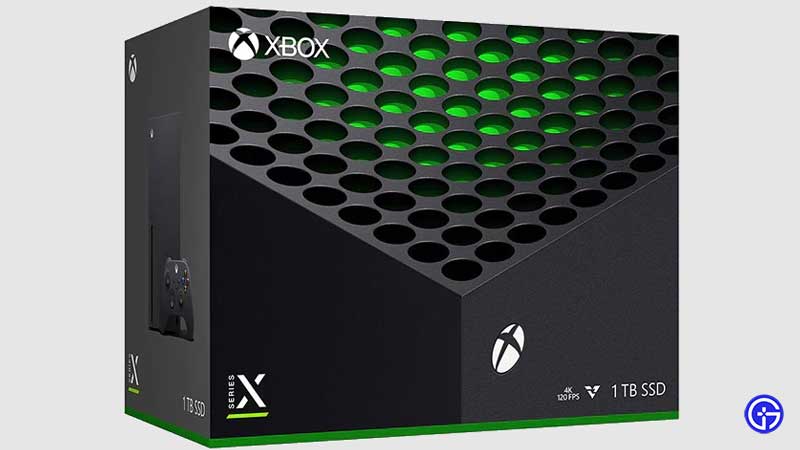
How To Disable & Turn Off Quick Resume On Xbox Series X & S

Quick Resume is a feature enabled in the base system-level programming architecture by Microsoft. For this, there is currently no way to shut down the entire feature manually. This technology is enabled by default with help of new Velocity Architecture, which is the base of current-gen console storage technology. But there are several workarounds you can do to overcome this issue. So here’s how to turn off & disable Quick Resume on Xbox Series X & S:

  • Save the game you are playing
  • Click on the “Xbox button” on the controller
  • Select “Home”
  • Now with the game title selected, click on the “Menu button” (controller)
  • Now from the menu that poped up, click on “Quit”
  • You can also go to “My games & apps” in Xbox guide
  • Then click on “Quick Resume”
  • Highlight the game you want to disable
  • Now click on the “Menu button” on the controller
  • Then click on “Remove from Quick Resume”
  • This will disable the feature for the game

Note that these solutions are not permanent, and you have to follow these steps every time you play that specific game, till the game devs release a patch for it.

That’s everything you need to know about how to turn off & disable Quick Resume on Xbox Series X & S. While you are here make sure to check out our other Xbox Guides like How To Play 120 FPS On Xbox Series X|S, and How To Get Discord On Xbox Series X|S.
  • Clean the Squishies Codes (July 2026)

    Clean the Squishies Codes (July 2026)

    Published Date :

    There’s something surprisingly satisfying about picking up the cute Squishies and putting them back on their designated shelves. If you’re interested in getting some unique rewards including free Squishies, this guide is for you. Here’s the complete list of all the working rewards. Last checked for new codes on July 13, 2026 All Clean the… Read More

  • Scratchy Loot Codes (July 2026)

    Scratchy Loot Codes (July 2026)

    Published Date :

    If you want a little luck boost while playing Scratch Loot, codes come to the rescue! In this experience, you scratch cards, reveal symbols, earn coins, and keep upgrading to get better rewards. To make this journey easier, the developers regularly release codes, and if you don’t want to miss out, redeem the freebies mentioned… Read More

  • My Squishy Box Store Codes (July 2026)

    My Squishy Box Store Codes (July 2026)

    Published Date :

    Every new customer brings another opportunity to grow your business and expand your collection of adorable squishies. To help you even more, the devs release My Squishy Box Store codes that provide free cash and in-game items. These freebies that can help you upgrade your shop faster and earn more while handling a steady flow… Read More

  • GTA 6 Players in Australia May Need Age Verification Due to New Online Safety Rules

    GTA 6 Players in Australia May Need Age Verification Due to New Online Safety Rules

    Published Date :

    Australian players could have an extra requirement to meet before accessing Grand Theft Auto VI’s online features. Under the country’s updated online safety regulations, games classified as R18+ may need to verify that players are adults instead of relying on a simple age confirmation (as per news.com.au). If GTA 6 falls under those requirements, Rockstar… Read More