Delta Force: Hawk Ops is in the Beta Stage, free keys are distributed to try out the demo version. Where players can enjoy two modes and few operators. If you are one of those who have received the keys then here are some tips to unlock max fps on the game. Being a fast-paced shooting game, the more fps you have the clearer your view will be. This plays a vital role in spotting enemies at a distance. To make the below settings work, recheck that you have the latest Windows Update installed along with new video drivers.
How to Unlock max FPS on Delta Force: Hawk Ops?
First, let’s do some optimization on the default Windows 11 graphic settings. You will need a minimum of Nvidia Geforce GTX 1060 GPU along with 16GB RAM and a Core i5-6500 Level CPU. Or else the below settings will not help you at all. If you have a system above that, then it’s better.
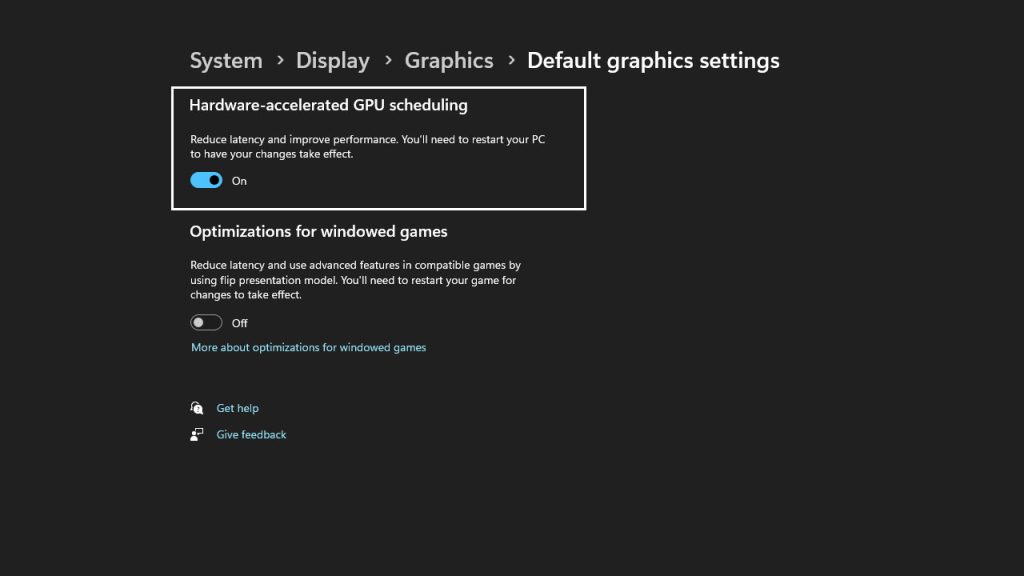
Search Display Settings in the Windows 11 Search bar and click on Graphics. Scroll down below Scale & Layout. If you have a dual monitor then click on the display on which you will be playing the game. Next, click on Change Default Graphic settings and turn on Hardware-accelerated GPU scheduling.
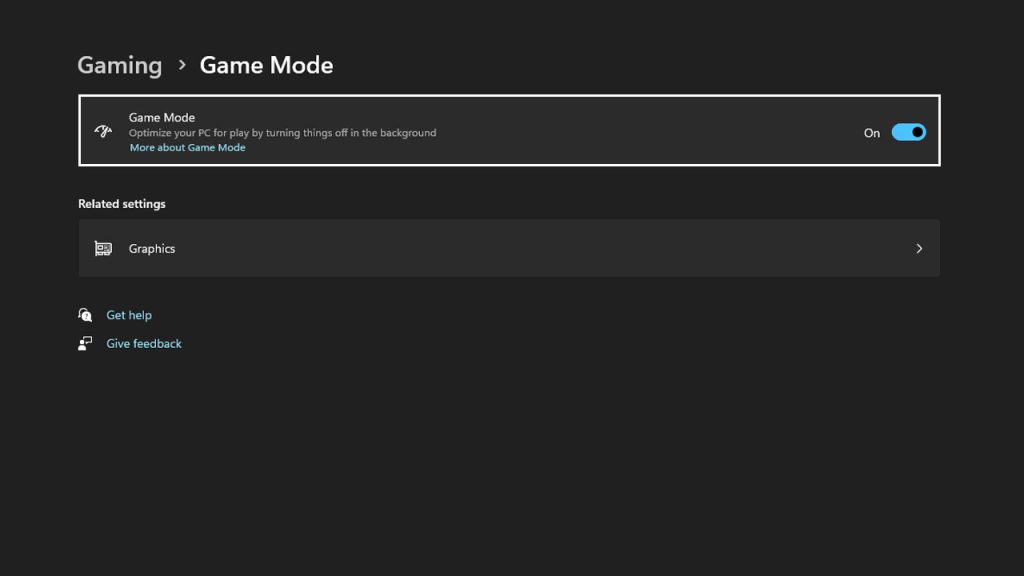
Next, click on Gaming from the left side and then click on Game Mode. Turn on Game Mode, so that Windows 11 prioritizes Delta Force: Hawk Ops, everything above any running application. Set your monitor refresh rate at maximum and turn power on power-related settings.
Next launch the game and go to Screens. Under General turn on “Show Performance Parameters”. This will display active FPS, so if there is any drop you can view it instantly. Next, go to the Graphic option and set the entire setting to Medium. Double-check under Display Adapter that your GPU is displayed. Or else click on it and from the drop down select the graphic card.
- Display Mode: Fullscreen.
- Display Rate: Max. Do not leave it on Auto.
- Frame Rate Cap: Unlimited.
- V-sync: Off.
- Graphic Preset: Medium.
- Texture Flitering: Extreme. (Only if you have a GPU like RTX 3060 or 4080).
- Ambient Occlusion: Medium.
- Particles: Low.
- Distortion: Low.
- Scene Details: Low.
- Scene View Distance: High.
For more FPS you can manually adjust the Graphic Preset under Custom Mode. Here are some tips to improve Delta Force: Hawk Ops graphics on Windows 11.
- Reflection: Set it on low, this is not needed on the ground. This will add more to the fps.
- Shaders: High.
- Depth of Field: Turn Off.
- Global Illumanity Quality – Low.
- Shaders (Advance Graphics) – High.
Set most of the options to low and check the gameplay. If it is affecting your visibility then increase the settings for Texture, Shaders, Streaming, and Shadows. If required you can keep Ray Tracking on or else turning it off will boost FPS.
With the help of the above settings, you can get a clear view of the scene, along with good fps. Due to performance boost, the fps can rise higher if the scene does not have a different weather element. The above Delta Force: Hawk Ops graphic settings will help you to spot enemies from a distance. A lot relies on the monitor you are using for playing this game. Due to the high refresh rate, things will be fairly visible. So just applying the best FPS settings is half the work done.
Yet not received Delta Force: Hawk Ops beta Keys then click this link to learn about three ways to get free beta keys in an instant.