
Luckily, you are free to choose between a selected range of Ship Interiors and customize them in Starfield. May it be your living area or Cockpit, it’s possible to edit the way they look anytime. You can further decorate them to make them feel like home. All you need is this Ship Interior guide where we have mentioned the steps for customizing & decorating the inside of your Spaceship. Scroll down to get started.
How to Edit Ship Interior in Starfield
To edit or modify the Ship’s Interior completely, you will have to add HABs (Ship Parts). Every HAB (or Habitat) module features a different kind of interior design. These Ship modules are purchased from various Ship Services Technicians across the map. You just need to enter the Ship Builder menu and enter the HABs section. From there, you will be able to cycle through various modules with different interior designs for your Ship in Starfield.
Tip: Build a Landing Pad with Ship Builder on your Outpost. This will allow you to easily access all types of Ship Modules making it easy for you to customize.
Once you have your desired Ship Interior, here’s how to decorate it to change the vibe for good.
How to Decorate or Customize Your Ship Interior in Starfield
For the customization part, you will need decorative items like dolls, furniture items, etc. Once you have any of it, follow these steps to place it in your preferred location:
- Drop the item that you want to place inside your Ship.
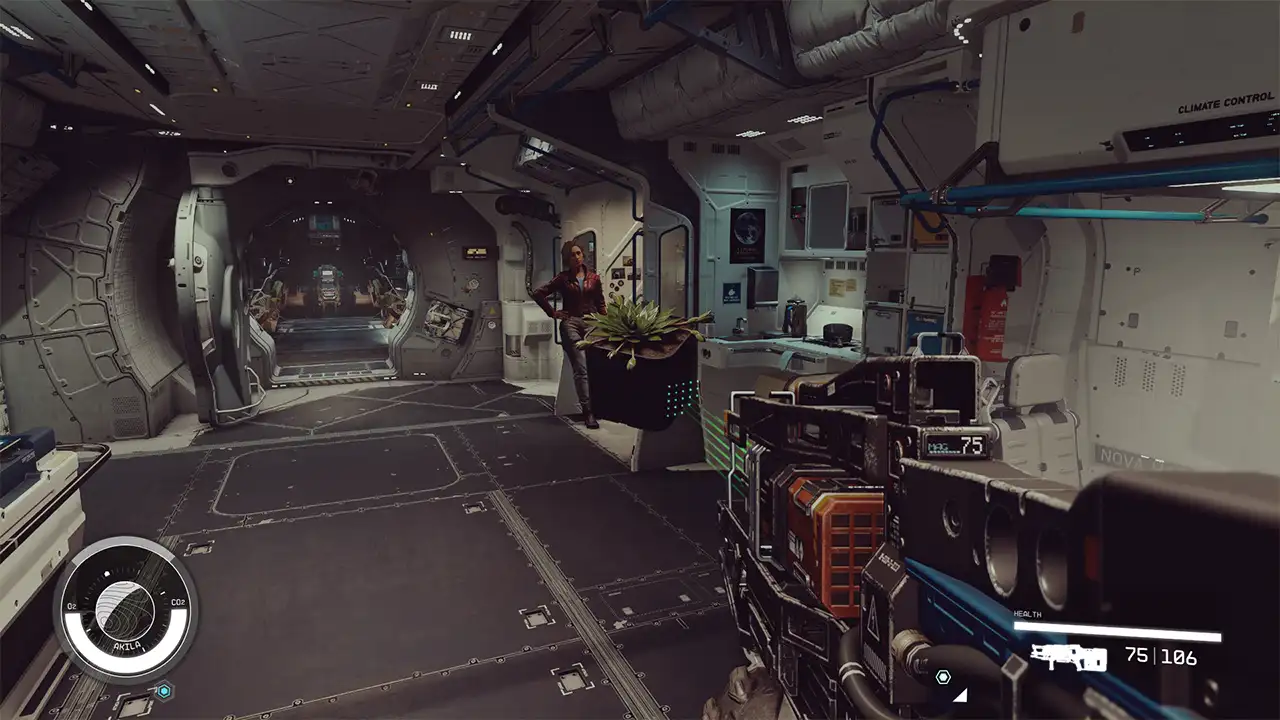
- Now, look at that item and hold the A button (on Xbox) or E button (on PC).
- This will allow you to move the item from one place to another.
- To rotate the object or item, you can press LT/RT (on Xbox) or right/left click (on PC).
- Also, to change the axis of the rotation, you can press LS (on Xbox) or Shift button (on PC).
- Use your cursor to take that item wherever you want inside the Ship.
Follow the above steps until your Ship looks the way you want it to look. See? It is not that difficult to decorate a Ship Interior in Starfield.
Just to be on the safe side, make sure that you have manually saved the progress after customizing the interior part of your Ship. Otherwise, you’ll have to start the process once again.
That’s all you can do to Edit and Decorate your Ship’s Interior in Starfield. Customizing your Ship is more fun if it’s the best one in the game. And that’s why, you must take a look at our Best Ships Tier List. For plenty of such guides on Spaceships, be sure to check out Starfield Wiki right here at Gamer Tweak. We have added plenty of helpful content for you there.











