
Home > Fallout 76 > Fallout 76: How To Change Pip-Boy Skin And Color

Fallout 76: How To Change Pip-Boy Skin And Color

Published Date :

While exploring the world, players would want to change the appearance of their Pip-Boy in Fallout 76. Along with the skin, players can also change the color to their liking. While players can get some skins through purchase, they can get others by simply navigating through the game.

Once they have the desired skin and color for their Pip-Boy, they will be able to make changes to the appearance through the armor workbench. Fortunately, the entire process is pretty simple and players will have multiple options along with other patterns and colors that suit them. If you are finding it hard to do so, this guide has covered everything you will need.

How to Change the Appearance of the Pip-Boy in Fallout 76
Fallout 76 How To Change Pip Boy Skin And Color
Image via Quick Tips (YT)

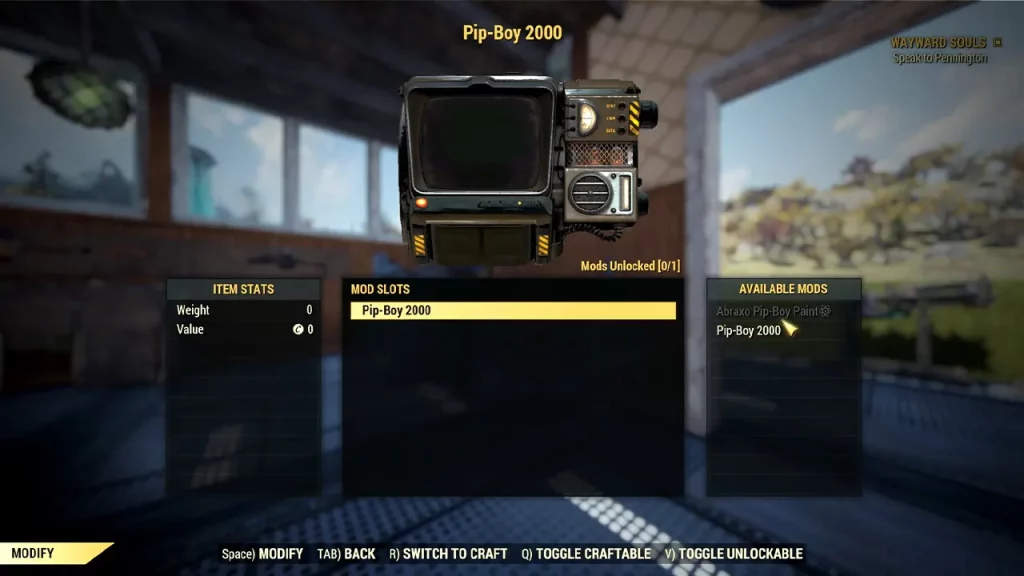
The only way to change your Pip-Boy in Fallout 76 is by heading to the armor workbench and modifying it on your own. Once you reach the workbench, interact with it and choose the Modify/Repair option. Now, look for the Pip-Boy option and you will see a menu pop up with all the skins and colors you can use. Although you will have to craft it before equipping, the materials required are usually quite easy to get.

The Atomic Shop provides skins if you don’t have any available right now and you can unlock more skins and colors by completing challenges in the game. There are a number of skins in the game so at the very least you won’t fall short on those and you can collect many more. There are numerous armor workbenchs located throughout the overworld including the one that you have built at your own camp.

That’s all you will need to change the appearance of the Pip-Boy in Fallout 76. If you found this guide helpful, do check out our other Fallout 76 guides in our dedicated section right here at Gamer Tweak.


  • Heal your Injuries Codes (August 2026)

    Heal your Injuries Codes (August 2026)

    Published Date :

    Heal your Injuries is a JJK-inspired game, where you need math to heal yourself as you get hit by bombs, weapons and more. While playing, you will need EXP and Energy to progress, and thankfully, Heal your Injuries codes drop exactly that! Here’s a complete guide with all the latest rewards and how to claim… Read More

  • Steel Crossfire Codes (August 2026)

    Steel Crossfire Codes (August 2026)

    Published Date :

    Steel Crossfire is a thrilling PvP robot-fighting game inspired by Transformers, so yes, you can change into a vehicle, get into Jet mode, and get into some explosive battles. To make things interesting, you can unlock more characters and skins using Shards, which is what Steel Crossfire codes frequently drop! Here’s the complete list of… Read More

  • CookieRun: Crumble Codes (August 2026)

    CookieRun: Crumble Codes (August 2026)

    Published Date :

    The Devsisters Corporation is back with another Cookie adventure, and like other games, there is a code redemption system in CookieRun: Crumble too! This means we can expect to get regular rewards as drops to help you assemble a team of adorable yet powerful Cookies. Here’s a list of everything currently available. Last checked for… Read More

  • Smiles Codes (August 2026)

    Smiles Codes (August 2026)

    Published Date :

    Smiles is a multiplayer survival mascot horror game where you join other players, complete objectives and survive the dangers lurking in the dark. To make the game more interesting, you can unlock emojis, animations, and more that require in-game currency (Fluff), but it can be quite a grind to earn. Don’t worry, you can redeem… Read More







