
If you are looking to have easier controls and grind your way up the ranks in a Roblox experience, then here’s what you need to know about changing the keybinds according to your choice. There are tons of games on this platform and while you would find default controls to be easy on most of them, some need a little tweak here and there. Customizing your key binds will not only let you have smoother gameplay but will also let you have a more personalized gaming experience on Roblox. Find out if it’s possible to set the controls according to your preference or not.
How to Change Roblox Keybinds?
Unfortunately as of now, players won’t be able to change any default keybinds in Roblox. Customizing controls is solely in the hands of the game developers. They can change the in-game controls through Roblox Studio and edit their game.
Having said that, there are some games on the platform that don’t use the standard Roblox keybinds and allow you to change the key binds. Here are the steps you can follow to check out the controls:
- Launch any Roblox experience you want.
- Once done, press the ESC key to go into the main menu.
- From the upper tabs select Help.
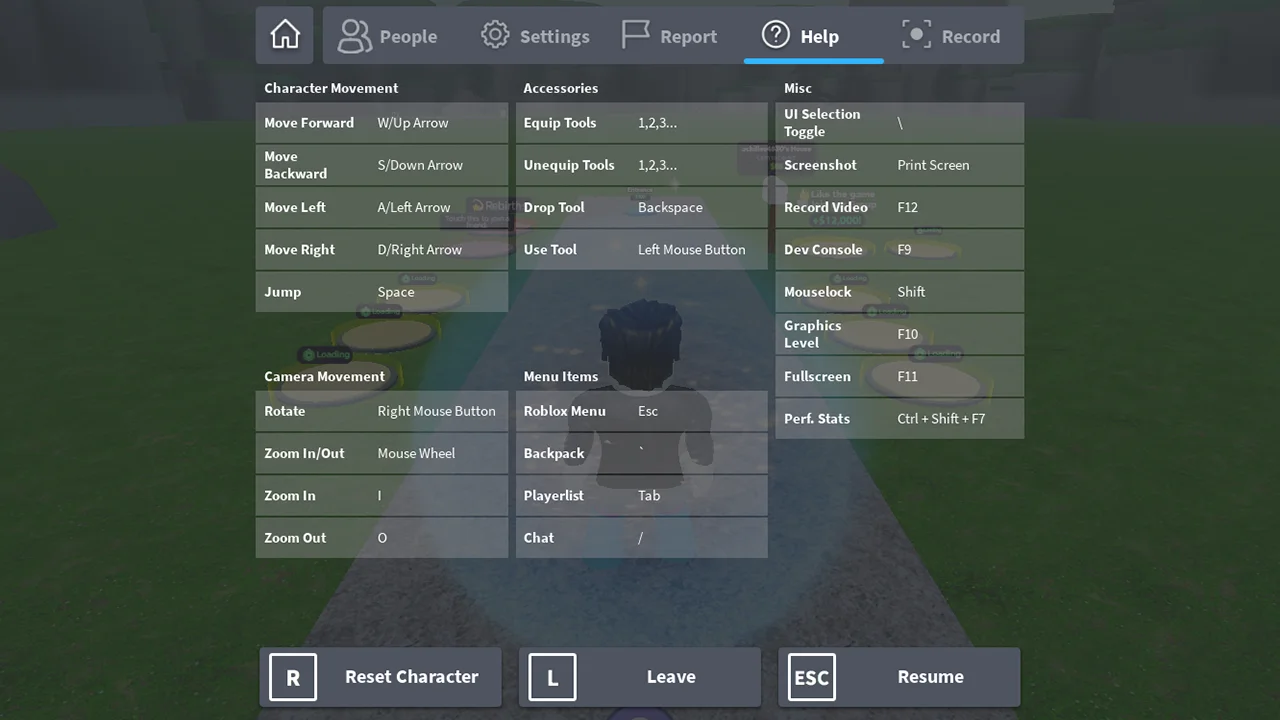
- Here, you will be able to see all the default keybinds on Roblox.
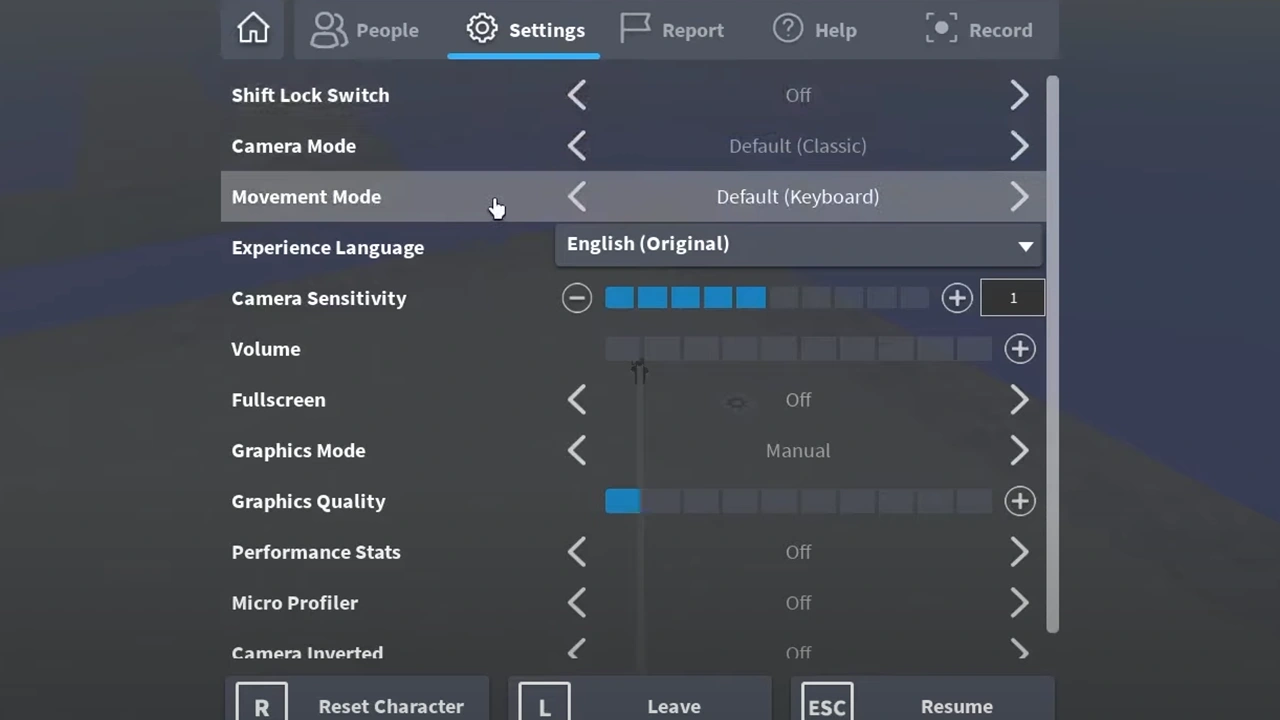
You can always change your camera sensitivity and movement mode by going to the Main menu and the Settings tab. Some games allow you to switch from Default Keyboard to Keyboard + Mouse to Click to Move, so go ahead and adjust the controls as per your preference.
Most of the games across the platform have the same default controls, so it isn’t difficult to figure out all of them. You may find them hard to adjust to in the start but once you play enough experiences they are more than easy to grasp.
That’s everything covered on how you can change keybinds in Roblox. Check out our guides on how to disable UI navigation and how to change profile pose on Roblox, right here Gamer Tweak.











