Pokemon Showdown offers a massive list of Avatars to choose from and change into. And you can replace your Avatar as many times as like in both guest and personal accounts. So try all the Avatars and find the one that suits your taste. Now, if you don’t know how to check and select from the Avatar list, no need to worry, this guide has got you covered. The setting for this feature is pretty simple, just follow the steps and change them anytime you want.
Note: This guide is only for information purposes about this battle simulator.
How to Select and Change Avatar in Pokemon Showdown
There are two ways to change Avatar in Pokemon Showdown: from settings and username. The settings method is suitable for both guest and personal accounts. So if you are planning to play Pokemon Showdown as a guest to test out your skills, then this settings method is the one for you. But if you are battling with your account, then you can use both methods.
Where to Change Avatar in Pokemon Showdown Settings
- Go to the Pokemon Showdown site.
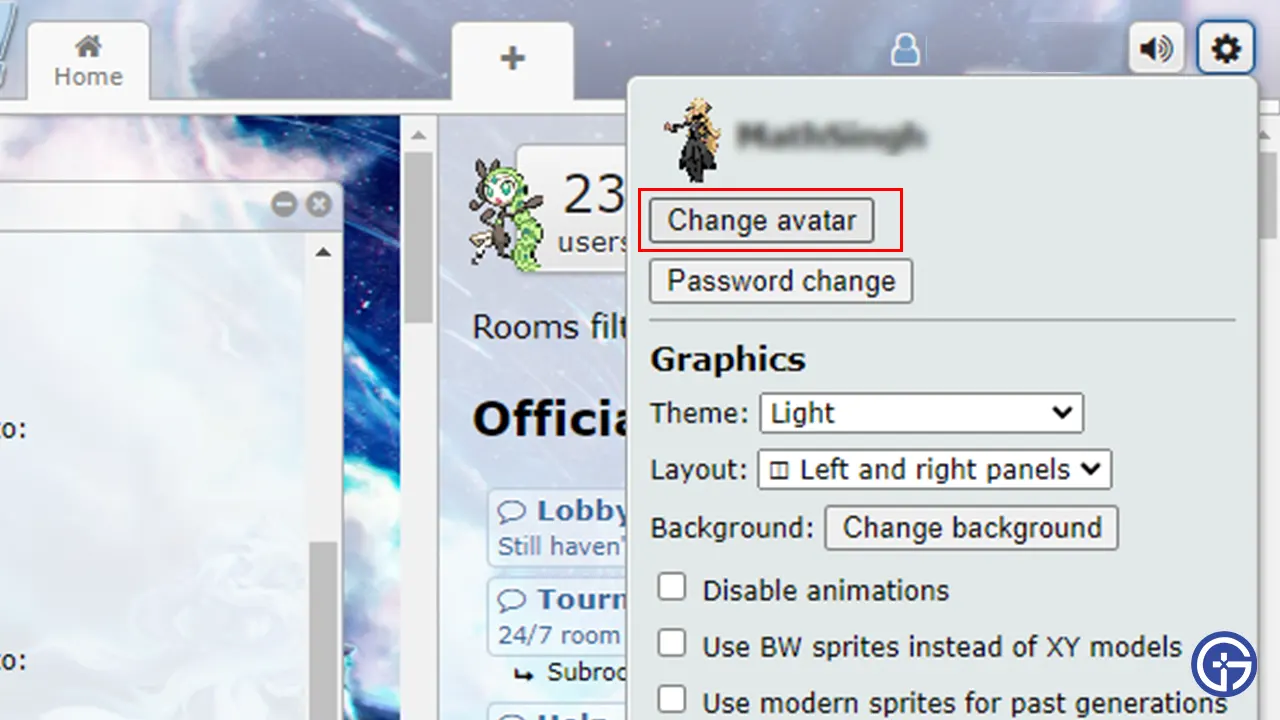
- Tap on the Settings gear from the upper right corner of the Home page.
- You will see a Change Avatar button below your User ID. Press that button, and you will see the list of Avatars.
- Scroll up and down to find the Avatar you wish to keep.
- Once you have found it, left-click on it to replace it with the current one.
- On the left side of your screen, you will see a small window that shows the changed Avatar.
How to Replace Avatar From Username
- Go to the Pokemon Showdown site and press the Choose name button from the Home page.
- Type your Username and press Choose name.
- Enter the Password and hit Log in.
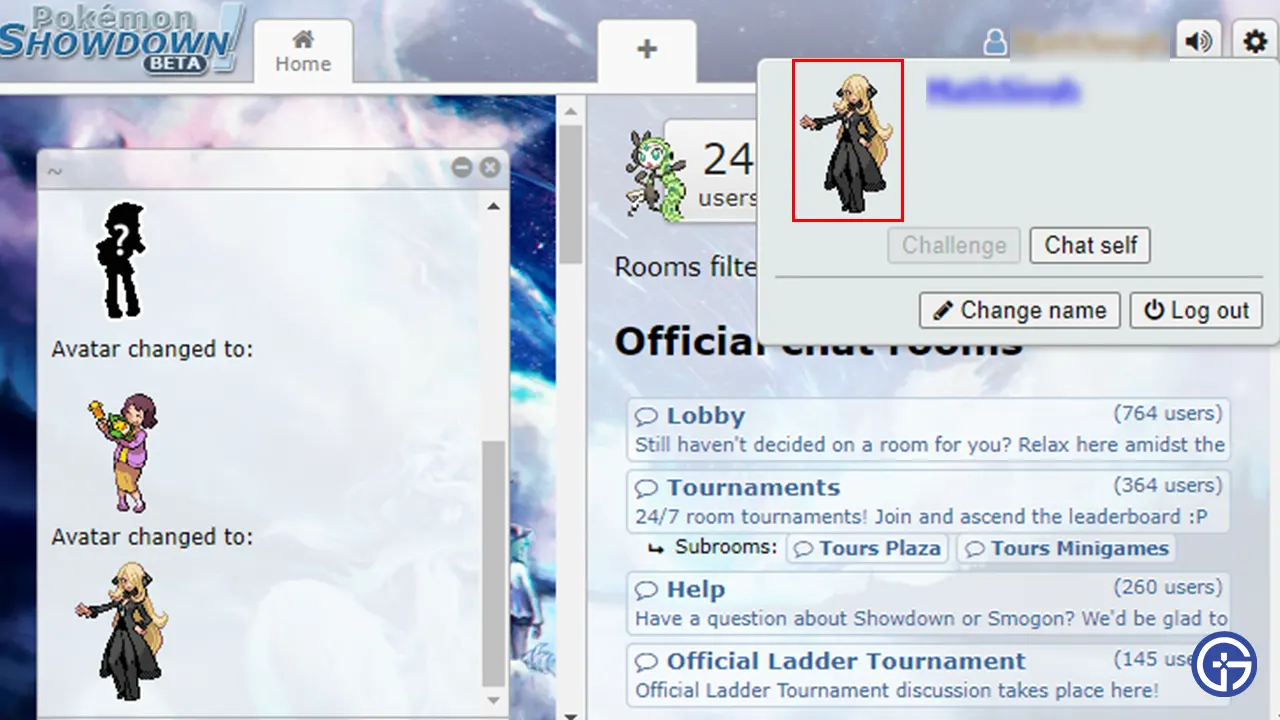
- Now, click on your user name from the upper right corner. You will now see your Avatar.
- Tap on that Avatar, and you will get the list of Avatars
- Left-click on the one you want to set as your Avatar.
With this, you can now change your Avatar anytime in Pokemon Showdown. If these steps helped you and you successfully replaced your Avatar, then we suggest you check our other Pokemon Showdown guides, such as fixes for server issues.