Can’t Invite your friends in Dying Light 2 Stay Human to play the Multiplayer mode? Then we recommend you read through this guide as we will help you fix it. Since horror survival is best enjoyed when you play with friends, we understand how frustrating it is to not be able to join them. Nevertheless, since this problem has been appearing for many players, we will provide you with the troubleshooting tips that will help you solve these errors. So if you cannot join your friends in the game, we recommend you keep reading below.
How to Fix Can’t Invite Friends Error in Dying Light 2
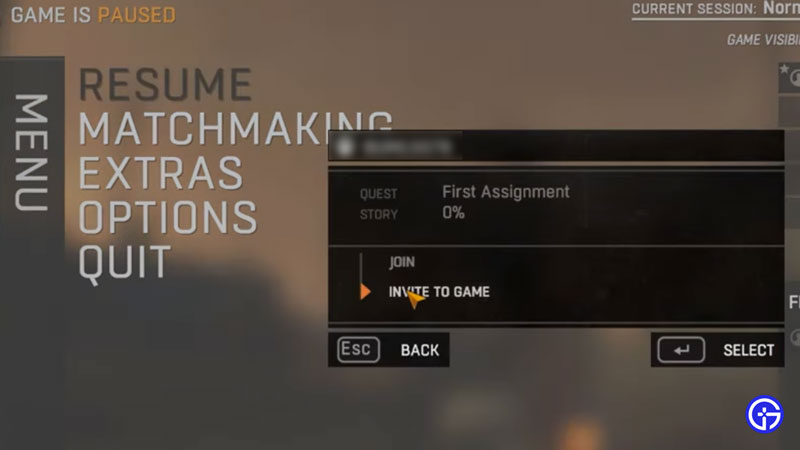
The error seems to be related to Steam for most users so first, make sure that Steam Servers are working properly. Once that is out of the way, you will be able to concentrate on your device. There are a couple of troubleshooting tips that you need to try in order to solve this issue. Here’s how to fix Can’t Invite Friends Error in Dying Light 2 Stay Human:
First, log out of your Steam and then log in to your account again. After that, look for Dying Light 2 in your Steam Library and then right click on the game. After that click on Properties and then select Local Files. Now, from the Drop Down menu, select Verify Integrity of Game Files. Once this process ends, restart your game to see if it fixed the issue.
If not, what you can do is, log out of Steam and then log in again. Now, head over to the in-game settings and then select Game Language option and then set it to English. After saving, restart the game and see if it fixed the Dying Light 2 Can’t Invite Friends Error.
There are other multiplayer errors in DL2 that we have provided a fix for in the guide. Click the link to check it out. If the trouble shooting tips don’t work, we recommend you give it a try. Or, you can also contact Dying Light 2 Support and hope that they can help you solve this issue.
That’s all there is on how to Fix Dying Light Can’t Invite friends error. While you are here, make sure you check out our other Dying Light 2 guides right here at Gamer Tweak.