
Home > Gaming Guides > Fallout 4: How To Assign Workers and Give People Tasks

Fallout 4: How To Assign Workers and Give People Tasks

Published Date :

Like many things, Fallout 4 doesn’t exactly tell you how to assign a worker. Giving people tasks is useful for you because you can get miscellaneous and even important activities done by them. Be it giving them food to look after, putting them on guard post duty, or even getting someone to pump water. All of it can be done by NPCs, and while the process by itself seems confusing, it actually is pretty easy here is what you have to do:

How to Give Workers Tasks in Fallout 4
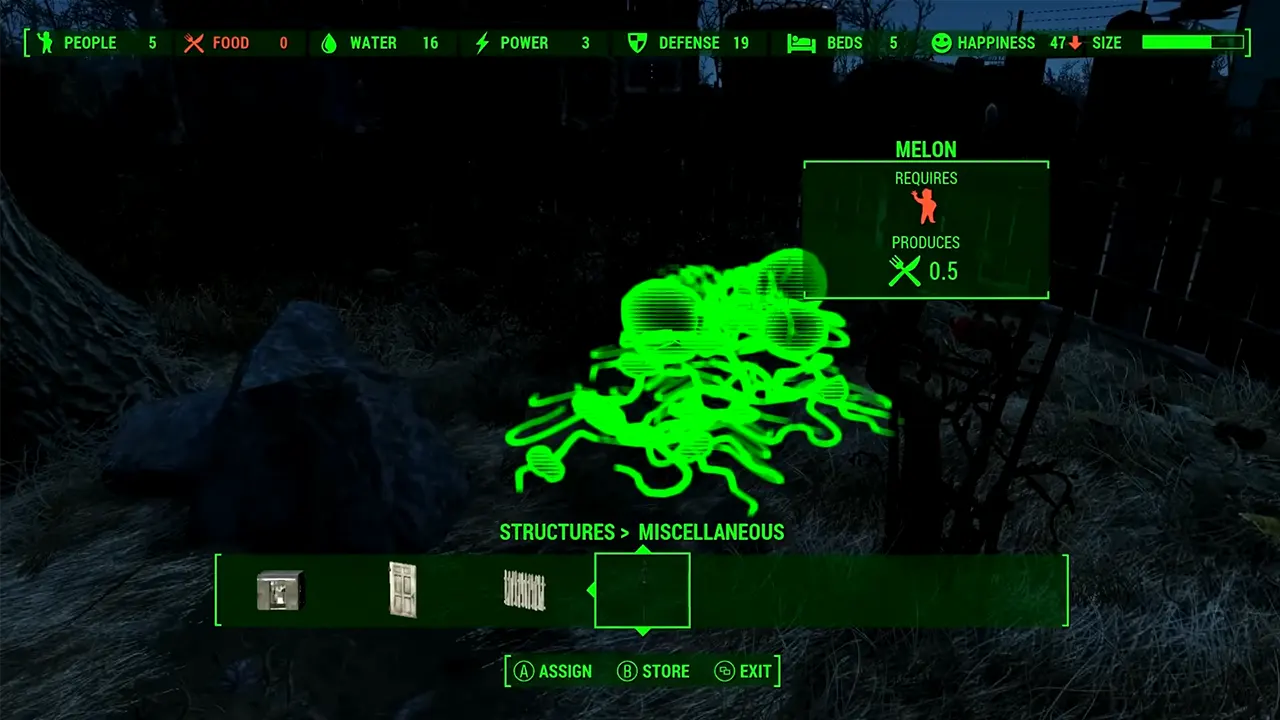
Image Credits: Ser Winter on YouTube. Go to the item and hit assign to give the worker a task in Fallout 4.
  1. First, open the Workshop menu.
  2. Next, walk up to the person to whom you wish to assign the task and press the command button.
    • Press E for PC
    • Press A for the Xbox controller
    • Press X for the PlayStation controller
  3. Now, go to the item that is related to the task you want to give them.
  4. Finally, press the Assign button. Once again it is E, A, or X.

When done correctly in the top left corner you will see a message that says “The resource is now assigned.”. You can confirm this further by looking away and looking back at the assigned item. The red human icon should turn green indicating a worker has been given this task.

Fallout 4 Assigning Tasks Not Working Fix

There are two reasons why you can’t assign tasks to someone. The first is there are different types of NPCs in the game and you cannot assign any task to anyone. For example, if you are trying to give a task to someone who is a traveler they won’t do it but a common settler on the other hand wouldn’t mind.

Aside from that the other possibility is reassigning a task. At times when you reassign it may feel like nothing is happening, in such cases, it is better to wait for around a minute to check if the option is available. If it isn’t simply restart the game.

That is all for how you can assign workers tasks in Fallout 4. While you are here you should also check out how to get purified water, how to get companion out of power armor, and the best supply lines layout.


  • Throw a Coin Codes (July 2026)

    Throw a Coin Codes (July 2026)

    Published Date :

    Throw a Coin’s gameplay loop is very addictive – you start by throwing a coin into the fountain, and it gives you a random item of a certain value. The fountain can drop anything from a Guitar, a TV, a Trophy, a Magnet, a Wheel, to the rare Treasure Chests. Your goal is to upgrade… Read More

  • Rintama High Codes (July 2026)

    Rintama High Codes (July 2026)

    Published Date :

    Rintama High codes can help your journey by providing free cash (Yen), Reroll Tokens, with more freebies to come in the future. They can expire at any time without warning, so, if you don’t want to miss out, this guide is for you! Last checked for new codes on July 27, 2026. New Rintama High… Read More

  • Roll Anime to Fight Codes (July 2026)

    Roll Anime to Fight Codes (July 2026)

    Published Date :

    In Roll Anime to Fight, the fighters you get make all the difference, and to build the strongest team, you need resources. Thankfully, the developers frequently share codes that provide free Gold, Trait Shards, Godly Essences, and more, which make the process much easier. If you don’t want to miss out on these boosts, redeem… Read More

  • A Guide to CS2 Trading Tools and Pro Trading Tips

    A Guide to CS2 Trading Tools and Pro Trading Tips

    Published Date :

    Successful CS2 trading is rarely based on guesswork. Experienced traders rely on data to compare prices, track market trends, and identify good opportunities before making a trade. With so much information available, keeping up with the market without the right tools can be difficult. That’s where CS2 trading tools come in. In this guide, we’ll… Read More








