Home > Discord > How To Fix Discord Amoled Mode Not Working

Discord Amoled Mode Not Working (Fix)

Published Date :

Is Discord Amoled Mode not working on your Android device as well? This issue has been troubling many players and had them scratching their heads for a while now. There’s an entire thread on Reddit in which users have addressed their disappointment related to this issue. Wherein, the Amoled Mode is still there but does not work upon activating it. So, is there any way to get this issue fixed? Take a look below to find out.

How to Fix Discord Amoled Mode (Not Working Issue)
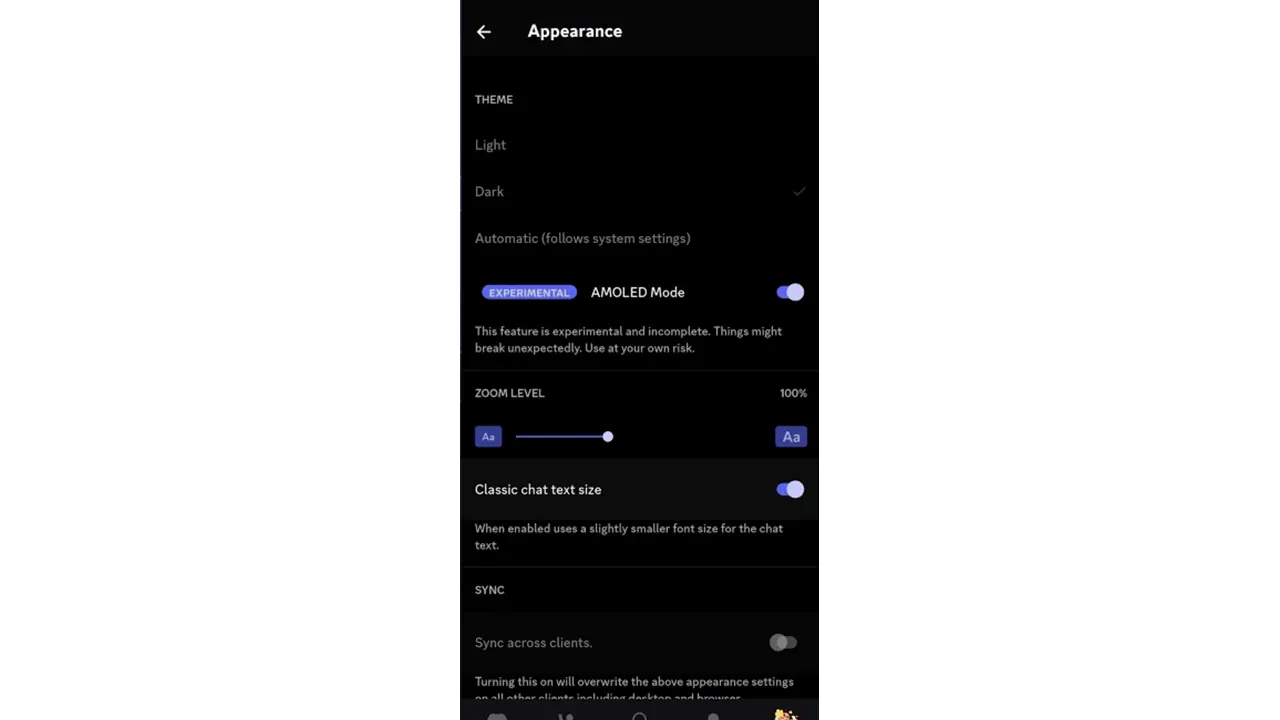
Discord Amoled Mode

Here’s what you can do to fix the issue where Discord Amoled Mode is not working.

Unenroll for Discord Beta

Being a Beta Tester for Discord means having to try out features that are still under development. This makes your device vulnerable to bugs and glitches. But you can always leave the beta testing program and restore Discord to standard versions. And by doing so, you might be able to enjoy the Discord Dark Amoled mode again. For your reference, here are the steps that you can use to leave the Discord Beta.

  • Head over to the Google Play Store on your device.
  • Search Discord and enter its store page.
  • Now, tap on its Details page and scroll down.
  • After that, tap on Leave under the “You’re a beta tester” tab.

Use Previous Discord Version

You can try and download previous versions of Discord to fix the issue because of which Discord Amoled Mode is not working. But before installing an older version, make sure to uninstall the existing Discord app. Downgrading to an older version will let you use a Discord that does not include a broken Discord Amoled Mode.

In case this Amoled Mode still isn’t working, you can try submitting a complaint to the developers. For that, you can access the Discord Support Page using your internet browser.

That’s pretty much everything you can do to fix the Discord Amoled Mode not working issue. For more such informative Discord content, stay connected to Gamer Tweak. We have plenty of helpful guides for you.

  • Stream a Mukbang Codes (August 2026)

    Stream a Mukbang Codes (August 2026)

    Published Date :

    Mukbang games are gaining more popularity on Roblox these days, and Stream a Mukbang is where you eat food live, gain views, likes, followers, and earn cash for upgrades. As your live videos become more popular, you’ll need more resources to keep attracting new viewers, and that’s where free rewards can make a difference. Redeeming… Read More

  • Become an Anime Billionaire Codes (August 2026)

    Become an Anime Billionaire Codes (August 2026)

    Published Date :

    In Become an Anime Billionaire, you roll for anime characters, earn money, rebirth, climb the leaderboard and this journey becomes much easier when you have plenty of rewards. Thankfully, the developers release new Become an Anime Billionaire codes pretty regularly, such as free Units, Lucky Blocks, Cash, and more. Here’s the complete list of all… Read More

  • BikeLife Society Codes (August 2026)

    BikeLife Society Codes (August 2026)

    Published Date :

    Pulling off wheelies, upgrading your ride, and traveling across the city is what BikeLife Society is all about. As you unlock better bikes and customize them to match your style, you’ll need plenty of in-game resources to keep progressing. Free rewards can make that journey much easier, so it’s always worth redeeming the latest BikeLife… Read More

  • Coach a Fighter Codes (August 2026)

    Coach a Fighter Codes (August 2026)

    Published Date :

    In this boxing game, you don’t throw the punches yourself – you’re the coach who watches matches and helps train fighters. You’re tasked with upgrading your gym, improving your roster, and climbing through stronger leagues, which is why you’ll need every boost you can get. So, make sure to redeem these Coach a Fighter codes… Read More