If you are looking to quickly spawn some bugs, consumables, items, and more, these Grounded cheats and console commands are exactly what you need. The game more or less gives you the vibe from the movie, Honey I Shrunk The Kids and is often challenging. Luckily, a few inputs can get your out of difficult situations.
Since the game is based on survival, you might end up your resources if you haven’t calculated correctly. Or, you might even want to avoid all the grinding and simply want to enjoy the mechanics that the game has to offer. Nevertheless, you can get all the cheat codes you need in Grounded right here.
How to Use Cheats in Grounded

To use Cheats, you need to download and install a third party application called Universal Unreal Engine 4 Unlocker. Once you do so, you can access the cheat menu by pressing ~ on your keyboard. You can now input in the Grounded cheats we have provided below.
All Grounded Cheats
- AddFood # – Fill Hunger Meter to the number you add.
- AddScience # – Gives you Raw Science to the number you add.
- AddWater # – Fill Water Meter to the number you add.
- BuildAllBuildings – Constructs all blueprints you laid out.
- ChangeSize # – Adjusts your size to the number you add.
- DamageTarget # – Inflicts damage on the enemy for the number you add.
- FullRestore – Complete restore of stamina, health, thirst, and hunger.
- god – Take no damage.
- InfiniteDamage – Kill anything almost one-shot
- kill – Teleports you back to your spawn point after killing your character.
- pause – Pauses the game and unpauses on repeat.
- RepairAllItems – Repairs your inventory.
- ResearchAllItems – Analyze every item in the game.
- SetCurrentBreath # – Set breath to the number you add.
- SetCurrentFood # – Set Food to the number you add.
- SetCurrentWater # – Set Water to the number you add.
- sg.PostProcessQuality0 – Removes depth of field blurriness on the map.
- show – Show list of graphic settings and options.
- showdebug – Show coordinates on the screen.
- ShowWaveStats – Show all statistics.
- stat fps – Enables FPS counter.
- stat unit – Shows frame time on screen.
- teleport – Teleport to wherever your crosshair is aiming.
- timespeed # – Set Time speed to the number you add. Enter 0, to stop time.
- toggledebugcamera – Fly around the game as the camera.
- unlockallperks – Unlocks all perks.
- UnlockAllRecipes – Unlocks all recipes.
- UnlockAllTechTrees – Unlocks all Tech Trees.
All Grounded Console Commands
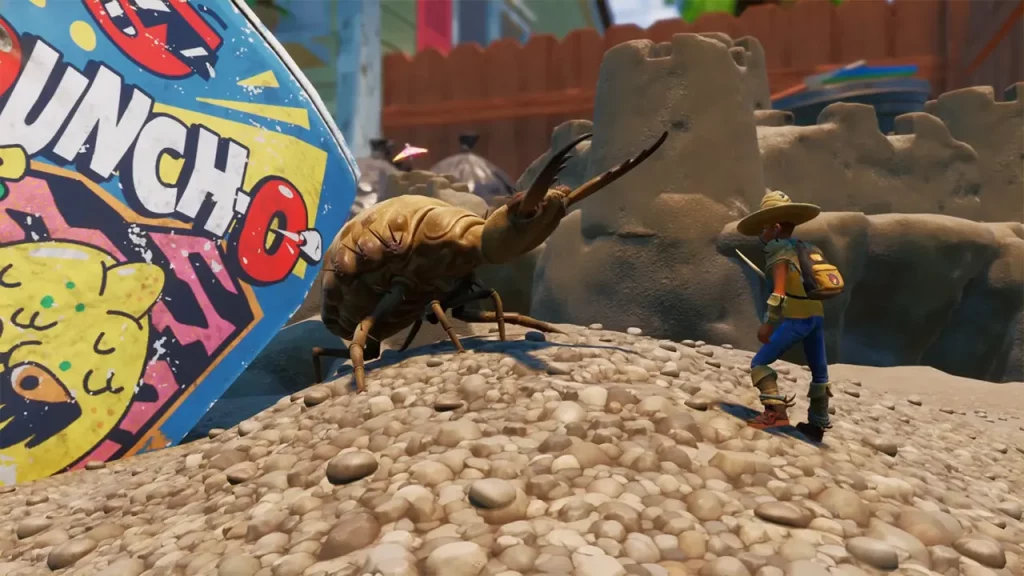
Compared to Grounded cheats, console commands are more useful to summon animals, bugs, consumables, and other items.
Animals & Bugs Console Commands
- Summon BP_Ant_Black_C
- Summon BP_Ant_Black_C
- Summon BP_Ant_C
- Summon BP_Ant_HillWorker_C
- Summon BP_Ant_Soldier_Black_C
- Summon BP_Ant_Soldier_C
- Summon BP_Antlion_Pit_C
- Summon BP_Antlion_Roamer_C
- Summon BP_Aphid_C
- Summon BP_ARCR_C
- Summon BP_Bee_C
- Summon BP_BlackOxBeetle_C
- Summon BP_BombardierBeetle_C
- Summon BP_Burgle_C
- Summon BP_Candy_Spicy_
- Summon BP_Candy_Spicy_C
- Summon BP_CrystalBeetle_C
- Summon BP_DivingBellSpider_C
- Summon BP_Firefly_C
- Summon BP_Food_Apple_Core_C
- Summon BP_Food_Candy_Corn_C
- Summon BP_Food_Cookie_Sandwich_C
- Summon BP_Food_Hotdog_C
- Summon BP_Food_Mint_C
- Summon BP_Gnat_Big_c -trash heap gnat
- Summon BP_Gnat_C
- Summon BP_gnat_infected_c
- Summon BP_gnat_infected_c
- Summon BP_Grub_C
- Summon BP_Gum_Node_C
- Summon BP_Haze_Fungus_C
- Summon BP_KoiFish_C
- Summon BP_Ladybug_C
- Summon BP_ladybug_infected_c
- Summon BP_ladybug_infected_c
- Summon BP_Ladybug_Upperyard_C
- Summon BP_Larva_C
- Summon BP_larva_infected_c
- Summon BP_larva_infected_c
- Summon BP_Lint_Node_A_C
- Summon BP_Milk_Nugget_Party_C
- Summon BP_Milk_Nugget_Personal_C
- Summon BP_Mite_C
- Summon BP_Mite_CableChewer_C
- Summon BP_Mite_Dust_C
- Summon BP_mite_haze_c
- Summon BP_Mite_haze_c -infected mite
- Summon BP_Mold_Purple_C
- Summon BP_Mosquito_C
- Summon BP_Mushroom_Black_A_C
- Summon BP_Mushroom_Black_B_C
- Summon BP_Mushroom_Black_C_C
- Summon BP_Mushroom_Roundcap_A_C
- Summon BP_Mushroom_Roundcap_B_C
- Summon BP_Mushroom_Toadstool_A_C
- Summon BP_Mushroom_Toadstool_B_C
- Summon BP_Mushroom_Toadstool_C_C
- Summon BP_PartyUpgradeCollectible_C
- Summon BP_PartyUpgradeCollectible_C
- Summon BP_Pupa_C
- Summon BP_Pupa_Topple_C
- Summon BP_Rock_Salt_A_C
- Summon BP_RolyPoly_Sickly_C
- Summon BP_Spider_Boss_C
- Summon BP_Spider_Boss_Hedge_C
- Summon BP_Spider_Small_C
- Summon BP_Spider_Web_C
- Summon BP_Spider_Wolf_C
- Summon BP_Spider_wolf_Infected_c
- Summon BP_Spiderling_C
- Summon BP_StinkBug_C
- Summon BP_Stinkbug_upperyard_C
- Summon BP_Tadpole_C
- Summon BP_TechChipPicnicTable_C
- Summon BP_Termite_King_C
- Summon BP_Termite_Soldier_C
- Summon BP_Termite_Worker_C
- Summon BP_UpgradeCollectible_C
- Summon BP_UpgradeCollectible_C
- Summon BP_Wasp_C
- Summon BP_WaterBoatman_C
- Summon BP_WaterFlea_c
- Summon BP_Weed_Spiky_A_C
- Summon BP_Weevil_C
- Summon BP_Weevil_Evil_C
- Summon BP_Wood_Splinter_C
- Summon BP_Wood_Splinter_Termite_C
- Summon BP_World_Ant_Black_Egg_C
- Summon BP_World_Candy_Spicy_C
- Summon BP_World_Food_Apple_Pristine_C
- Summon BP_World_Food_CandyCorn_C
- Summon BP_World_Food_Hot_Dog_Pristine_C
- Summon BP_World_Mushroom_Chunk_C
- Summon BP_World_Mushroom_Toadstool_Chunk_C
- Summon BP_World_WebWoven_C
This list is a work in progress. Do check back for more Grounded cheats and console commands.
If you found this guide useful, do check out our dedicated Grounded section for more such guides here at Gamer Tweak.