Overwatch login error bc-124 has reappeared among Xbox players who are in dire need of a fix. This error usually occurs because of a network connection and/or server communication error between your Xbox and Blizzard’s Overwatch servers. Here’s a guide that will help you put that error to bed with a list of fixes.
How To Fix Error BC-124 in Overwatch on Xbox?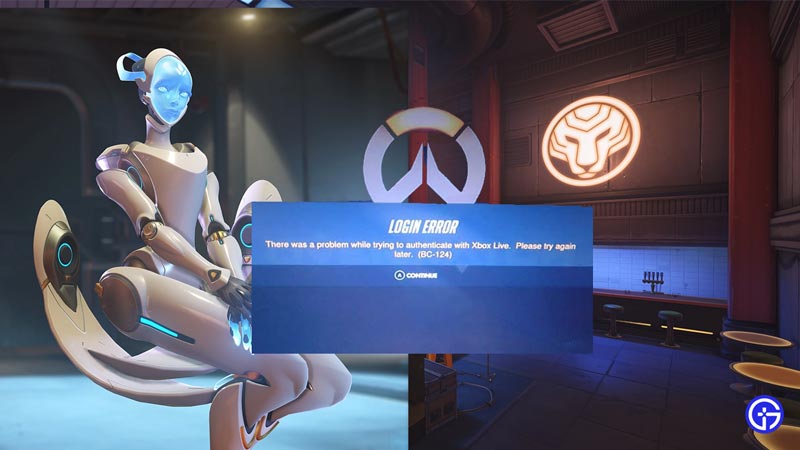
In order to get your error BC-124 resolved, here is a list of fixes that won’t take much time:
- Examine your Internet and verify if the connection is stable. You can do this by simply opening a browser and checking if the search results returned are quick. Furthermore, try running a speed test on speedtest.net.
- Update your Xbox. Updating your console can prevent any untoward errors from occurring.
- Ensure Overwatch is up-to-date. The game needs to have the latest patches and updates installed to run and function smoothly without problems.
- Consider Power Cycling your Console. It’s pretty easy to power cycle an Xbox. You can do this by following these steps:
- Confirm that your Xbox is powered off and unplugged.
- Now turn your wifi router or modem off.
- Patiently wait for at least 3 minutes.
- Switch the Router on.
- Similarly, turn on your Xbox and launch Overwatch.
- Look over your NAT type and ensure that it’s Open or Moderate in your Xbox settings.
- Get your Xbox profile unlinked with Blizzard and reconnect it. You can do this by heading to the Blizzard website and doing the following:
- In account settings, select “connections“
- Here you’ll have options to unlink your blizzard account with your Xbox profile.
- Patiently wait for at least a minute or until you get an email confirming the same.
- Now reconnect your account as you did earlier.
- Contact Blizzard Support for Overwatch and report your issue to them. They should provide you with a solution.
These fixes should see your error code BC-124 not appear anymore. We hope this guide was of assistance to you. If you continue to have similar problems in-game, here’s a guide on how to fix the ‘login error’ in Overwatch.